You've written a small server called hello. It listens on TCP port 7777, and when something connects it replies "hello from pid 177", where 177 is its own process number, and then hangs up. On your laptop you start it in a terminal, connect to it, get the greeting, and it works every time. Now it has to live on a server and answer people for months.
The obvious way to run it there is to log in over ssh, type ./hello & and walk away. That works until the first thing goes wrong, and several things will: you log out, hello crashes at three in the morning, the machine reboots for an update. The program can't deal with any of these itself, because they all happen outside it. Something else has to start it at boot, notice when it dies, start it again, keep its output, and stop it cleanly when asked. A program whose whole job is to start other programs and keep them running is called a supervisor.
On most Linux servers the supervisor is systemd. This chapter puts hello under it and asks one question: what keeps hello running, and when systemd says hello has started, can clients use it yet? The second answer is "not always", and most of systemd's surprises live in that gap. We'll start with the supervisor idea itself, meet the one process the kernel starts on its own, see how systemd decides what starts when, and then follow hello's port, its crashes and its costs.
01Keeping hello running
1.1What goes wrong when you start it by hand
Every running program is a process, and the kernel gives each process a number, its PID. When you type ./hello & in a shell, the shell starts a new process for hello and puts it in the background so you get your prompt back. That new process is the shell's child, and the shell is its parent. The parent-child link will matter a great deal in a minute.
Running hello this way goes wrong in four ways:
| What happens | Result |
|---|---|
| You log out | The shell's hangup signal may take the server with it |
| It crashes at 3am | It stays down |
| The machine reboots | Nothing starts it again |
| It writes output | The output goes to a terminal that no longer exists |
The first row needs one more word. A signal is a short message the kernel delivers to a process, and one of them, SIGHUP ("hangup"), means "your terminal has gone away". When your ssh session ends, the shell may pass that signal on to the jobs it started, and by default it ends them. The other three rows have a simpler cause: nobody is watching hello, and nobody knows it exists once the machine restarts.
1.2The classic answer: an init script and a pidfile
For decades the answer on Unix was an init script, a shell script that the system ran at boot with the word "start", and at shutdown with "stop". The script started hello in a way that survived your logout. The trick was for hello to daemonize. It calls fork(), a system call (a request a program makes to the kernel) that makes a copy of the calling process, so now there are two. The original exits, and the copy detaches from the terminal and carries on. A background program like that is called a daemon.
That created a new problem for the script. It had started the original process, which has since exited, and the daemon that replaced it is a different process whose PID the script never saw. The fix was for the daemon to write its own PID into a small file, a pidfile such as /run/hello.pid, so that "stop" could read the number and send that process a signal.
?What's wrong with a pidfile?
The script that started hello finished long ago, so if the daemon crashes at three in the morning, nobody finds out. The pidfile can't help with that, because it's only a number written in a file. Worse, the kernel reuses PIDs once their owners have gone, so after a crash the number in /run/hello.pid may belong to some unrelated program by the time "stop" reads it and sends a signal.
What we want is something that is told the moment hello dies. The kernel already tells one particular process exactly that.
1.3A supervisor keeps hello as its child
When a process exits, the kernel keeps a small record of it, mainly its exit status, and tells the parent in two ways: it sends the parent a signal called SIGCHLD, and the parent can collect the record with a system call named wait(). So if the program that starts hello stays running as hello's parent, it learns the instant hello dies, and it learns how: a normal exit, or a crash with a particular status. It can then start hello again.
That is the supervisor idea. Think of a stage manager: the actors know their parts, but someone has to start each scene, notice when an actor hasn't shown up, and cue a replacement. For this to work hello has to stay in the foreground and not daemonize. If it forked a copy and exited, the supervisor would see its own child vanish and conclude that hello had died.
1.4Where systemd comes from
Supervision grew in steps, and each step fixed a flaw in the one before:
| System | Idea |
|---|---|
| System V init | Shell scripts that daemonize a program, write a pidfile and forget about it. Nothing notices a crash. |
| daemontools (Dan Bernstein, late 1990s) | supervise runs the program in the foreground as its direct child and restarts it on exit. Programs are told not to daemonize, so the supervisor always knows the PID. |
| runit (Gerrit Pape) | The daemontools idea, small enough to be the first process the system starts (section 2). Void Linux uses it that way. |
| Upstart (Ubuntu, 2006) | Event-driven: jobs start when events fire. It tracked forking daemons by following fork() with ptrace, the interface debuggers use, which was fragile. |
| systemd (Lennart Poettering and Kay Sievers, 2010) | Starts services in dependency order, can open a service's port before the service itself runs (an idea taken from inetd, the old Unix "internet super-server", and from launchd on macOS), and tracks which processes belong to a service however they fork. Sections 3 to 6 take these one at a time. |
systemd was announced in a blog post called Rethinking PID 1, in April 2010. That title points at a gap in everything so far. A supervisor is itself a program, so something has to start it and watch it in turn. That job falls to the kernel, and to the one process the kernel starts itself, PID 1.
02The first process
2.1Orphans and zombies
When the kernel finishes booting, it starts exactly one process by itself, and every other process descends from it. That process always has PID 1, and on most servers it's systemd. Because it sits at the top of the family tree, it has duties that no other process has. The first one comes from the parent-child link we just saw.
The kernel keeps the exit record of a dead process until its parent collects it with wait(). Until then the dead process is a zombie: it runs nothing and holds no memory, but it still has a line in the process table, the kernel's list of every process. That line is the exit status nobody has read yet. A parent that is alive but forgetful leaves zombies behind.
Now suppose hello starts a helper process, say to resize an image, and then hello exits before its helper does. The helper is an orphan, with no parent left to collect its record. The kernel hands every orphan to PID 1, and from then on PID 1 is expected to call wait() for it. Follow one orphan:
?Why do zombies pile up in containers?
A container is a group of processes that the kernel walls off from the rest of the machine (chapter 11 builds one). Part of the wall is a private numbering of processes, called a PID namespace, so whatever program the container starts first becomes PID 1 inside it. If that program is your web server, it inherits every orphan in the container, and a program that was never meant to be an init often doesn't call wait() for children it didn't start. We can watch it happen with two containers (this needs Docker). The first runs plain sleep as PID 1, and the second asks Docker to put a tiny init program in front of it.
A few flags need explaining. docker run -d starts a container in the background, --name gives it a name we can refer to, and alpine is a very small Linux image. docker exec runs one more command inside a running container. That command, (sleep 0.2 &); sleep 1; ps, starts a background sleep inside parentheses, which exits at once and orphans it, waits a second, and then lists processes with the columns we chose: pid, ppid (the parent's PID), stat (the state: S sleeping, R running, Z zombie) and comm (the program's name). --init is the flag that asks Docker for the init program.
# PID 1 is plain `sleep`. Start a background process that exits after 0.2 s.
docker run -d --name zzz alpine sleep 60
docker exec zzz sh -c '(sleep 0.2 &); sleep 1; ps -o pid,ppid,stat,comm'

# Same again, with --init so a real init sits at PID 1.
docker run -d --init --name z2 alpine sleep 60
docker exec z2 sh -c '(sleep 0.2 &); sleep 1; ps -o pid,ppid,stat,comm'PID PPID STAT COMMAND
1 0 S sleep
7 0 R ps
14 1 Z sleep
PID PPID STAT COMMAND
1 0 S docker-init
7 1 S sleep
8 0 R psIn the first run, PID 14 has state Z and parent 1: a zombie, the orphaned sleep, still in the table because PID 1 is a sleep that will never call wait(). The second run left nothing behind, because PID 1 is docker-init, a program that does nothing except collect children and pass signals along. In the second listing PID 7 is the container's own sleep 60, which docker-init started as its child, and the orphaned sleep 0.2 has already been collected, so it no longer appears. (The ps line itself shows parent 0 in both runs because docker exec started it from outside the container's numbering.)
A zombie costs no memory, just a slot in the process table, so a few of them are harmless. A service that spawns children all day can still fill the table, and then nothing can start. Collecting orphans is the first duty of PID 1, and it's one that an ordinary program doesn't know it has.
2.2Signals that PID 1 never receives
The second duty concerns signals. SIGTERM is the signal that means "please exit", and a program can catch it, clean up and quit. SIGKILL means "exit now" and can't be caught. A handler is a function a program registers to run when a particular signal arrives. For PID 1 the kernel adds a rule: it won't deliver a signal unless PID 1 has installed a handler for it. pid_namespaces(7) spells it out for containers. From inside, only signals that PID 1 has a handler for get through. From an ancestor namespace, the position Docker is in, SIGKILL and SIGSTOP are still delivered.
?Why does docker stop sometimes take ten seconds?
Because docker stop sends SIGTERM to the container's PID 1 and waits ten seconds by default before sending SIGKILL. If PID 1 has no SIGTERM handler, the first signal is silently dropped, and all you see is the wait. Here are two containers, one with plain sleep as PID 1 and one with --init in front of it. Each first got five runs of docker exec sh -c 'sleep 0.1 & exit', where the shell exits before its sleep, so each run leaves one orphan behind:
| PID 1 | docker stop took | Zombies left |
|---|---|---|
sleep (no SIGTERM handler, never calls wait()) | 10.16 s | Five, one per orphan |
docker-init (tini), via --init | 0.093 s | None |
The first stop is a hundred times slower, and all of it is Docker waiting out its ten seconds. Your own server can land in the sleep row if it runs as PID 1 in a container and never installs a SIGTERM handler. The cheap fix is --init, or a handler in your program.
2.3When init dies, the machine dies
There is a third rule, stated less often. If PID 1 on the host exits or crashes, the kernel panics. It has nothing to give orphans to, and the system can't go on without a process at the top of the tree.
So when systemd crashes, the whole machine goes down with it, and that's why the security bugs in section 7.7 matter more than bugs in any one service. PID 1 has three duties to keep right (collect orphans, handle signals, never die), and a supervisor does all of that and more. The "more" begins with something we haven't told systemd yet: that hello needs a database.
03Units, and the order they start in
hello keeps its data in a database called db, and it can't do anything useful until db is up. We need a way to say that, and a way for systemd to act on it.
Everything systemd manages is a unit: a named object loaded from a small text file in INI syntax (sections in square brackets, Key=value lines). hello.service describes how to run a program. hello.socket describes a port to listen on, home.mount a mounted disk, foo.timer a schedule. A target such as multi-user.target is a unit that runs nothing and just groups others, so it can stand for a milestone like "the machine is up". Inside PID 1 each unit is a node in a graph, and dependencies are edges between nodes.
To experiment we need a database that is slow to start. db.service will be a fake one that spends three seconds warming up. Its customer is app-good.service, a small stand-in for hello that has the dependency lines we're about to discuss. Later sections use a few more stand-ins like it.
3.1Two separate questions
"hello needs db" sounds like one fact, but it hides two questions. Should db be started when hello is? And if both are starting right now, which goes first? systemd keeps them on separate sets of edges, and the whole design depends on that:
| Edge | Question it answers | Pulls the other unit in? | Orders the start? |
|---|---|---|---|
| Wants= | Should X start when I do? | Yes | No |
| Requires= | Should I fail if X fails to start? | Yes | No |
| BindsTo= | Should I stop whenever X stops? | Yes | No |
| After= / Before= | If both are starting, who waits? | No | Yes |
Requirement and ordering are separate. Requires=db.service without After=db.service starts both at the same time, so hello may try to use a database that is still warming up. That missing After= line causes more real outages than anything else in this chapter, and section 5.3 shows it happening. First, though, we need to see how systemd turns one command into a plan.
3.2From one command to a plan
You never start a unit directly. systemctl start app-good is only a client: it sends a request to PID 1 over D-Bus, a message bus on the machine that PID 1 listens on for commands. (systemd's documentation calls PID 1 in this role the manager, and so will this chapter.) The manager turns the request into a job, a (unit, action) pair such as app-good.service/start. That first job is called the anchor. Starting app-good may mean starting other units first, so before anything runs, PID 1 works out the full set of jobs the anchor needs and an order for them that doesn't contradict itself. That complete plan is called a transaction. Watch one being built:
systemctl start app-good. It starts nothing itself. It sends the request to PID 1 over D-Bus.You can catch the middle of this on a real machine. --no-block makes systemctl start return at once instead of waiting for the job to finish, and list-jobs prints the run queue. Here db takes three seconds to finish starting, and app-good has Requires= and After= on it:
$ systemctl start --no-block app-good; sleep 0.3; systemctl list-jobs
JOB UNIT             TYPE  STATE
734 app-good.service start waiting
796 db.service       start running

2 jobs listed.
There are two jobs, app-good's waiting on its ordering edge and db's running, exactly the fifth frame of the diagram. Nothing in the unit files said "wait"; the After= edge produced it. That raises the obvious worry about a graph of edges: what if the ordering edges form a circle?
3.3What the engine does with a cycle
Suppose cyc-a should start after cyc-b, which should start after cyc-c, which should start after cyc-a. There is no valid order. We can build exactly that: three units, each with Wants= and After= on the next one round the circle.
You run systemctl start cyc-a on those three units. What happens?
$ systemctl start cyc-a; echo rc=$?
rc=0
$ journalctl -o cat | grep -A3 "ordering cycle"
cyc-a.service: Found ordering cycle on cyc-b.service/start
cyc-a.service: Found dependency on cyc-c.service/start
cyc-a.service: Found dependency on cyc-a.service/start
cyc-a.service: Job cyc-b.service/start deleted to break ordering cycle starting with cyc-a.service/start
$ systemctl is-active cyc-a cyc-b cyc-c
active
inactive
inactive
systemd dropped cyc-b from the start and carried on. cyc-c went with it, because nothing else wanted it. Swap Wants= for Requires= and the same start fails with Transaction order is cyclic.
?How does it choose which job to drop?
Here's the loop that decides:
/* Have we seen this before? */
if (j->generation == generation) {
        Job *k, *delete = NULL;
        ...
        /* So, the marker is not NULL and we already have been here. We have a cycle. Let's try to
         * break it. We go backwards in our path and try to find a suitable job to remove. */
        for (k = from; k; k = ((k->generation == generation && k->marker != k) ? k->marker : NULL)) {
                ...
                if (!delete && hashmap_contains(tr->jobs, k->unit) && !job_matters_to_anchor(k))
                        /* Ok, we can drop this one, so let's do so. */
                        delete = k;

                /* Check if this in fact was the beginning of the cycle */
                if (k == j)
                        break;
        }
The code walks backwards along the cycle looking for a job it may delete, and job_matters_to_anchor is the whole policy. A job pulled in by Requires= matters to the anchor, so it can't be dropped. A job pulled in by Wants= doesn't, so the first one found walking back along the cycle gets deleted.
On a real machine that shows up as SKIP on the console at boot, and a service that just isn't running afterwards.
So systemd now knows what to start and in what order. Once hello is running, though, it can start processes of its own, and to stop or restart hello cleanly systemd has to know exactly which processes are hello.
04Which processes are hello, and where its output goes
4.1One cgroup per service
A pidfile answers "which process is hello?" with one number. A real service is a family: hello may start helpers, and the helpers may start more. A cgroup (control group) is a kernel feature that answers the question properly. It's a named group of processes, and it appears as a directory under /sys/fs/cgroup. A process that forks starts life in its parent's cgroup, and nothing it does, even forking twice, takes it out. systemd's announcement post summed it up in one line: "cgroup membership is securely inherited by child processes, they cannot escape."
systemd gives every service its own cgroup and files these under a slice, which is a cgroup that only groups other cgroups. The tree below shows hello and db, and one more service you'll meet in section 4.2: systemd-journald, the program that collects every service's log output. You can read the same layout off the filesystem:
system.slice holds the system's services, one cgroup each, init.scope holds PID 1 itself, and user.slice holds the processes of logged-in users. The kernel also counts how much memory each cgroup's processes use, which is how the figure of 6.3 MB for journald comes about.
Both facts can be read straight from files. /proc/1/cgroup names the cgroup PID 1 is in, and memory.current in a cgroup's directory is the memory counted against it, in bytes. This systemd runs inside a Docker container started with --cgroupns=host, which lets it see the host's whole cgroup tree, so every path starts with Docker's own /docker/<container id> directory:
$ cat /proc/1/cgroup
0::/docker/990fb6a9d14a.../init.scope
$ cat /sys/fs/cgroup/docker/990fb6a9d14a*/system.slice/systemd-journald.service/memory.current
6283264?Why does a cgroup beat a pidfile?
A fork() inherits the cgroup, and a double-fork doesn't escape it, so the question "which processes belong to hello?" is answered by listing hello's cgroup directory. A pidfile can only offer one number that might be stale. Kubernetes leans on the same property: its agent on each machine, the kubelet, keeps the containers it runs in cgroups too (see Go deeper).
The next problem from section 1 is where hello's output goes now that no terminal is attached.
4.2The journal
A program's output normally goes to two numbered channels, standard output and standard error. Each is a file descriptor, a small number the kernel gives a process for something it has open: 1 and 2 here, with 0 for input. systemd connects both of hello's channels to a Unix domain socket, a way for two programs on one machine to exchange bytes, addressed by a path, and the program at the other end is journald. It stores everything in the journal.
The socket gives journald something a terminal never could. It can ask the kernel who is on the other end, and stamp every line with the sender's PID, user ID and cgroup. In the entry below, the fields whose names start with _ were filled in that way, so hello can't forge them. The message itself is hello's first line of output, which will make sense in section 6, and the user ID and _CAP_EFFECTIVE=0 in section 8.
$ journalctl -u hello.service -o verbose -n 1
    _TRANSPORT=stdout
    _SYSTEMD_UNIT=hello.service
    _SYSTEMD_CGROUP=/system.slice/hello.service
    _PID=847
    _UID=61895
    _CAP_EFFECTIVE=0
    _SYSTEMD_INVOCATION_ID=e84a97bb23a44ec5be6cb9d03a26f215
    MESSAGE=LISTEN_PID=847 LISTEN_FDS=1 LISTEN_FDNAMES=hello.socket, my pid=847
_SYSTEMD_INVOCATION_ID changes on every start, so journalctl _SYSTEMD_INVOCATION_ID=... gives you the logs of exactly one run of a crash-looping service.
The journal is also asynchronous: lines reach it a little while after the service writes them. When a test service printed 50,000 lines in one burst, a query straight afterwards found 8,363 of them, and a query a few seconds later found all 37,500 that journald kept (section 7.6 explains why it kept fewer than 50,000). Don't assert on the journal in a test without waiting for it.
We now know how systemd starts hello in the right order and keeps track of its processes and its output. What it hasn't told us is when hello counts as started.
05Started versus ready
After= makes one job wait for another to be "started". What "started" means is set by the dependency's Type=, and that setting decides whether After= means anything at all.
5.1What Type= means by started
One system call is needed to read the table. A new process starts life as a copy of its parent, and execve is the call that then replaces the program inside it with another one, keeping the same PID. That's how PID 1 runs hello: it makes a new process, and that process calls execve on hello's binary. (Section 6.2 shows the extra step recent versions put in between.)
Type= | The service counts as started when… | What that tells you |
|---|---|---|
simple (the default) | The manager has forked the process, even before execve has run | Nothing about the program |
exec | execve succeeds | It catches a missing binary; nothing about readiness |
forking | The original process exits, the old double-fork convention | Ready, if the daemon only exits its parent when ready. You'll usually want PIDFile= too. |
notify | The process sends READY=1 over the socket in $NOTIFY_SOCKET | Ready, because the service said so |
With simple, then, "started" means only that PID 1 has made the new process, and the program may not have loaded yet, never mind opened its port. Only the last row lets the service itself say when it's ready.
systemd reports where a unit is in all this as its state. A unit that isn't running is inactive. One whose start job is under way but hasn't reached the moment its Type= calls "started" is activating. Once it reaches that moment it's active. These three words turn up in the transcripts from here on.
5.2A service that says when it's ready
The message Type=notify waits for is named after the library function that sends it, sd_notify. It is a single short text message, sent with one sendto() call on a Unix domain socket whose path systemd puts in the environment variable NOTIFY_SOCKET. Here's a fake database that takes three seconds to warm up and then says so:
// notify-slow.cpp: Type=notify by hand
static void notify(const char* msg) {
    const char* path = getenv("NOTIFY_SOCKET");
    if (!path) return;
    int fd = socket(AF_UNIX, SOCK_DGRAM | SOCK_CLOEXEC, 0);
    sockaddr_un sa{};
    sa.sun_family = AF_UNIX;
    strncpy(sa.sun_path, path, sizeof sa.sun_path - 1);
    if (sa.sun_path[0] == '@') sa.sun_path[0] = '\0';   // abstract namespace
    sendto(fd, msg, strlen(msg), 0, (sockaddr*)&sa, sizeof sa);
    close(fd);
}

int main() {
    sleep(3);                                   // load a cache, open a DB...
    notify("READY=1\nSTATUS=serving");
    for (;;) pause();
}
What stops some other process from sending READY=1 on the service's behalf? The notify socket has the option SO_PASSCRED set, which makes the kernel attach the sender's PID to each message. service_notify_message_authorized() in src/core/service.c checks it against NotifyAccess=, which for Type=notify defaults to the main PID only, meaning the process systemd started for the service, not any of its helpers. Messages from anyone else get logged and dropped.
5.3Four apps, four mistakes
Now run that fake database as two units: db.service with Type=notify, and db-simple.service with Type=simple. Then start four one-shot stand-ins for hello, each a tiny program that prints the database's state at the moment it runs, with different dependency lines:
app-bad:        Requires=db.service                          → "db is activating"   start took 0.02s
app-good:       Requires=db.service  After=db.service        → "db is active"       start took 3.03s
app-simple:     Requires=db-simple   After=db-simple         → "db-simple is active" start took 0.01s
app-after-only:                      After=db.service        → "db is inactive"
Four units, four different failures of intuition:
| Unit | What went wrong |
|---|---|
app-bad | The bug everyone writes. Requires= pulled the database in, and with no ordering edge both jobs ran in parallel. The app ran while the database was still activating. |
app-good | Correct. The 3.03 s is the database's warm-up, spent in the waiting state from section 3.2. |
app-simple | Right dependencies, and it still loses. The database reported active 0.01 s after launch, three seconds before it could serve, because Type=simple defines "started" as "forked". |
app-after-only | Didn't start the database at all. After= only orders jobs that are already in the transaction. |
5.4network.target and network-online.target
There's a famous special case of the same trap. Many services need the network, and systemd has two targets that sound alike. The systemd.io page is blunt about the distinction:
| Target | What reaching it means |
|---|---|
network.target | The network manager has started. "Whether any network interfaces are already configured when it is reached is not defined." It matters mostly at shutdown. |
network-online.target | Actively waits for a routable address, and "will time out after 90s". |
If you need the network up, you need both lines:
[Unit]
Wants=network-online.target
After=network-online.targetThat three-second wait in app-good is the price of waiting for readiness. It raises a question: what if clients didn't need hello to be ready before they could connect?
06Letting PID 1 hold hello's port
Suppose the port were already open, and a client that connected before hello was ready just waited. The kernel can do that. A TCP connection opens with a short exchange of packets called the handshake, the first of which is a SYN. When a program is listening on a port, the kernel completes that handshake for incoming connections by itself and queues them in the socket's backlog, a waiting line, until the program calls accept() to take one. The program doesn't need to be running at the moment the client connects, as long as someone owns the listening socket. systemd's idea is to let PID 1 be that someone.
Here is the operation to trace. A TCP connection arrives on port 7777 while hello isn't running at all. What has to happen between the client's SYN and hello's accept() returning?
6.1The fd that PID 1 was holding
The port gets a unit of its own, a socket unit, and hello's service unit only has to say which program to run. /usr/local/bin/echo-activated is hello's binary; section 6.3 shows its code.
# /etc/systemd/system/hello.socket
[Socket]
ListenStream=127.0.0.1:7777

# /etc/systemd/system/hello.service
[Service]
ExecStart=/usr/local/bin/echo-activated
After systemctl start hello.socket, the service isn't running, and the listening socket belongs to PID 1. ss -ltnp lists listening TCP sockets with the process that owns each one:
$ systemctl is-active hello.service; ss -ltnp | grep 7777
inactive
LISTEN 0  4096  127.0.0.1:7777  0.0.0.0:*  users:(("systemd",pid=1,fd=47))
The listening socket is file descriptor 47 inside PID 1. So the first client isn't refused: the kernel completes the handshake into that socket's backlog whether or not anyone is accepting. As far as the client knows, it's connected and just waiting for bytes.
6.2From fd 47 to fd 3
For PID 1 to hand the socket over, it has to start hello and give it descriptor 47. In earlier versions PID 1 called fork() and did all the setup of the service's restrictions (section 8) in the copy it had just made. The v255 NEWS explains that this ran code from glibc, the standard C library, that isn't safe to run between fork and exec. From v255, "the new process is spawned using CLONE_VM and CLONE_VFORK semantics via posix_spawn(3), and it immediately execs a new internal binary, systemd-executor". In plain words, the child shares PID 1's memory and PID 1 pauses until the child has run another program, a small helper that does the setup safely. Step through one cold connection, meaning one that arrives while hello isn't running:
hello.socket is started. PID 1 holds the listening socket for port 7777 as fd 47. hello isn't running.Passed sockets always start at 3, a constant called SD_LISTEN_FDS_START, because 0, 1 and 2 are already taken by standard input, output and error (section 4.2). Here is the executor code that builds the LISTEN_* variables:
if (n_fds > 0) {
        _cleanup_free_ char *joined = NULL;

        if (asprintf(&x, "LISTEN_PID="PID_FMT, getpid_cached()) < 0)
                return -ENOMEM;
        our_env[n_env++] = x;

        if (asprintf(&x, "LISTEN_FDS=%zu", n_fds) < 0)
                return -ENOMEM;
        our_env[n_env++] = x;

        joined = strv_join(fdnames, ":");
        if (!joined)
                return -ENOMEM;

        x = strjoin("LISTEN_FDNAMES=", joined);
        if (!x)
                return -ENOMEM;
        our_env[n_env++] = x;
}6.3LISTEN_PID, and the protocol by hand
?Why pass LISTEN_PID at all?
Environment variables are inherited. If hello runs a shell script that forks a helper, the helper sees LISTEN_FDS=1 too, and without some check it would start calling accept() on an fd meant for hello. LISTEN_PID is that check: a process only treats fd 3 as its listening socket if LISTEN_PID matches its own PID.
getpid_cached() runs in the executor, the same process that execs the service, so the PID matches. On the library side, it's the first thing checked:
_public_ int sd_listen_fds(int unset_environment) {
        ...
        e = getenv("LISTEN_PID");
        if (!e) { r = 0; goto finish; }

        r = parse_pid(e, &pid);
        if (r < 0)
                goto finish;

        /* Is this for us? */
        if (getpid_cached() != pid) { r = 0; goto finish; }

        e = getenv("LISTEN_FDS");
        ...
        for (int fd = SD_LISTEN_FDS_START; fd < SD_LISTEN_FDS_START + n; fd ++) {
                r = fd_cloexec(fd, true);
                if (r < 0)
                        goto finish;
        }
        r = n;
finish:
        unsetenv_all(unset_environment);
        return r;
}
Note the fd_cloexec loop. "Close-on-exec" is a flag on a descriptor that makes the kernel close it when the process runs execve. The fds arrive without the flag, because they had to survive one execve. sd_listen_fds turns it back on so they don't survive a second.
The protocol is small enough to do by hand, in C++ with no libsystemd. This is the program hello.service runs: built as /usr/local/bin/echo-activated, it checks LISTEN_PID, takes fd 3, and answers each connection. After the code come the commands used to test it. nc -q1 127.0.0.1 7777 </dev/null connects to the port and sends nothing. journalctl -u hello.service -o cat prints just the message text of the service's log lines. ls -l /proc/177/fd lists the descriptors that process 177 has open, and the grep keeps descriptors 0 to 3.
#include <cstdio>
#include <cstdlib>
#include <string>
#include <unistd.h>
#include <sys/socket.h>

int main() {
    const char* pid = getenv("LISTEN_PID");
    const char* n   = getenv("LISTEN_FDS");
    const char* nm  = getenv("LISTEN_FDNAMES");
    if (!pid || !n || atoi(pid) != getpid()) {
        fprintf(stderr, "not socket-activated\n");
        return 1;
    }
    int listen_fd = 3;                      // SD_LISTEN_FDS_START
    fprintf(stderr, "LISTEN_PID=%s LISTEN_FDS=%s LISTEN_FDNAMES=%s, my pid=%d\n",
            pid, n, nm ? nm : "-", getpid());
    for (;;) {
        int c = accept(listen_fd, nullptr, nullptr);
        if (c < 0) { perror("accept"); return 1; }
        std::string msg = "hello from pid " + std::to_string(getpid()) + "\n";
        (void)!write(c, msg.data(), msg.size());
        close(c);
    }
}$ nc -q1 127.0.0.1 7777 </dev/null
hello from pid 177
$ journalctl -u hello.service -o cat
Started hello.service.
LISTEN_PID=177 LISTEN_FDS=1 LISTEN_FDNAMES=hello.socket, my pid=177
$ ls -l /proc/177/fd | grep -E " [0-3] "
lr-x------ 1 root root 64 Sep 25 13:06 0 -> /dev/null
lrwx------ 1 root root 64 Sep 25 13:06 1 -> socket:[480492]
lrwx------ 1 root root 64 Sep 25 13:06 2 -> socket:[480492]
lrwx------ 1 root root 64 Sep 25 13:06 3 -> socket:[482356]First connection: it started the service and was served by it. Fd 3 is the listening socket PID 1 had been holding. Fds 1 and 2 are a socket too, a stream connection to journald (section 4.2).
Then the service got kill -9. It went failed, the socket stayed up, and the
next nc started a fresh instance, PID 206, with no refused connection in
between. The listening socket never closed, because the process that owned it
was never the one that died.
Look at the descriptors. Fd 3 is the listening socket from PID 1. Fds 1 and 2 show the same socket number, 480492, because standard output and standard error share one connection to journald, and the "LISTEN_PID=…" line in the journal travelled over it. The service has done nothing to open any of these.
If a crash can never refuse a connection, what happens when hello crashes over and over? That's where the supervisor itself can go wrong.
07How supervision fails
A supervisor restarts what dies and stops what it's told to. Each of those has a failure mode that looks like success from the outside.
7.1The restart loop that looks healthy
Restart=on-failure tells systemd to start a service again when it exits with an error. Between attempts it waits RestartSec, with a default of 100 ms (DefaultRestartUSec=100ms). To stop a broken service from restarting forever, systemd also has a start limit: at most StartLimitBurst=5 starts within StartLimitIntervalSec=10s. Here is a stand-in for hello that crashes 0.2 seconds after it starts, with default settings:
[Service]
ExecStart=/bin/sh -c "echo starting; sleep 0.2; echo segfault-ish >&2; exit 139"
Restart=on-failure
Each round has the same parts. crashy.service starts, prints starting, and 0.2 s later exits with status 139. The manager is the parent, so it sees the exit at once, records Result=exit-code, and Restart=on-failure says try again. It waits RestartSec, schedules a restart job and bumps a counter called NRestarts. Before starting, service_can_start() checks the start limit. Under the limit, the loop goes round again. The sixth start inside ten seconds fails the check with Start request repeated too quickly, and the unit is failed within about two seconds of the first start. The journal and the unit state agree:
[27299.110431] crashy.service: Failed with result 'exit-code'.
[27299.395354] crashy.service: Scheduled restart job, restart counter is at 5.
[27299.395995] crashy.service: Start request repeated too quickly.
[27299.396213] crashy.service: Failed with result 'exit-code'.
$ systemctl show crashy -p NRestarts -p Result -p StartLimitBurst -p StartLimitIntervalUSec
NRestarts=5
Result=exit-code
StartLimitBurst=5
StartLimitIntervalUSec=10s
The manpage lists start-limit-hit as a possible Result, but here the first failure stuck: service_enter_dead() only overwrites a result that's still SERVICE_SUCCESS, and the start-limit check runs before the start path resets it. If your alerting greps for start-limit-hit on a unit that crashed its way there, it won't find it. systemctl --failed will.
Now the variant that matters: the same crash, but after one second of uptime, with RestartSec=2.
crashy-slow runs for one second, crashes, and restarts two seconds later. After 32 seconds, what does systemctl show?
Watch the two loops one after the other. The limit counts starts in a window that opens at a start and lasts ten seconds. The first start after the window has closed opens a fresh one and resets the count, so what decides the outcome is how many starts fit inside ten seconds:
crashy starts for the first time. That opens a ten-second window, and this is start 1 in it.Here is the slow case on a real machine:
$ systemctl start crashy-slow; sleep 32
$ systemctl show crashy-slow -p NRestarts -p ActiveState -p SubState
NRestarts=10
ActiveState=active
SubState=running
$ systemctl --failed
  UNIT           LOAD   ACTIVE SUB    DESCRIPTION
● crashy.service loaded failed failed crashy.service
Ten crashes in 32 seconds, and only the fast crasher is on the list. Left running, the slow one later showed restart counter is at 58 in the journal.
That's how a service that segfaults every few seconds stays green for weeks. Chris Siebenmann wrote up a real one, a Prometheus host agent crashing with a Go runtime error that went unnoticed partly because of Restart=always.
7.2The socket that dies with its service
Back in section 6 we said a crash of hello refuses no connection. Here is where that stops being true. A cold-start benchmark stopped hello.service thirty times in a tight loop, so each connection would trigger a fresh start. Partway through, connections started getting refused:
hello.service: Start request repeated too quickly.
hello.service: Failed with result 'start-limit-hit'.
Failed to start hello.service.
hello.socket: Failed with result 'service-start-limit-hit'.
Every start counts against the limit from section 7.1, whether it followed a crash or a deliberate stop. (Here the result does say start-limit-hit, because the service's earlier runs had all ended cleanly, so there was no earlier failure for the result to stick at.) When the service hits its start limit, the socket unit goes down with it and closes the listening socket.
?Doesn't lifting the service's limit fix it?
It moves the problem. With StartLimitIntervalSec=0, which turns the service's limit off, the same loop ran into the socket unit's own, separate limit on how often it may start the service (TriggerLimitBurst=20 per TriggerLimitIntervalSec=2s), and the socket failed with trigger-limit-hit.
Either way, the port now refuses connections, the very thing socket activation was supposed to prevent. A crash-looping socket-activated service turns from "slow" into "down" at the sixth crash.
Starting is only half of what a supervisor does. The other half is stopping, and it fails in its own way.
7.3The 90-second stop
When you ask systemd to stop hello, it sends SIGTERM and gives the service time to finish. A service that ignores SIGTERM takes 90.22 seconds to stop under systemd's defaults. Here are those defaults, read from the running manager:
$ systemctl show stubborn -p TimeoutStopUSec -p KillMode -p KillSignal -p FinalKillSignal
TimeoutStopUSec=1min 30s
KillMode=control-group
KillSignal=15
FinalKillSignal=9
And here is what they do to a Python stand-in for hello that catches SIGTERM and carries on:
systemctl stop stubborn enqueues a stop job.$ time systemctl stop stubborn
stop took 90.22 s
[27351.722146] python3[479]: got SIGTERM, ignoring
[27441.908849] stubborn.service: State 'stop-sigterm' timed out. Killing.
[27441.910632] stubborn.service: Killing process 479 (python3) with signal SIGKILL.
[27441.913059] stubborn.service: Failed with result 'timeout'.?Why does one stubborn service slow the whole shutdown?
At shutdown, units stop in reverse dependency order. One stubborn service blocks everything ordered before it for the full 90 seconds.
Fedora 38 accepted a change to cut the stop timeout to 45 s and, via TimeoutStopFailureMode=abort, to send SIGABRT first so the hang leaves a core dump. A core dump is a file holding the process's memory at the moment it died, which a debugger can open. That's the better fix in your own units too: a core of the thing that wouldn't stop tells you why.
SIGTERM reaches every process in the cgroup, but not every stop mode does that, and the difference leaves processes behind.
7.4KillMode and the processes left behind
KillMode= decides who gets the stop signal:
KillMode= | Signals | Children after stop |
|---|---|---|
control-group (the default) | Every process in the cgroup | All dead, even ones that called setsid |
process | Only the main PID | Alive, and still in the service's cgroup |
setsid is the call that starts a new session and detaches a process from its parent's terminal and process group, the usual way a background process tries to escape its parent. It can't escape a cgroup. To see both modes, take a stand-in for hello called forker, run as two units, forker-control-group and forker-process, that differ only in KillMode=. Its main process ends up as sleep 1000, and it starts two setsid children beside it, sleep 1001 and sleep 1002:
$ systemd-cgls -u system.slice | grep -A3 forker-process
├─forker-process.service
│ ├─614 sleep 1000
│ ├─616 sleep 1001
│ └─617 sleep 1002
$ systemctl stop forker-control-group forker-process
$ ps -eo pid,ppid,args | grep "sleep 100"
    616       1 sleep 1001
    617       1 sleep 1002
$ cat /proc/617/cgroup
0::/docker/990fb6a9.../system.slice/forker-process.service
Two children survived the process-mode stop, their parent is now PID 1, and they are still in the service's cgroup. Starting the process-mode unit again gave:
forker-process.service: Found left-over process 616 (sleep) in control group while starting unit. Ignoring.
forker-process.service: Found left-over process 617 (sleep) in control group while starting unit. Ignoring.
The unit now holds five processes: three from the new start and the two survivors from the last run. Some units ship KillMode=process on purpose (the usual example is an sshd unit, so a restart doesn't kill your login sessions), but most other uses are probably a leak.
A process that is merely stuck is the next case. It hasn't crashed and it hasn't been told to stop, so none of the machinery so far notices it.
7.5The watchdog
A hello that has deadlocked is still a running process, so the restart policy never fires. systemd's answer is a watchdog: the service promises to check in regularly, and if it stops, systemd treats it as dead. WatchdogSec=2 puts WATCHDOG_USEC=2000000 in the environment and expects WATCHDOG=1 over the notify socket from section 5.2 more often than that. The test program pinged every second, six times, then pretended to deadlock:
[27477.808096] wd[732]: deadlocked (pretend)
[27479.905676] systemd[1]: wd.service: Watchdog timeout (limit 2s)!
[27479.905749] systemd[1]: wd.service: Killing process 732 (wd) with signal SIGABRT.
[27479.905950] systemd[1]: wd.service: Failed with result 'watchdog'.
[27480.143467] systemd[1]: wd.service: Scheduled restart job, restart counter is at 1.
It sends SIGABRT, not SIGTERM, so you get a core dump of the stuck state.
Where you put the ping matters more than the interval. Sent from a dedicated timer thread, it proves the process is alive and nothing more. Sent from the event loop after real work, it proves the event loop isn't wedged, and that's probably what you care about.
Whenever any of this goes wrong, the first place you look is the journal. Does it keep everything?
7.6The log lines that go missing
journald's default rate limit is RateLimitBurst=10000 per RateLimitIntervalSec=30s, per service. A test service printed 50,000 lines as fast as Python could, and 37,500 made it in.
Where does 37,500 come from? The burst is scaled by free disk space, in journald-rate-limit.c:
k = log2u64(available);
if (k <= 20)            /* 1MB */
        return burst;
burst = (burst * (k-16)) / 4;| Lines kept | observed | 37,500 |
| Solve for k | 10,000 × (k − 16) / 4 = 37,500 | k = 31 |
| So journald saw 'available' as | 2^31 ≤ available < 2^32 | 2–4 GiB |
| Disk actually free | df /var/log/journal | 402 GB |
| Consistent with 'available' being journald's own size cap, not the disk | k = 31 | |
Yet the disk had 402 GB free, which would give k = 38 and a burst of 55,000. The likeliest reading is that "available" is measured against journald's SystemMaxUse= budget (10% of the filesystem, capped at 4 GiB) minus what's used, which lands just under 2^32. That fits the arithmetic, but it's an inference: confirming it means following where journald computes available in its source.
Nothing said lines were dropped, because the report is deferred. A Suppressed 62502 messages from chatty.service line only appeared when the service logged again, after the window. It counted this run's 12,500 plus all 50,002 lines of a second run started inside the same 30 s.
The last failure is the one where the supervisor itself is the thing that breaks.
7.7When PID 1 is the thing that breaks
From section 2.3, a bug in a service kills that service, and a bug in PID 1 panics the kernel. That would matter less if PID 1 only ever read its own unit files, but it also reads input that ordinary, unprivileged users can influence, such as the list of mounted filesystems and the status messages services send it.
Two real bugs show what can go wrong. Each has a CVE number, the public ID given to a published security bug. The first needs two pieces of background. Every thread has a stack, a region of memory for a function's local variables, limited to 8 MB by default, and alloca() reserves space on it, so an alloca() larger than 8 MB runs off the end and crashes the program. And FUSE is a Linux feature that lets an ordinary user provide a filesystem and mount it, which means that user chooses the mount's path, and can make it very long.
| CVE | What reached PID 1 | What went wrong |
|---|---|---|
| CVE-2021-33910 (Qualys, July 2021) | A mount path over 8 MB (the default stack limit), mounted by an unprivileged user via FUSE | systemd reads /proc/self/mountinfo and escapes each path with unit_name_path_escape(), which used strdupa(), an alloca() on the stack. PID 1 crashed, and the machine with it. Qualys traced it to v220, April 2015, where a heap strdup() became strdupa(). |
| CVE-2018-15686 (Jann Horn, Google Project Zero) | An overlong status line sent over the notify socket (section 5.2) | When systemd re-executes itself (daemon-reexec, done after an upgrade), it writes its state to a text file and reads it back with fgets() and a fixed buffer. The line got split, and the second half was parsed as a fresh serialized field: state injection into PID 1, with a path to root. Versions up to 239 were affected. |
Both bugs have roughly the same shape: attacker-controlled bytes, a mount path or a status string, reached code in PID 1 that assumed a size bound.
Services face the same shape of bug, with the network as the source of the bytes. We can't make hello bug-free, but we can limit what a compromised hello can do.
08Taking privileges away from hello
8.1The score
hello doesn't need most of what a process can do. It needs to accept connections on a port that PID 1 already opened, and write a few bytes. A plain unit file leaves every other power switched on, and systemd-analyze security grades the damage on a scale from 0 to 10, where lower is better. A plain custom unit scores 9.6 UNSAFE, the same as most units shipped by packages. systemd's own daemons sit between 2.1 and 4.3.
8.2One drop-in file
A drop-in is an extra file that adds settings to an existing unit, so the original stays untouched. This one is for hello.service:
# /etc/systemd/system/hello.service.d/harden.conf
[Service]
DynamicUser=yes
ProtectSystem=strict
ProtectHome=yes
PrivateTmp=yes
PrivateDevices=yes
NoNewPrivileges=yes
ProtectKernelTunables=yes
ProtectKernelModules=yes
ProtectControlGroups=yes
RestrictAddressFamilies=AF_INET AF_INET6
RestrictNamespaces=yes
LockPersonality=yes
MemoryDenyWriteExecute=yes
SystemCallFilter=@system-service
SystemCallArchitectures=native
CapabilityBoundingSet=
Each line takes one power away:
| Lines | What hello loses |
|---|---|
DynamicUser=yes, CapabilityBoundingSet= | Running as root. It gets a throwaway user ID and an empty set of capabilities, the pieces root's powers are divided into |
ProtectSystem=strict, ProtectHome=yes, PrivateTmp=yes, PrivateDevices=yes | Writing to the system's files, seeing home directories, sharing /tmp with other services, and touching real devices |
ProtectKernelTunables=yes, ProtectKernelModules=yes, ProtectControlGroups=yes | Changing kernel settings, loading kernel modules, and editing the cgroup tree |
NoNewPrivileges=yes, RestrictNamespaces=yes, LockPersonality=yes, MemoryDenyWriteExecute=yes | Gaining privileges by running another program, creating new namespaces (private views of the system, like the PID namespace from section 2.1), switching its execution "personality" (a Linux feature for imitating other Unix systems), and memory that is both writable and executable |
RestrictAddressFamilies=AF_INET AF_INET6 | Opening any kind of socket except IPv4 and IPv6 |
SystemCallFilter=@system-service, SystemCallArchitectures=native | Calling any system call outside the set a normal service uses. This is a seccomp filter, a kernel feature that checks every system call against a list |
Then check what the process ended up with. The commands below re-score the unit, ask ps which user hello runs as, and read three lines of the kernel's status file for the process. The last one uses nsenter -t 847 -m, which runs a command inside the mount namespace of process 847, meaning hello's private view of the filesystem, so we can try writing where hello would write.
$ systemd-analyze security hello.service | tail -1
→ Overall exposure level for hello.service: 2.0 OK :-)
$ ps -o user,pid,args -p 847
USER         PID COMMAND
hello        847 /usr/local/bin/echo-activated
$ grep -E "NoNewPrivs|Seccomp:|CapEff" /proc/847/status
CapEff:	0000000000000000
NoNewPrivs:	1
Seccomp:	2
$ nsenter -t 847 -m sh -c "touch /usr/x; touch /tmp/x && ls /tmp"
touch: cannot touch '/usr/x': Read-only file system
x
The binary is the one from section 6.3, untouched, and the score dropped from 9.6 to 2.0. hello now runs as a throwaway user, with no capabilities (CapEff is all zeros) and a seccomp filter (Seccomp: 2). Inside its mount namespace /usr is read-only, and /tmp/x could be created because hello's /tmp is a private one that no other service can see.
The listening socket still works because PID 1 opened it before any of these restrictions applied. This is where socket activation pays off a second time: hello can lose every privilege, including the one to bind a low port, and still serve on it.
All of this has to be set up on every start, and that takes time.
09What supervision costs
The numbers in this section are for systemd 255 running as PID 1 inside a container on a small virtual machine, the same setup as the transcripts so far. They vary from machine to machine, and the slowest cases are noisy. Times come from the clock around the command, or from the journal's own timestamps where noted. "p50" is the median run and "p99" the slowest one in a hundred.
9.1Starting, querying and activating
A Type=oneshot unit runs a command to completion, which makes it a clean way to time a start. RSS is a process's resident memory, the part of it currently in RAM. Most of the start time goes into the client. Supervision adds about a millisecond of manager work per start over a bare fork+exec, while systemctl show, which changes nothing, costs 2.5 ms, almost all of it the systemctl program starting up and connecting to D-Bus.
If a deploy script calls systemctl in a loop over 500 units, that's over a second in client startup alone. systemctl start a b c ... in one call is the fix.
Socket activation's cold path is a couple of milliseconds. That seems cheap enough for an SSH daemon or a metrics exporter, and Ubuntu 22.10 through 24.04 LTS configure sshd socket-activated by default. It isn't cheap enough to do per request, and Accept=yes (one instance per connection, inetd style) does exactly that.
9.2What the sandbox costs
Section 8 added sixteen lines to hello's unit. With a cold activation taking about 2 ms plain, each line adds to it. The numbers below are medians from three runs of 15 cold starts each, on a shared 4-CPU container, with one drop-in directive at a time:
| Drop-in | Cold activation, ms | Over plain |
|---|---|---|
| none | 2.01 · 2.11 · 2.07 | — |
| ProtectSystem=strict | 2.79 · 2.78 · 2.77 | +0.7 |
| PrivateTmp=yes | 2.89 · 3.09 · 3.04 | +0.9 |
| PrivateDevices=yes | 3.34 · 3.19 · 3.38 | +1.2 |
| DynamicUser=yes | 3.46 · 3.37 · 3.54 | +1.4 |
| ProtectKernelTunables, -Modules, ProtectControlGroups | 5.10 · 5.02 · 5.23 | +3.0 |
| SystemCallFilter=@system-service | 7.07 · 6.53 · 6.44 | +4.6 |
| All sixteen lines from section 8.2 | 10.95 · 11.64 · 10.89 | +9.0 |
Of all the lines, the seccomp filter costs most, which seems to fit: @system-service expands to 375 syscall names on this build, and the executor compiles them into a BPF program, the kernel's small filter language, with libseccomp on every start. The mount-namespace directives are each roughly a millisecond or less.
Those numbers all come from a benchmark that connects the instant the service has stopped, and that detail matters a lot. The same comparison run with a 150 ms pause between stopping and connecting, added to stay under the socket's trigger limit from section 7.2, made hardening look like it cost about 28 ms: 2.5 ms plain and 30.6 ms with the drop-in. On a second machine with the same kernel and systemd, the same pause put even the plain unit anywhere from 17 to 60 ms. The pause turns out to be responsible. The loop below runs a small script, cold3.py, several times; each run stops the service, waits gap seconds, connects, and reports the median cold-start time:
$ for g in 0 0.15 0 0.15 0.05 0.01; do python3 cold3.py $g; sleep 2.5; done
gap 0.0 median 1.96 ms
gap 0.15 median 24.26 ms
gap 0.0 median 2.17 ms
gap 0.15 median 20.07 ms
gap 0.05 median 24.54 ms
gap 0.01 median 2.89 ms
A pause of 50 ms or more makes the next cold start about ten times slower, from 2 ms to 20 to 25 ms, and why is still an open question. The client isn't the cause: busy-spinning through the gap instead of sleeping gave the same 20 to 25 ms, and a plain fork+exec of /bin/true after the same sleep took 0.3 ms. Journal timestamps put the missing time in PID 1, before it logs Started: one sample went 21.5 ms from connect() to Started ks12-hello.service. One plausible cause is the virtual machine itself: a virtual CPU that has sat idle can take milliseconds to wake, and that would hit the CPU PID 1 runs on rather than the client's. That remains a guess. An off-CPU trace of PID 1 (offcputime-bpfcc -p 1) with and without the gap would settle it.
10Operating it
10.1Commands, by the question they answer
Each question this chapter raised has a command that answers it on a running machine.
# Which jobs are queued, and which are waiting on which? (section 3.2)
systemctl list-jobs
journalctl -o cat | grep "ordering cycle"       # a Wants= cycle that dropped a unit (3.3)

# Which processes belong to this service? (section 4.1)
systemd-cgls -u system.slice
cat /proc/1/cgroup

# What happened in exactly one run of a crash-looping service? (4.2, 7.1)
journalctl -u hello.service -o verbose -n 1     # find _SYSTEMD_INVOCATION_ID
journalctl _SYSTEMD_INVOCATION_ID=<id>

# Is it really healthy, or quietly restarting? (section 7.1)
systemctl show hello -p NRestarts -p ActiveState -p SubState
systemctl --failed

# Who holds the port, and is the service running? (section 6.1)
systemctl is-active hello.service; ss -ltnp | grep 7777

# Why did stop take so long? What are the kill settings? (section 7.3)
systemctl show hello -p TimeoutStopUSec -p KillMode -p KillSignal -p FinalKillSignal

# How exposed is this unit? (section 8)
systemd-analyze security hello.service10.2Seeing where boot time goes
blame sorts units by their own start time. critical-chain shows the path that gated the target, and that's usually the one you want.
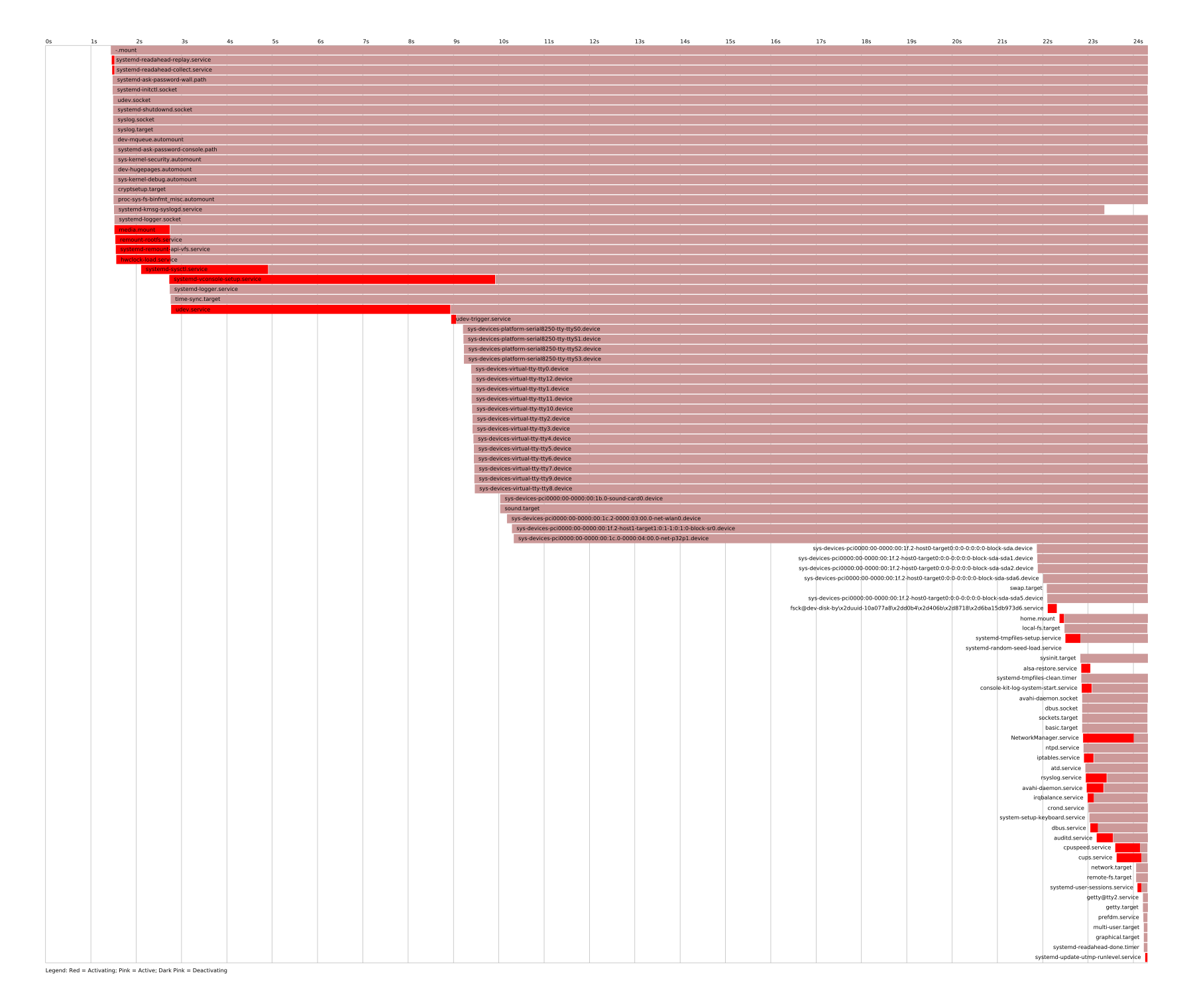
$ systemd-analyze
Startup finished in 192ms (userspace)
$ systemd-analyze blame | head -3
32ms systemd-resolved.service
25ms systemd-tmpfiles-setup-dev.service
14ms systemd-journald.service
$ systemd-analyze critical-chain
graphical.target @188ms
└─multi-user.target @188ms
  └─systemd-logind.service @176ms +11ms
    └─basic.target @155ms
      └─sysinit.target @154ms
        └─systemd-resolved.service @121ms +32ms
          └─systemd-tmpfiles-setup.service @112ms +6ms
            └─local-fs.target @109ms
On a real server the usual top of that chain is network-online.target, and the usual cause is a unit that asked for it without needing it (section 5.4).
10.3What systemd promises, and what it doesn't
| systemd promises | systemd doesn't promise |
|---|---|
| Units start in an order consistent with their declared dependencies, computed as one transaction (3.2) | That a unit reported active is ready to serve (5.1) |
| Every process a service spawns is attributed to that service, however it forks (4.1) | That After= pulls anything in (5.3) |
| It restarts per the policy you wrote (7.1) | That a service that keeps restarting is healthy (7.1) |
| stdout and stderr reach the journal with trusted metadata (4.2) | That every line you log is kept (7.6) |
10.4Rules that hold up
- Say both things.
Wants=orRequires=decides whether a dependency starts, andAfter=decides when. Write both. - Make services that others depend on
Type=notify, and sendREADY=1when they can serve. - For the network, write both lines,
Wants=network-online.targetandAfter=network-online.target, or better, retry the connection. - Alert on
NRestarts, not onActiveState. - Handle
SIGTERM. Otherwise every stop costs 90 seconds, anddocker stopcosts 10. - Leave
KillMode=at its default unless you're sure the children should outlive the stop. - Put an init in front of anything that spawns children in a container (
--init). - Harden every unit you write and re-run
systemd-analyze security.
10.5What you trade for what
| You get | You pay | When the bill arrives |
|---|---|---|
| One cgroup per service, nothing escapes | The manager owns the tree; other writers must delegate | When kubelet and systemd both think they manage /sys/fs/cgroup |
| Parallel start from a dependency graph | Requirement and ordering are separate, and people conflate them | As a race that only shows on a fast boot |
| Automatic restart | Crashes become invisible if the cycle is slower than the limit | Weeks later, reading NRestarts=4000 |
| Socket activation, zero-downtime restarts | The socket dies with the service at the start limit | At the sixth crash, as connection refused |
| Trusted, structured logs | Rate limits drop lines silently until the next message | During the incident you most needed them for |
| Sandboxing from a drop-in | About 9 ms per cold start, 4.6 of it the seccomp filter | Only if you spawn per connection |
| A large, capable PID 1 | Its bugs panic the kernel | CVE-2021-33910 |
10.6Symptom, cause, fix
| Symptom | Likely cause | Fix |
|---|---|---|
active (running), but users see errors every few seconds | A crash cycle slower than 5 starts per 10 s | Alert on NRestarts; read one run with _SYSTEMD_INVOCATION_ID= |
| App connects to its database before it's ready | Requires= without After=, or a Type=simple database | Add After=; make the database Type=notify |
| Service starts before the network is up | After=network-online.target without Wants= | Add both lines, or retry the connection |
| A unit silently isn't running after boot | A Wants= ordering cycle broken by deleting its job | journalctl for "ordering cycle"; remove one edge |
systemctl stop or shutdown takes 90 s | The service ignores SIGTERM | Handle SIGTERM; TimeoutStopFailureMode=abort for a core |
docker stop takes 10 s | PID 1 has no SIGTERM handler | Install one, or run with --init |
| A socket-activated port refuses connections | The service hit its start limit and took the socket down | Fix the crash loop; check the socket unit's Result |
| "Found left-over process" on start | KillMode=process | Use the default, control-group |
| Log lines missing after a burst | journald's rate limit | Look for Suppressed N messages; raise RateLimitBurst= |
11Summary
- A supervisor runs your service as its direct child. The kernel tells a parent when a child exits, which a pidfile never could.
- PID 1 must collect orphans and handle signals deliberately. An orphan under a PID 1 that never calls
wait()stays a zombie. Without a handler,SIGTERMto PID 1 is dropped: 10.16 s todocker stopwithsleepas PID 1, 0.093 s with--init. - If PID 1 dies, the kernel panics. A bug in systemd is a machine outage.
- Requirement and ordering are separate edges.
Wants=orRequires=decides whether,After=decides when, and you almost always want both. - A
Wants=cycle doesn't fail the start. systemd deletes a job, logs it and exits zero. - A cgroup tracks every process of a service, however it forks, and the journal stamps each log line with trusted metadata from that cgroup.
- Started is not ready.
Type=simplecounts as started once forked; onlyType=notifywaits for the service to sayREADY=1. - Socket activation separates the port from the process. PID 1 holds the listening fd, hands it over as fd 3, and a crash refuses no connections, until the start limit closes the socket.
- A slow crash loop never trips the start limit. Alert on
NRestarts, notActiveState. - Ignoring
SIGTERMcosts 90 seconds per stop under the defaults, and blocks shutdown behind it. - Supervision costs about a millisecond per start; full hardening about 9 ms more. The seccomp filter is the largest single part.
12Build this
A socket-activated, Type=notify, watchdog-supervised service in about 80 lines of C++, with no libsystemd.
- Take the
LISTEN_FDSserver from section 6.3 and add thenotify()helper from section 5.2. SendREADY=1after your setup andWATCHDOG=1from the accept loop, not from a timer thread. - Run systemd as PID 1 to test it:
docker run -d --privileged --cgroupns=host -v /sys/fs/cgroup:/sys/fs/cgroup:rw --tmpfs /run ubuntu-with-systemd /lib/systemd/systemd(installsystemdinubuntu:24.04first). - Kill it with
-9under a steady stream ofncconnections and count refused ones. There should be none. - Then crash-loop it on purpose and find the connection that gets refused. It's the one after the start limit.
- Add the hardening drop-in from section 8.2 and time cold activation with and without each line. Then add a 150 ms sleep before each connection and watch it get ten times slower. If you can say why, you've answered the question section 9.2 left open.
13Interview questions
beginnerWhat does PID 1 have to do that other processes don't?›
Collect orphaned children, since they're reparented to it, and install handlers
for any signal it wants to receive, because the kernel drops the rest. With
sleep as PID 1 in a container, five orphaned children left five zombies, and
docker stop took 10.16 s because SIGTERM was ignored until Docker sent
SIGKILL. With --init it stopped in 0.09 s.
beginnerWhat's the difference between Requires= and After=?›
Requires= pulls the other unit into the transaction and fails you if it
fails. After= only orders two jobs that are both already queued. With only
Requires=, both start in parallel; in the test, the app saw its database as
activating. With only After=, the database isn't started at all.
intermediateYour unit has Requires= and After= on the database and still connects too early. Why?›
Check the database's Type=. With Type=simple, systemd calls it started as
soon as it's forked, so ordering after it waits for nothing. It needs
Type=notify and a READY=1 once it can accept connections (or a
Type=forking daemon that only exits its parent when ready).
intermediateHow does a socket-activated service get its socket?›
PID 1 creates and binds the socket and holds it. On the first connection it
spawns the service; the executor dups the fd to 3, sets LISTEN_PID to the
child's own PID and LISTEN_FDS to the count, then execs. The service checks
the PID matches, so forked helpers don't also grab the fd, and accepts on fd 3.
intermediateA service shows active (running) but users report errors every few seconds. What do you look at?›
systemctl show -p NRestarts. A crash cycle slower than 5 starts per 10 s
never trips the start limit, so the unit stays green. In the test, one reached
10 restarts in 32 s, active and absent from systemctl --failed. Then the
journal for one invocation with _SYSTEMD_INVOCATION_ID=.
deepWhy does KillMode=process exist, and why is it usually a mistake?›
It signals only the main PID, which an sshd unit uses so restarting the daemon doesn't kill live sessions. For most services it leaks children. They stay in the unit's cgroup, and the next start logs "Found left-over process ... in control group" and carries on with the old ones still there.
deepWhy is a memory-safety bug in systemd worse than one in a service?›
Because PID 1 exiting panics the kernel. CVE-2021-33910 was an alloca sized
by a mount path; a FUSE mount over 8 MB from an unprivileged user crashed PID 1
and the machine. CVE-2018-15686 was state injection through the text
serialization used on daemon-reexec, where an overlong line got split and
parsed as a new field.
deepWhy should kubelet use the systemd cgroup driver on a systemd host?›
Otherwise two things write to the cgroup tree with different views of it:
systemd for services, kubelet and the runtime via cgroupfs for pods. The
Kubernetes docs say such nodes can become unstable under resource pressure. With
the systemd driver, the runtime asks systemd to create a scope per container
under kubepods.slice, and there's one owner.
14Go deeper
You add After=network-online.target and the service still starts before the network is up. Why?›
Nothing pulled the target into the transaction. Add Wants=network-online.target; After= only orders jobs that already exist.
Three units have Wants= and After= on each other in a cycle. What does systemctl start return?›
Zero. systemd deletes one Wanted job to break the cycle and logs it. With Requires= it fails with "Transaction order is cyclic".
Why does sd_listen_fds check LISTEN_PID before anything else?›
Environment is inherited. Without the check, a forked child of the service would also think fd 3 was its listening socket.
Your service logged 50,000 lines in a burst and 37,500 are in the journal. Bug?›
Rate limiting. The 10,000 default burst is scaled by (log2(available) − 16) / 4, and the dropped lines are only reported when the service logs again.
The job engine. Read transaction_verify_order_one
for cycle breaking and job_matters_to_anchor for why Wants= jobs are
expendable.
sd_listen_fds and sd_notify in under 800 lines. Short enough to reimplement, as section 6 does.
The service manpage
defines every Type=, Restart= and Result= value. The dependency
section of systemd.unit(5)
is where the Requires/After distinction is written down.
The 2010 design post. Socket activation, cgroups for tracking, and the argument against event-driven init, from before anyone had deployed it.
The container runtime docs
warn that cgroupfs alongside systemd gives "two views of the available and
in-use resources", and that such nodes can "become unstable under resource
pressure". With the systemd driver, pods live under kubepods.slice and the
runtime asks systemd over D-Bus to create a scope per container, so there's
one manager. kubeadm has defaulted to it since
v1.22.
The upstream explanation exists
because this is systemd's most-asked question. Services that bind
0.0.0.0 don't need either target. Services that connect to a remote
database at startup need both lines, or better, retry.
The accepted change
cut the stop timeout to 45 s and used TimeoutStopFailureMode=abort, so a
service that won't stop produces a core instead of a wait. Concerns in the
discussion included libvirt needing time to shut VMs down.
Qualys' advisory
traces it to a 2015 commit that swapped a heap strdup() for a stack
strdupa() in unit_name_path_escape(). Every mount the kernel reports
goes through PID 1.
systemd #30804 asks for a
warning on units that restart forever, citing gdm3, lightdm and openssh.
v254 added RestartSteps= and RestartMaxDelaySec= for exponential
backoff, per the NEWS.
How a process is created with fork() and exec(), and how the parent
waits for it. The background for everything a supervisor does with its
children. Free online at ostep.org.
15Related chapters
fork, exec, wait and zombies, the process lifecycle PID 1 is cleaning up after.
Signals and async-signal safety, and why a signal handler in PID 1 has to be written carefully.
cgroups v2 and PID namespaces, the kernel features
under both systemd's service tracking and Docker's --init.