Asha is waiting at a café in Pune and types a message to Ben: "Running 10 min late". She presses Send. One grey tick appears almost at once, and a few seconds later a second one. Ben's phone is locked, in his pocket, on a train going through a tunnel. When the train comes out, the phone buzzes, and when he opens WhatsApp the ticks on Asha's screen turn blue.

That small exchange hides a lot. Ben's phone wasn't connected to anything when Asha pressed Send, so something had to hold the message and know when to hand it over. Hundreds of millions of other phones were sending messages at the same moment, so that something can't be one computer. The message has to arrive once, not twice, and in the right order with Asha's next message. And the company running all of it is supposed to be unable to read it.
In this case study we'll design that system ourselves, the way an engineer would: start with the simplest thing that could work, see exactly where it breaks, and fix it, again and again, until we arrive at something close to what WhatsApp built. At each step you'll be asked to think about the design yourself before reading on. By the end we'll have gone from a box labelled "server" all the way down to the data structures inside it.
01What we're building, and how big
1.1What it has to do
Before drawing any boxes, it pays to write down what the system must do, because every later decision gets tested against this list. For WhatsApp's core messaging, the list is short:
- Send a text message from one person to another.
- Deliver it even if the recipient is offline, as soon as they come back.
- Show the sender what happened: sent, delivered, read (the ticks).
- Group chats, up to 1,024 people today.
- Photos, voice notes and videos.
- Several devices per person: a phone plus a laptop or tablet.
- End-to-end encryption: only the people in the chat can read the messages, not WhatsApp.
And a second list of qualities the system must have while doing it, usually called non-functional requirements:
- Fast: a message to someone online should arrive in well under a second.
- Never lose a message: once the sender sees one tick, the message must eventually arrive.
- No duplicates, right order: Ben should see each message once, and in the order Asha sent them.
- Light on the phone: the app mustn't drain the battery or the data plan.
Notice what's missing: WhatsApp doesn't promise to keep your chat history on its servers. We'll see in section 3 that this one omission shapes a large part of the design.
1.2How big is it?
The numbers matter because they decide which designs are even possible. In March 2014, WhatsApp's server lead Rick Reed gave these figures at a conference talk:
| Measure (March 2014) | Value |
|---|---|
| People using it each month | 465 million |
| Phones connected at the same moment, at peak | 147 million |
| Messages received by the servers per day | 19 billion |
| Messages sent out by the servers per day | 40 billion |
| Peak messages arriving per second | 342,000 |
By 2020 WhatsApp had more than two billion users and delivered around 100 billion messages a day. We'll use the 2014 numbers through most of this case study, because they come with the most detail about how the servers were built.
Two of these numbers deserve a second look. Nineteen billion messages a day is about 220,000 a second on average, and the peak of 342,000 is only about one and a half times that, so the load is steady and heavy all day. And the servers send out more than twice as many messages as they receive. A message to a group arrives once and leaves once per member, and every delivered message also produces receipts going back to the sender, so the outgoing side is where much of the work is.
147 million phones are connected at once. Suppose one server can hold one million open connections. Roughly how many servers do you need just to keep everyone connected, and what does that tell you about the design?
02Version 1: one server and a connection
2.1The simplest thing that could work
Let's start as small as possible: one server, and two phones. Asha's phone sends "Running 10 min late, for Ben" to the server, and the server passes it to Ben's phone. The interesting question is the second half. How does the server get a message to Ben's phone?
Ben's phone needs to find out that a message is waiting for him. List two or three ways it could find out, and what each costs.
The numbers from section 1 settle it. If the 147 million connected phones polled every ten seconds, the servers would handle 14.7 million requests a second, to deliver at most 342,000 messages a second. More than 97 out of every 100 requests would come back empty, and every one of them would wake the phone's radio, which is one of the most power-hungry parts of a phone.
How does the server reach a phone that's online?
- Trivial to build with plain HTTP
- Most requests return nothing
- Messages wait up to one polling interval
- Drains battery and data
- Few empty replies
- Works through any HTTP proxy
- A new request for every message
- Each request may land on a different server
- A message goes out the instant it arrives
- Almost no traffic when nothing happens
- The server must hold millions of open connections
- Each connection ties a phone to one particular server
WhatsApp keeps one long-lived connection per phone. It started from ejabberd, an open-source chat server built for XMPP, a standard protocol for instant messaging, and later replaced XMPP with its own compact binary protocol. Today that connection between phone and server is itself encrypted with a protocol called Noise. The downside in the last column is the one we'll have to pay for: a server that holds a million phones has to remember a million connections.
On our single server, the bookkeeping is easy. The server keeps a table in memory from each user to their open connection, a hash map: ben → connection #48812. When Asha's message for Ben arrives, the server looks up ben and writes the message to that connection.
This works perfectly, as long as Ben is online. On the train, he isn't.
03When Ben is offline: store and forward
3.1A mailbox per person
When Asha's message arrives, the server looks up ben in its table of connections and finds nothing, because Ben's phone lost its connection in the tunnel. The server can't throw the message away, and it can't make Asha wait until Ben reappears, which might be tomorrow.
So the server keeps it. Each user gets a mailbox: a queue of messages waiting for them. A message for someone offline goes into their mailbox. When their phone connects, the server sends everything in the mailbox, in order. This pattern, hold a message until the next hop is ready and then pass it on, is called store and forward, and it's how email and the postal service work too.
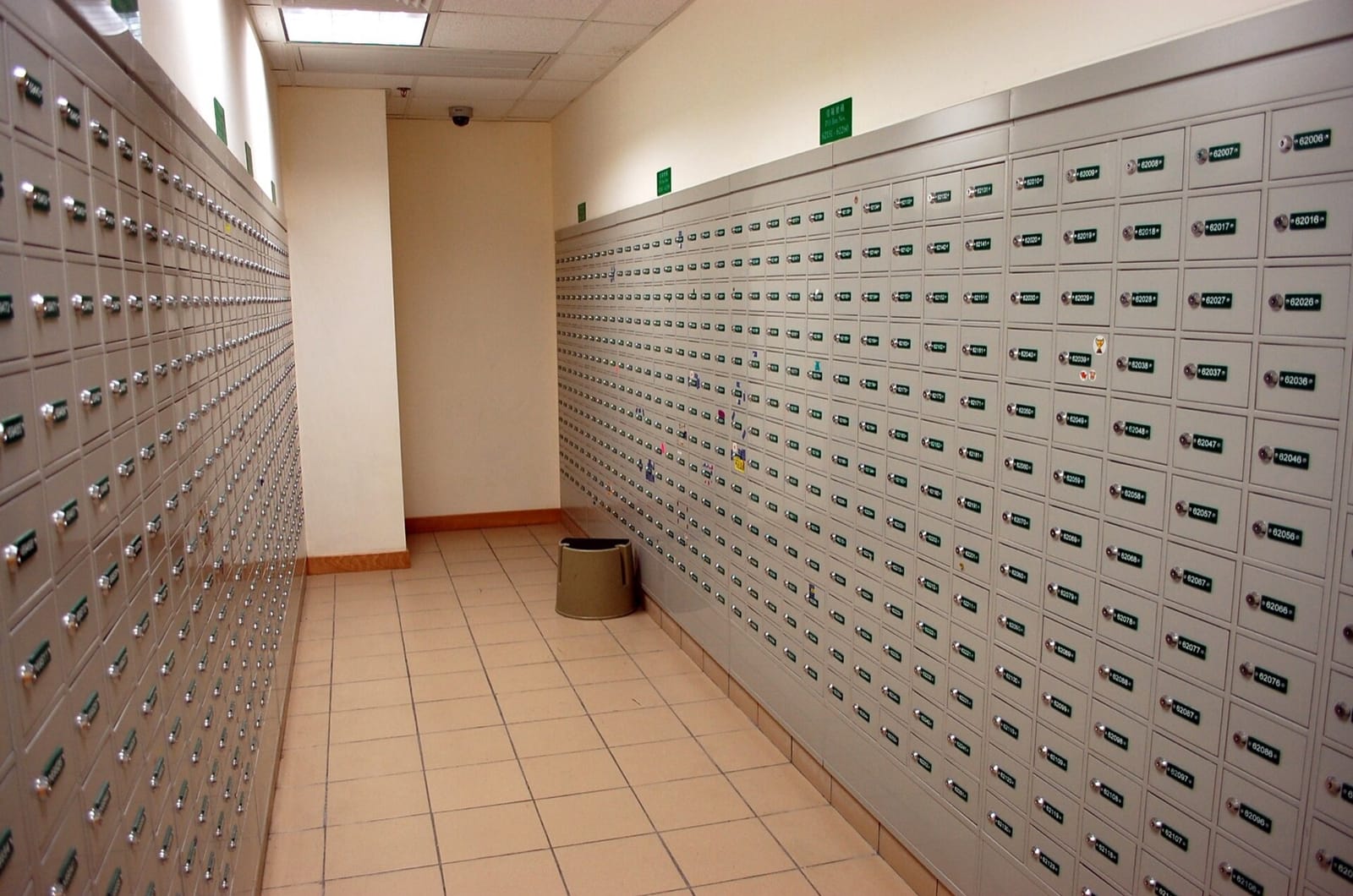
Here is the whole journey of Asha's message, with Ben offline when she sends it:
a1, and sends it over its open connection to the chat server.The ticks fall straight out of this design. One tick means the message reached the server's mailbox and is safe from the sender's phone dying or losing signal. Two ticks mean Ben's device acknowledged it. Blue ticks are one more receipt, sent when Ben opens the chat. In a group, the second tick appears only when every member's device has the message, and the ticks turn blue only when everyone has read it.
3.2Delete after delivery
Look at the last step again: once Ben's phone has the message, the server deletes it. WhatsApp's privacy policy states this directly. Delivered messages are deleted from its servers, and an undelivered message is kept, encrypted, for up to 30 days while the server keeps trying.
That's a real design choice, and not every chat system makes it.
Should the server keep chat history after delivering it?
- A new device sees the full history instantly
- Search works on the server
- Storage grows forever: Discord stores trillions of messages
- The server holds everyone's conversations
- Server storage stays small
- There is very little to leak, subpoena or lose
- Fits end-to-end encryption: the server couldn't read the history anyway
- History lives on the phone, so a new device has to be sent it
- Backups are the user's job (their own iCloud or Google Drive)
Deleting after delivery keeps WhatsApp's storage proportional to the messages in flight, not to every message ever sent. With tens of billions of messages a day, that's the difference between a small store and one of the largest databases in the world. It also fits end-to-end encryption naturally. If the server can't read messages (section 7), there's little point in it keeping them. The cost shows up in section 8, when Ben opens WhatsApp on a new laptop and his phone has to send the history across itself.
How big does the mailbox store get in practice? WhatsApp's 2014 talk gave a telling measurement: most messages are picked up very quickly, about half within a minute. So WhatsApp put a write-back cache in front of the mailbox files on disk. A new message goes into memory first and is written to disk only after a short delay. If Ben's phone collects it within that delay, it never touches the disk at all. The talk reported cache hit rates of 78% and 98% on two different measures.
This is the same trade a filesystem makes with dirty pages: hold writes in memory because many will be overwritten or become unnecessary soon. The risk is the same too. A message that is only in memory is lost if the server crashes, which is why the first tick must not be sent until the message is somewhere that survives a crash. In WhatsApp's design that meant every service ran as a primary and a secondary on different machines.
3.3Exactly once, from at-least-once
Our design has a gap. Asha's phone sends message a1, the server stores it and sends back an acknowledgement. Then Asha's train goes into a tunnel too, and the acknowledgement never arrives. From her phone's point of view, the message might not have arrived. What should it do?
It has to send it again. Giving up would lose messages, which we promised never to do. But resending creates the opposite problem: the server may now have the message twice, and Ben would see "Running 10 min late" twice.
The fix is to make sending a message safe to repeat. Asha's phone gives each message an ID when it's created, before it's sent the first time, and every retry carries the same ID. Whoever receives it keeps a record of IDs already seen and ignores repeats. Sending "a message at least once" plus "ignore IDs you've seen" adds up to each message being stored exactly once.
This short Python program plays that out. server_store is the server's side, and the loop is Asha's phone, retrying whenever the acknowledgement is lost (a coin flip, with a fixed seed so the run repeats):
import random
random.seed(3)

seen, inbox = set(), []

def server_store(msg_id, text):
    if msg_id in seen:
        return "duplicate, ignored"
    seen.add(msg_id)
    inbox.append(text)
    return "stored"

for msg_id, text in [("a1", "Running 10 min late"), ("a2", "Start without me")]:
    attempt = 1
    while True:
        result = server_store(msg_id, text)
        ack_lost = random.random() < 0.5
        print(f"{msg_id} attempt {attempt}: {result}, ack {'lost' if ack_lost else 'received'}")
        if not ack_lost:
            break
        attempt += 1

print("Ben's mailbox:", inbox)a1 attempt 1: stored, ack lost
a1 attempt 2: duplicate, ignored, ack received
a2 attempt 1: stored, ack lost
a2 attempt 2: duplicate, ignored, ack received
Ben's mailbox: ['Running 10 min late', 'Start without me']Both messages were sent twice, because both first acknowledgements were lost. Each retry carried the same ID, so the second copy was recognised and dropped, and Ben's mailbox holds each message once, in order. The same check runs again on Ben's phone, so a message delivered twice from the mailbox (because Ben's acknowledgement was lost) is also shown once.
WhatsApp hasn't published its exact acknowledgement protocol, but its whitepaper builds on Signal's protocol design, which describes exactly this: the network may lose, delay, reorder or duplicate messages, so every guarantee is built at the ends, from IDs, receipts and retries.
One server with mailboxes, receipts and IDs now meets most of our requirements. It just can't hold 147 million connections.
04Many chat servers, and finding Ben
4.1A million connections on one machine
In section 1 we estimated about 150 servers at a million connections each. Getting even one server to hold a million connections was a real piece of engineering. In 2012 WhatsApp's servers started out holding about 200,000 connections each. After a month of work they reached two million on one machine, and in one unplanned test a server peaked at 2.8 million before the engineers stepped in. Each server had 24 CPU threads and 100 GB of memory. In 2014's production setup each chat server held about a million phones, leaving plenty of headroom.
What made this possible was mostly the language the server was written in: Erlang. In Erlang each connection gets its own process, which, unlike an operating system process, costs only a couple of kilobytes of memory to start. A million connections become a million tiny processes, each running a simple sequential loop: read from my connection, handle the message, repeat. The Erlang runtime spreads those processes over all the CPU cores and switches between them itself.
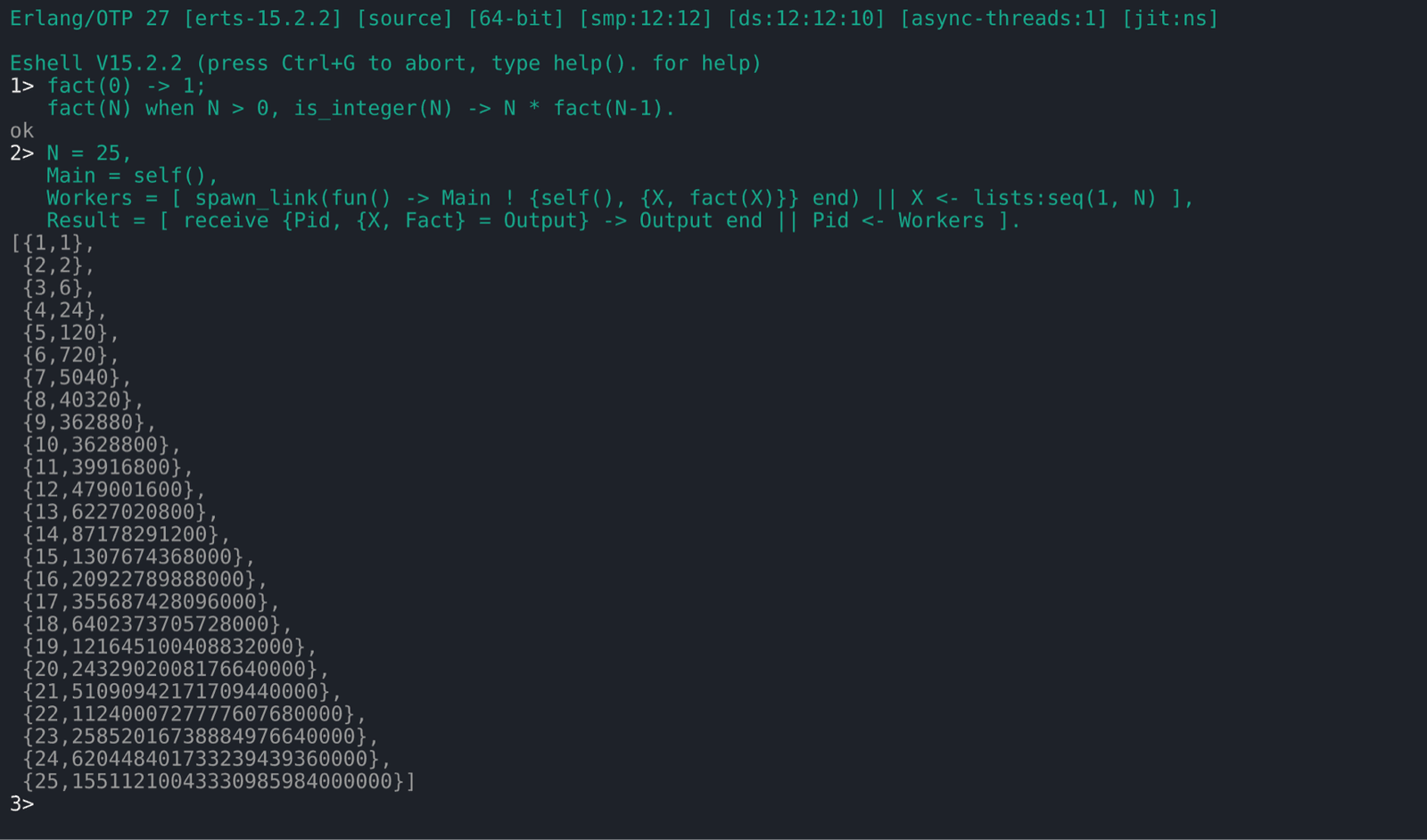
How should one server handle a million connections at once?
- Simple code: one sequential loop per connection
- Each thread reserves megabytes of stack
- A million threads overwhelm the kernel's scheduler
- Very little memory per connection
- Excellent throughput
- Code becomes callbacks or state machines
- One slow handler stalls every connection on that loop
- Simple sequential code, like threads
- Small memory, like an event loop
- A crash kills one process, not the server
- You depend on the runtime's scheduler and its limits
WhatsApp got the simplicity of threads at roughly the cost of an event loop. The road from 200,000 to two million wasn't about the processes, though. As the 2012 talk put it, the gains "were all contention fixes": places where many cores waited on one lock, in the kernel's networking code, the runtime's timers and its memory allocator. The team patched FreeBSD and the Erlang runtime to remove them, which is chapter 16's lesson about contention at a much larger scale.
4.2Which server is Ben on?
Now the problem that section 1 warned about. Asha's phone is connected to chat server 17. Ben's phone, when it comes out of the tunnel, connects to chat server 92. Asha's message arrives at server 17, which has no connection for Ben.
Server 17 has a message for Ben. How can it find out that Ben is on server 92? Think about what happens when Ben reconnects through a different server, and when a server crashes.
A shared directory of who is connected where is usually called a session registry. In its simplest form it's a big hash map from user ID to server, split across several machines so that no one machine holds all of it. When Ben's phone connects to server 92, server 92 writes ben → 92. When the connection closes, server 92 removes it. And when server 17 has a message for Ben, it looks him up and forwards the message to server 92 in a single hop.
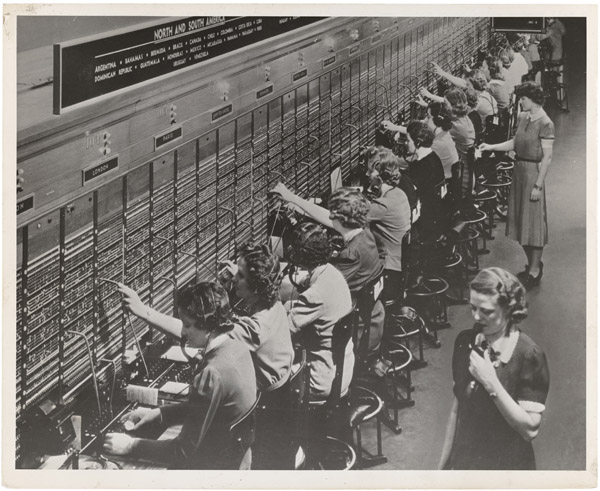
Here is the design at this point, with the request paths you can step through. The next diagram then zooms into the routing itself.
ben → 92 in the session registry.Notice the order in the second step. The message goes into the mailbox before the server tries to find Ben. That makes the mailbox the source of truth and the fast path an optimisation: if the lookup is stale, the forward fails, or Ben's phone dies mid-delivery, nothing is lost, because the message is still in the mailbox and will be delivered when Ben's phone next connects.
Stale entries are the registry's real difficulty. If server 92 crashes, it can't remove its million → 92 entries on the way down, so the registry briefly sends messages to a dead server. Two common defences are to give each entry a lifetime that the server must keep renewing (a lease, like the ones in chapter 30), and to clear every entry for a server the moment the cluster notices it's gone.
How did WhatsApp itself do this? Its 2014 talk describes services split into partitions, usually 2 to 32, each running as a primary and secondary pair, with Erlang's built-in process groups (pg2) used to address them and a routing layer on top so that "all messages are single-hop". The exact layout of its session table was never published, so treat the registry above as the standard design and not a description of WhatsApp's code.
4.3When everyone reconnects at once
On 22 February 2014, WhatsApp went down for about three and a half hours. According to Rick Reed's talk a few weeks later, it began with a glitch in a back-end router, which disconnected a large number of servers from each other at once. They all tried to reconnect at the same moment, and the process groups used for routing generated so much traffic between nodes that queues grew from zero to four million messages within seconds. The team had to stop and restart the whole system, for the first time in years.
This failure, everyone reconnecting at once and overwhelming the thing they reconnect to, is called a thundering herd, and every system built around long-lived connections has to plan for it. Phones that lose their connection should wait a random, growing amount of time before reconnecting, so that a million phones dropped together don't return together. And the registry has to survive a burst of millions of writes in a minute.
05Groups: one message, many mailboxes
5.1Who copies the message?
Asha also posts "Running late, start without me" to the group "Trip", which has five members. Five people, each possibly online or offline, each on whichever chat server their phone happened to reach. Someone has to turn one message into five deliveries.
Where should the copying happen: on Asha's phone, on the server, or nowhere until people read it? Think about a group of 5 and a group of 1,024.
How does a group message reach every member?
- Server stays simple
- Upload cost grows with group size, on a mobile link
- One upload from the phone
- Each member's mailbox already works for offline delivery
- A 1,024-member group turns one message into 1,024 mailbox writes
- One stored copy, however large the group
- The server must keep group history
- Every phone polls every group
WhatsApp's whitepaper says it directly: the sender sends a single ciphertext to the server, "which does server-side fan-out to all group participants". Fan-out on write reuses the mailbox machinery from section 3 unchanged, and it suits groups that are capped at a few hundred or a thousand members. The cap has grown over the years, from 256 in 2016 to 512 and then 1,024 in 2022. Systems with unbounded audiences, a celebrity's followers or a Discord server with a million members, lean the other way, towards fan-out on read.
That fan-out is why the servers sent out more than twice as many messages as they received in section 1. It also caused trouble in a less obvious place: the 2014 talk mentions people in many busy groups receiving thousands of messages an hour, whose mailboxes were large enough to push other users' messages out of the write-back cache.
06Photos and videos: keep them out of the chat path
6.1Send a pointer, not the file
Ben replies with a 12 MB video of the train. If that video travelled the same way as text, through a chat server, into a mailbox and out again, each chat server would spend most of its time moving large files, and a video stuck in the queue would delay every small text message behind it.
So media takes a separate path. Ben's phone uploads the video to a blob store, a service built only to store and serve large files, and gets back a pointer to it. The chat message itself contains only that pointer, plus a few small fields we'll meet in section 7. Text and media travel on different roads: the chat servers move millions of small messages a second, and the media servers move fewer, much larger files.
The two kinds of traffic differ a lot. In 2013 WhatsApp's media servers handled 214 million images on their busiest day, at up to 29 gigabits a second outbound. On New Year's Eve 2013, users downloaded two billion photos, and a single photo was downloaded 32 million times as it was forwarded around.
That last number points at one more saving. When someone forwards a photo, their phone doesn't upload it again. The forwarded message reuses the same pointer, so the file is stored once however many times it's passed on. WhatsApp's privacy policy describes keeping forwarded media on its servers, encrypted, to make further forwards efficient.
07A server that can't read the messages
7.1The problem
Everything so far would work with the server able to read every message. WhatsApp's last requirement removes that: since 2016, every message is end-to-end encrypted, meaning it's encrypted on Asha's phone and only Ben's phone can decrypt it. The server stores, routes and fans out messages it can't read.
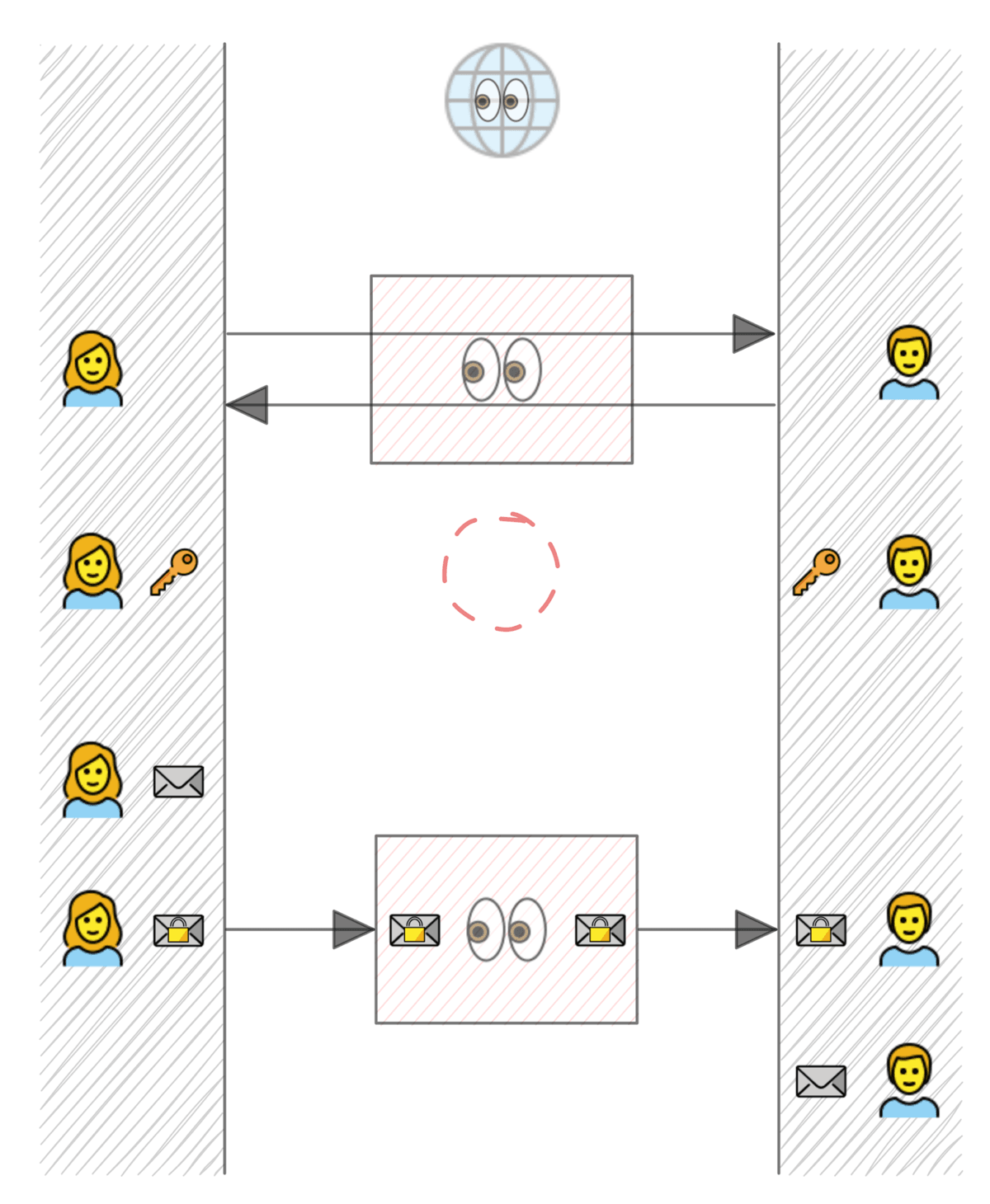
The difficulty is that Asha and Ben have to agree on a secret key to encrypt with, and every way they can communicate passes through the server they don't want to trust. Worse, Ben may be offline when Asha sends her very first message, so the two phones can't have a conversation to set the key up.
Asha has never messaged Ben before, and Ben's phone is off. How could Asha encrypt a message so that only Ben can read it, without trusting the server with any secret?
7.2Agreeing on a key with someone who's asleep
The building block is a Diffie–Hellman exchange. Each side has a private key, a random number kept secret, and a public key derived from it. Combining your private key with my public key gives the same result as combining my private key with your public key. Someone who sees both public keys can't compute that result. So two people who swap public keys end up sharing a secret that nobody watching the swap can work out.
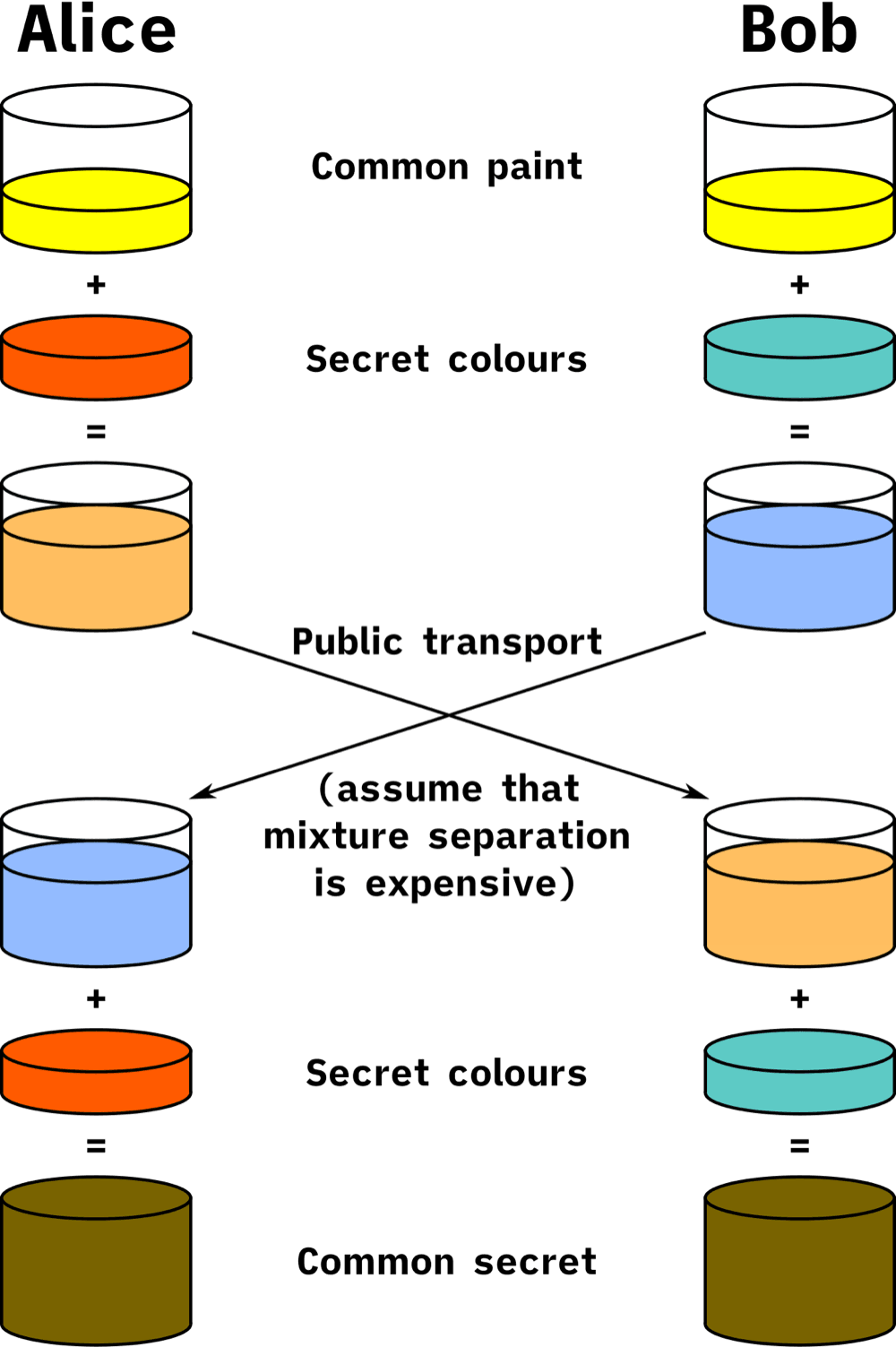
WhatsApp (using the Signal protocol) has each device generate and keep three kinds of key pair:
- an identity key, long-lived, which identifies the device;
- a signed prekey, replaced periodically, and signed with the identity key so nobody can substitute a fake one;
- a batch of one-time prekeys, each used for one new conversation and then discarded.
When Ben's phone registers, it uploads the public halves of all of these to the server, which stores them under Ben's account. The server holds nothing secret.
When Asha writes to Ben for the first time, her phone fetches Ben's prekey bundle: his public identity key, his signed prekey, and one one-time prekey, which the server then deletes so that nobody else gets it. Asha's phone checks the signature on the signed prekey and creates a fresh key pair of its own for this conversation, an ephemeral key. Then it performs four Diffie–Hellman combinations:
| Combination | What it gives |
|---|---|
| Asha's identity key with Ben's signed prekey | Proves the secret involves Asha's identity |
| Asha's ephemeral key with Ben's identity key | Proves it involves Ben's identity |
| Asha's ephemeral key with Ben's signed prekey | Fresh randomness from Asha |
| Asha's ephemeral key with Ben's one-time prekey | Fresh randomness used exactly once |
All four results are fed through a key-derivation function into one shared secret. This protocol is called X3DH ("extended triple Diffie–Hellman"). Asha's first message carries her public identity key and ephemeral key in its header. When Ben's phone comes online and receives it, it performs the same four combinations from its side, arrives at the same secret, and deletes the one-time prekey that was used. Ben was offline the whole time, and the server, which saw every public key, can't compute the secret because it has none of the private keys.
7.3A new key for every message
Asha and Ben now share a secret. The obvious next step is to encrypt every message with it. The weakness is that if anyone ever steals that key, say from Ben's phone a year from now, they can decrypt every message ever sent with it, including recordings of old traffic.
The Signal protocol avoids this with a ratchet: a key that only turns forwards. From the shared secret, each side derives a chain key. To encrypt a message, the phone computes two things from the current chain key with HMAC, a keyed hash function: a message key, used once to encrypt this message and then deleted, and the next chain key, which replaces the current one. Because a hash can't be reversed, the new chain key reveals nothing about the old one.
This program computes the first three steps of such a chain:
import hashlib, hmac

def step(chain_key):
    message_key = hmac.new(chain_key, b"\x01", hashlib.sha256).digest()
    next_chain = hmac.new(chain_key, b"\x02", hashlib.sha256).digest()
    return next_chain, message_key

chain = hashlib.sha256(b"secret Asha and Ben agreed on").digest()
for n in range(1, 4):
    chain, key = step(chain)
print(f"message {n}: key {key.hex()[:12]} next chain {chain.hex()[:12]}")message 1: key b26699ed126a next chain 8db54b84a2e5
message 2: key 374887423c52 next chain 4ebef309b71e
message 3: key 5ec1e0d33d36 next chain d9d02da84848Each message gets an unrelated-looking key, and each step's chain key comes from the one before. Going forward is one HMAC call. Going backward, from d9d0… to 4ebe…, would mean reversing SHA-256, which nobody can do. So once Asha's phone has deleted message 1's key and the old chain key, a thief who later steals her phone can't decrypt message 1. This property is called forward secrecy. (WhatsApp's real constants are the 0x01 and 0x02 used here, and its message keys are expanded to 80 bytes: an encryption key, an authentication key and an initialisation vector.)
That handles stealing old keys. What about a thief who steals today's chain key? They could step it forward and read every future message. So the protocol adds a second ratchet. Every message also carries a fresh Diffie–Hellman public key from its sender. Whenever a reply arrives with a new key, both phones mix a new Diffie–Hellman result into a root key and derive fresh chain keys from it. Fresh randomness enters with every back-and-forth, so a thief who copied the keys once is locked out again as soon as the conversation continues. This is called post-compromise security, and the combination of the two ratchets is the Double Ratchet.
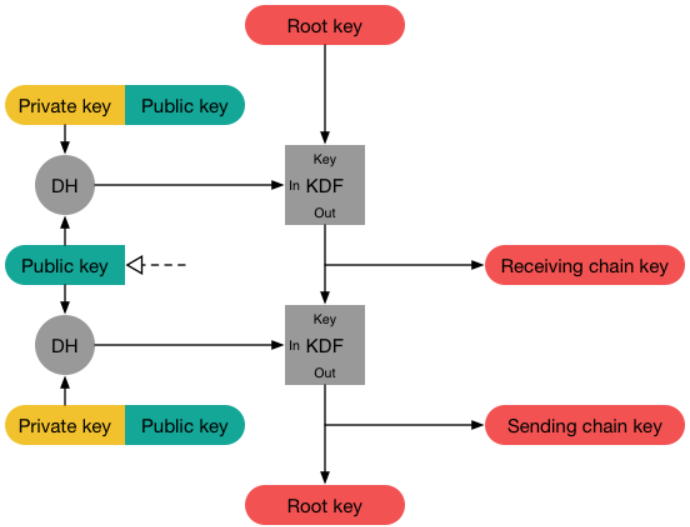
Messages can arrive out of order, which a ratchet that only moves forward has to handle. Each message carries its position in the chain, and if message 5 arrives before message 4, the receiver steps the chain twice, uses key 5, and stores key 4 in a small table of skipped message keys, with a cap on its size, until message 4 turns up.
7.4Encrypting for a group
Back to the group "Trip". Section 5 had the server fanning out one message to every member, but with pairwise sessions, Asha would have to encrypt the message separately for every member device, which means uploading one ciphertext per device again.
The Signal protocol's answer is Sender Keys. The first time Asha sends to the group, her phone creates a chain key and a signing key just for her messages in that group, and sends them to each member over their existing pairwise encrypted sessions. That happens once. After that, every message Asha sends to the group is encrypted once with the next key from her group chain, signed with her signing key, and uploaded once. The server fans out that one ciphertext, which works with section 5's design unchanged.
How should a group message be encrypted?
- Full Double Ratchet protection for every copy
- Upload grows with the group: 1,024 copies of every message
- One upload per message
- Server-side fan-out works unchanged
- Forward secrecy, from the hash ratchet
- No post-compromise security: a stolen sender key reads that sender's future group messages
- When anyone leaves, every member must create and redistribute a new sender key
WhatsApp uses Sender Keys for groups. Encrypting each group message once is what keeps large groups practical, and the price is a weaker guarantee than one-to-one chats, plus a burst of key redistribution whenever membership changes. The signature matters too: since every member holds Asha's chain key, without the signature any member could forge a message that appeared to come from her.
7.5What the server still knows
End-to-end encryption hides what people say, not the fact that they're talking. The server still routes every message, so it sees who sends to whom, when, how often, roughly how large each message is, which devices each account has, and from which network addresses. The connection between each phone and the chat server is encrypted too, with a protocol called Noise, so that eavesdroppers on the network can't see even that. But the server itself necessarily knows it.
08Ben's laptop: one person, several devices
8.1Who encrypts for the laptop?
Ben also uses WhatsApp on his laptop. Asha's message has to reach both devices. With everything we've built so far, that's harder than it sounds: the message is encrypted for a session with Ben's phone, and the laptop doesn't have that session's keys.
How could Ben's laptop read messages encrypted for Ben, without giving the server any secret? Consider letting the phone help, sharing keys between Ben's devices, or treating the laptop as a separate recipient.
How should messages reach a second device?
- Only one set of keys per person
- The laptop stops working when the phone is off
- Senders encrypt once per person
- One stolen device exposes everything
- Devices must keep ratchet state in sync
- Each device works on its own
- One compromised device doesn't expose the others
- Senders encrypt and upload once per device
- Senders must know each person's true device list
Since 2021, WhatsApp has made every device a separate recipient. Meta's engineering blog calls this client fan-out: Asha's phone encrypts the message once for each of Ben's devices and once for each of her own other devices, so her own laptop shows what she sent. The cost is one encryption and upload per device, which is small for one-to-one messages and absorbed by Sender Keys in groups.
8.2Trusting the device list
Client fan-out raises a new risk. Asha's phone asks the server for Ben's list of devices, then encrypts for each one. A malicious or hacked server could slip in an extra device that it controls, and Asha's phone would dutifully encrypt for it.
WhatsApp closes this with signatures from Ben's phone, his primary device. When Ben links his laptop, the phone scans a QR code shown on the laptop, which contains the laptop's public identity key. The phone then signs a statement, "this laptop belongs to my account", with the phone's identity key, and signs the new list of Ben's devices. Senders verify those signatures before encrypting for a device, and the server can't produce them because it doesn't have the phone's private key. Signed device lists also expire after at most 35 days, so a list can't be replayed forever.
Two more pieces finish the picture. The laptop starts with no history, because the server deleted everything after delivery (section 3), so Ben's phone encrypts a bundle of recent chats, uploads it as an encrypted blob, and sends the key to the laptop end-to-end. And if Asha's phone was working from an out-of-date list of Ben's devices, the server notices that the list Asha used doesn't match its own record, tells her phone, and her phone fetches the new device, verifies it, and sends that device the message too.
09The whole system, end to end
9.1Every box, and why it's there
We've added one piece at a time, each because the previous version broke. Here is the result, and the reason each part exists:
| Component | What it does | Added because |
|---|---|---|
| Chat servers | Hold each phone's long-lived connection, about a million per server | Polling would cost 40 times more requests than there are messages (§2) |
| Mailboxes (offline store) | Hold each message until the recipient device acknowledges it, then delete it | Recipients are often offline (§3) |
| Write-back cache | Keeps new mailbox entries in memory briefly | About half of messages are collected within a minute (§3) |
| Push service | Wakes a sleeping phone without carrying content | A backgrounded app has no connection (§3) |
| Session registry | Maps each user to the chat server they're on | 150 servers, and almost no chat stays on one (§4) |
| Group service | Holds member lists and fans one message out to many mailboxes | Groups up to 1,024 (§5) |
| Media servers and blob store | Store and serve encrypted files; messages carry a pointer | Large files would clog the chat path (§6) |
| Key directory | Stores each device's public identity and prekeys | First messages to offline recipients must be encrypted (§7) |
| Signed device lists | Let senders trust which devices belong to a user | Every device is its own recipient (§8) |
And here is Asha's original message passing through all of them, now that we know what each one does:
9.2From top to bottom
The design reaches from the whole system down to bytes. It's worth seeing the levels together, because each level's choice is driven by the level above:
| Level | The choice | Data structure or algorithm |
|---|---|---|
| System | Store and forward, delete after delivery | A mailbox queue per device, keyed by device |
| Chat server | A lightweight process per connection | Erlang processes, about a million per machine |
| Routing | Look up, then forward in one hop | A partitioned hash map from user to server, with leases |
| Delivery | At-least-once plus deduplication | Client-generated message IDs, a set of IDs seen |
| Groups | Fan-out on write, capped size | Member lists; one mailbox write per member device |
| Media | Pointer in the message, bytes elsewhere | A blob store keyed by ID; one stored copy per forward chain |
| Session setup | Asynchronous key agreement | X3DH: four Diffie–Hellman combinations over Curve25519 |
| Each message | A key that only moves forward | HMAC-SHA256 hash ratchet, DH ratchet, skipped-key table |
| Group encryption | Encrypt once per message | Sender Keys: per-sender chain key plus signing key |
| Devices | Each device is a recipient | Signed device lists, per-device sessions |
10What goes wrong
10.1Failures this design has to survive
| What happens | What the user sees | What the design does about it |
|---|---|---|
| Sender loses signal before the ack | Message shows a clock, not a tick | The phone retries with the same message ID; duplicates are dropped (§3.3) |
| A chat server crashes | Phones on it disconnect | They reconnect elsewhere; mailboxes still hold every unacknowledged message; registry entries for the dead server are cleared (§4.2) |
| Many servers lose each other at once | Total outage, as on 22 February 2014 | Reconnect with random back-off; size the registry and routing for a reconnect storm (§4.3) |
| A recipient is offline for weeks | Messages wait with one tick | Mailbox keeps them up to 30 days, then they're dropped |
| A huge, busy group | Its members' mailboxes grow | Group size caps; caching that a few huge mailboxes can't monopolise |
| The backbone network itself fails | Nothing works anywhere | Nothing inside WhatsApp can help: on 4 October 2021 a Facebook network change took down the backbone and DNS, and WhatsApp was unreachable for about six hours |
10.2The tradeoffs, in one table
| Decision | Chosen | Given up | Why it was worth it |
|---|---|---|---|
| Reaching phones | One persistent connection each | Simple stateless servers | Polling would cost 40× the requests and drain batteries |
| Server history | Delete after delivery | Server-side search and instant history on new devices | Storage stays small; fits end-to-end encryption |
| Concurrency | A lightweight process per connection | Independence from one runtime | Simple code at event-loop memory cost |
| Routing | Shared session registry | A registry that must stay correct under churn | One hop per message |
| Groups | Fan-out on write, capped | Unlimited group size | Reuses mailboxes; groups stay bounded |
| Group encryption | Sender Keys | Post-compromise security in groups | One upload per message |
| Multi-device | Every device a recipient | One encryption per device | Devices work independently; one stolen device doesn't expose the rest |
11Summary
- Write requirements and numbers first. 147 million concurrent phones at about a million per server is about 150 chat servers, which tells you most messages must cross between servers.
- Phones keep one long-lived connection to a chat server, because polling would send dozens of empty requests for every real message.
- A mailbox per device makes offline delivery work: store the message, push a wake-up, deliver on reconnect, delete after acknowledgement. The ticks are just the acknowledgements, made visible.
- Exactly-once comes from at-least-once plus deduplication: the sender retries with a message ID it chose, and receivers drop IDs they've already seen.
- A session registry maps each user to their server. The mailbox stays the source of truth, so a stale registry entry only delays a message.
- Reconnect storms are the price of long-lived connections, as WhatsApp's February 2014 outage showed; clients must back off randomly.
- Groups use fan-out on write, one upload copied into each member's mailbox, which works because group size is capped.
- Media travels separately, uploaded to a blob store, with only a pointer and keys in the message.
- X3DH lets Asha agree a key with an offline Ben, using public prekeys he uploaded earlier.
- The Double Ratchet gives every message its own key, so stolen keys can't read the past (forward secrecy), and the conversation heals after a theft (post-compromise security).
- Every device is its own recipient, with signed device lists so that the server can't add a device of its own.
12Build this
A chat server with mailboxes, in an afternoon.
- Write a small server (Python's
asyncioor Go) that accepts TCP connections, keeps a dictionary from user to connection, and forwards messages. - Add a mailbox: if the recipient isn't connected, append the message to a per-user list, and send the list when they connect. Delete an entry only when the client acknowledges it.
- Give every message a client-chosen ID, and make the client resend anything unacknowledged after a timeout. Drop duplicates by ID on the server and on the client. Kill clients at random moments and check that every message arrives exactly once.
- Run two server processes and add a registry (a shared dictionary in Redis, or a third process) from user to server, so a message can cross between them.
- Then disconnect all clients at once and watch how many reconnections a second your server can take. Add random back-off to the client and run it again.
For the cryptography half, extend the ratchet program from section 7 into a two-party Double Ratchet using the cryptography package's X25519 functions, following Signal's published specification.
13Interview questions
beginnerWhat do WhatsApp's one, two and blue ticks mean, technically?›
One tick means the message reached the server and was stored in the recipient's mailbox, so it won't be lost even if the sender's phone dies. Two ticks mean the recipient's device acknowledged receiving it. Blue means the recipient opened the chat and their device sent a read receipt. In a group, two ticks appear only when every member's device has it.
beginnerWhy does WhatsApp keep a connection open instead of having the app ask for new messages?›
At WhatsApp's 2014 scale, 147 million phones polling every ten seconds would make 14.7 million requests a second to deliver at most about 342,000 messages a second, so nearly all requests would come back empty and each would wake the phone's radio. A persistent connection costs almost nothing when there's no traffic, and lets the server push a message the moment it arrives.
intermediateHow do you guarantee a message is delivered exactly once over an unreliable network?›
You can't get exactly-once from the network, so you build it from at-least-once delivery plus deduplication. The sender assigns each message an ID before the first attempt and retries until it gets an acknowledgement, so the message arrives at least once. The server and the receiving device each remember IDs they've already accepted and drop repeats. The combination stores and shows each message exactly once.
intermediateAsha is on chat server 17 and Ben on server 92. How does her message get to him, and what if Ben moves servers mid-flight?›
Server 17 first stores the message in Ben's mailbox, then looks Ben up in a session registry (a partitioned map from user to server) and forwards the message to server 92 in one hop, which writes it to Ben's connection. If Ben has moved or disconnected, the forward fails or finds nothing, but the message is still in his mailbox and is delivered when he next connects, whichever server that is. The mailbox is the source of truth and the registry only speeds things up.
deepWhy do group chats use fan-out on write, and when would you switch to fan-out on read?›
Fan-out on write lets the sender upload once and reuses each member's mailbox for offline delivery, at the cost of one write per member. That's affordable because groups are capped at 1,024. When an audience is unbounded, like a celebrity's followers or a channel with a million members, writing a copy per reader becomes too expensive, so you store one copy and have readers fetch it (fan-out on read), often in a hybrid where most senders fan out on write and the very largest fan out on read.
deepWhat do X3DH and the Double Ratchet each give you, and what do Sender Keys give up?›
X3DH lets two devices agree a shared secret even when the recipient is offline, using prekeys the recipient uploaded earlier, with both identity keys mixed in for authentication and a one-time prekey for freshness. The Double Ratchet then derives a new key for every message: the hash ratchet gives forward secrecy, and the Diffie–Hellman ratchet on each reply gives post-compromise security. Sender Keys keep the hash ratchet but not the Diffie–Hellman ratchet, so in groups a stolen sender key can read that sender's future messages until the key is rotated, which happens whenever someone leaves.
14Go deeper
Ben's phone is off for a week. Where is Asha's message, and what does she see?›
In Ben's device mailboxes on the server, encrypted. Asha sees one tick. The server keeps undelivered messages for up to 30 days, delivering them when Ben's phone reconnects and deleting them once acknowledged.
Why must the server store the message before forwarding it to Ben's server?›
So the mailbox is the source of truth. If the routing lookup is stale or the forward fails, the message is still safely stored and gets delivered on Ben's next connection. Sending the first tick before storing it would risk losing a message the sender believes is safe.
A thief copies all the keys from Asha's phone today. What can they read?›
Not her past messages: their message keys were deleted, and the hash ratchet can't be run backwards. Future one-to-one messages only until the next exchange with each contact, when the Diffie–Hellman ratchet mixes in fresh secrets. Her future group messages until her sender keys are replaced.
WhatsApp's own account of its servers at 465 million users: the cluster layout, the mailbox cache, the February 2014 outage. The 2012 talk, "Scaling to Millions of Simultaneous Connections", covers the road to two million connections per machine.
The primary source for keys, X3DH, the ratchets, Sender Keys, media encryption, multi-device signatures and transport security.
The protocols WhatsApp builds on, written precisely enough to implement from, at signal.org/docs.
Why every device became its own recipient, and how client fan-out works.
The opposite design choice, keeping all history, and the storage engineering it required.
The Twitter timeline example of fan-out on write versus read.
15Related chapters
What a TCP connection costs, and why holding millions of them takes care. Chapter 10.
Why WhatsApp's road from 200,000 to two million connections was all lock contention. Chapter 16.
Splitting the session registry and mailboxes across machines. Chapter 29.
Leases and heartbeats, for clearing a dead server's registry entries. Chapter 30.
Diffie–Hellman in TLS, and Certificate Transparency, the model for key transparency. Chapter 35.