You launch two servers in a cloud account, a web server and a database. (The cloud calls a server like this an instance, a virtual computer running on one of the provider's machines.) The console gives the web server the private address 10.0.1.12 and the database 10.0.2.47. From the web server you open a connection to 10.0.2.47, and it connects. You didn't plug in a cable, you didn't configure a switch, and you didn't tell either machine how to find the other.
It's natural to picture a network with wires between them. Our two servers sit in different data centres, separate buildings that the cloud provider runs, so any wire between them would be shared with thousands of other customers. Some of those customers have picked the very same addresses. Another company's database may well be sitting at 10.0.2.47 too, and its packets cross the same physical cables as yours. Whatever delivers your request isn't a network in the sense you'd draw on a whiteboard.
What does the work is a lookup table. Your web server runs on a physical machine with a special network card, and that card consults a table to decide where each packet goes and whether it's allowed to go there. This chapter follows one request, from 10.0.1.12 to 10.0.2.47, and asks one question the whole way: when the web server sends a packet, who decides where it goes, and what happens when the answer is "nowhere"? We start with the addresses you have to choose, move on to the table that makes them work, follow a packet through it, and finish with the failures that never show up as an error message, and with what all this costs.
01Choosing the addresses
1.1A range of addresses, and slices of it
An IP address is four numbers from 0 to 255 separated by dots, such as 10.0.2.47. Underneath, the four numbers are 32 bits, and everything about address ranges comes from deciding how many of those 32 bits are fixed and how many are free. Some ranges are set aside for private networks that can't be reached from the public internet, and the block that starts with 10. is the most popular of them. Anyone is allowed to use it, which, as we'll see, is both its convenience and its problem.

You write a range as an address, a slash and a number: 10.0.0.0/16. That number says the first 16 bits are fixed, so every address in the range starts with 10.0, and the remaining 16 bits can be anything. Sixteen free bits give 2^16 = 65,536 addresses. A range written this way is called a CIDR block, and the number after the slash is its prefix length. A bigger prefix length means more bits fixed and fewer addresses: /24 fixes the first 24 bits and leaves 8 free, so 256 addresses.
Your private network in the cloud is called a VPC (virtual private cloud), and the first thing you give it is one CIDR block. Then you cut that block into smaller ones, each called a subnet.
Each subnet also has to say where it lives. A cloud provider groups its data centres by city: us-east-1, for example, is a set of separate buildings in northern Virginia, and a set like that is called a region. Each building or group of buildings inside a region, with its own power and cooling, is an availability zone, usually shortened to AZ. A subnet is pinned to exactly one AZ. So your VPC is a range of addresses, and each subnet is a slice of it that lives in exactly one zone. For our two servers we'll use a /16 for the VPC, one /24 for the web server in zone A and another for the database in zone B:
1.2Trying it: the arithmetic
Python's standard library can do this arithmetic for us. This script starts from 10.0.0.0/16, cuts it into /24 subnets with subnets(new_prefix=24), and lists the usable host addresses of the first subnet with hosts(). At the end it uses overlaps() to compare pairs of ranges, a test that will matter at the end of this section. Save it as cidr.py and run it with python3 cidr.py.
import ipaddress

vpc = ipaddress.ip_network("10.0.0.0/16")
subnets = list(vpc.subnets(new_prefix=24))
print(f"VPC {vpc}: {vpc.num_addresses:,} addresses")
print(f"  cut into /24 subnets: {len(subnets)} subnets of {subnets[0].num_addresses} addresses each")
print(f"  first three: {[str(s) for s in subnets[:3]]}")

first = subnets[0]
hosts = list(first.hosts())
print(f"\nSubnet {first}: {first.num_addresses} addresses")
print(f"  usual usable hosts (all but network + broadcast): {len(hosts)}  ({hosts[0]} .. {hosts[-1]})")
print(f"  AWS reserves 5 per subnet, so {first.num_addresses - 5} usable")

a, b, c = (ipaddress.ip_network(x) for x in ("10.0.0.0/16", "10.0.128.0/17", "10.1.0.0/16"))
print(f"\n{a} overlaps {b}: {a.overlaps(b)}    (two VPCs with these ranges can't be peered)")
print(f"{a} overlaps {c}: {a.overlaps(c)} (these can)")VPC 10.0.0.0/16: 65,536 addresses
cut into /24 subnets: 256 subnets of 256 addresses each
first three: ['10.0.0.0/24', '10.0.1.0/24', '10.0.2.0/24']
Subnet 10.0.0.0/24: 256 addresses
usual usable hosts (all but network + broadcast): 254 (10.0.0.1 .. 10.0.0.254)
AWS reserves 5 per subnet, so 251 usable
10.0.0.0/16 overlaps 10.0.128.0/17: True (two VPCs with these ranges can't be peered)
10.0.0.0/16 overlaps 10.1.0.0/16: False (these can)A /16 holds 65,536 addresses and splits into 256 /24 subnets of 256 addresses each. Its first three are 10.0.0.0/24, 10.0.1.0/24 and 10.0.2.0/24, so the two subnets of our running example are the second and the third. The script worked out everything except the AWS rule that five addresses per subnet are reserved, because that's documented behaviour and not a calculation. Textbook networking would give you 254 usable addresses in a /24, and AWS leaves you 251. The next subsection shows where the five go.
1.3The five addresses you don't get
You carve a /28 subnet, sixteen addresses, for a small service. How many instances can you put in it on AWS?
The five are the same in every subnet. Two of them are the first and last address of the range, which ordinary networking has reserved for decades, and the other three are the cloud provider's own. The figure shows a /28, with the reserved addresses greyed out.
| Address | Reserved for |
|---|---|
.0 | The network address, the name of the subnet itself |
.1 | The implied router. On an ordinary network a router is the box that forwards traffic from one network to another, and .1 is the address a server sends its traffic to when the destination isn't on its own subnet. Section 2 shows that in a VPC nothing is listening here |
.2 | The DNS resolver, the service that turns names like example.com into addresses |
.3 | Future use |
Last (.15 here) | The broadcast address, which on an ordinary network means "everyone in this subnet at once". It's reserved even though broadcast doesn't work in a VPC |
?Why does subnet size matter on Kubernetes?
Kubernetes runs your programs as pods, small groups of containers that are started and stopped as a unit. On EKS, Amazon's managed Kubernetes, the default networking plugin (the VPC CNI) gives every pod its own address from your subnet, as though it were a server. So the number of pods you can run is tied to how big your subnets are, and a subnet carved small on day one caps the cluster later.
1.4Ranges must not overlap
Back to the last two lines of the script's output, which carry the most important rule here. Two networks can only be joined if their ranges don't overlap. Joining two VPCs so they can reach each other by private address is called peering, and 10.0.0.0/16 against 10.0.128.0/17 shows why it can't work: the second range sits entirely inside the first, so an address such as 10.0.130.5 would belong to both networks and nobody could say which one a packet meant. Against 10.1.0.0/16 there's no overlap, and peering is fine.
A range that's too small runs out of addresses as services grow, and a range that's too large uses up space you may want for other networks. Both are hard to fix after the fact. A third trap is more subtle, and it's the one that leads to the rest of the chapter. Every tutorial uses 10.0.0.0/16, so thousands of customers of the same cloud pick that exact range, and thousands of them have a server at 10.0.2.47. All of them share one physical network, and each expects only their own database to answer. How does the provider keep them apart?
02A private network on shared hardware
2.1The provider's problem
Put yourself in the provider's position. You have rooms full of physical servers, called hosts, joined by one large physical network. Each host runs many customers' virtual machines at once, which are whole computers simulated in software and kept apart by a program called a hypervisor (chapter 47 covers how). The instances from the opening are virtual machines like these, so our web server and database are each running on some host, alongside strangers. Customer A wants a private network, and so does customer B. Both want the addresses 10.0.0.0 to 10.0.255.255, and neither may ever see the other's packets.
?Why not give each customer their own switches?
Because customers create networks by clicking a button, thousands of times a day. You can't run separate cables and switches for every one of them. The isolation has to come from software, on hardware everyone shares.
2.2Fake it in the network card
Software needs one place where every packet is certain to pass, and there is one: the network card of the host the packet is leaving. Cloud hosts have a card that does the networking for all the virtual machines on the host, taking that work away from the main processor. AWS calls its card Nitro.
Give each card a table. For every virtual machine on the host, the card knows which customer's network the machine belongs to. For every address in that network, it knows which physical host the machine behind that address is running on. The table's key is the pair of the network and the address, so customer A's 10.0.2.47 and customer B's 10.0.2.47 are two different entries with two different answers.
Now watch our web server send one packet to 10.0.2.47. A packet is one small chunk of data with a destination address on the front. The card looks up where this customer's 10.0.2.47 lives and finds a physical host. It then puts the whole packet inside a new outer packet addressed to that physical host, with a label saying which customer's network it belongs to. Putting one packet inside another like this is called encapsulation. The shared physical network, usually called the substrate, carries the outer packet and never looks inside it. The card at the other end removes the outer packet and hands the original to the right virtual machine, and only that one.
10.0.2.47. The card holds a table with one entry for each address in A's network. Down below, customer B also has a database at 10.0.2.47, on a different host.This is what the console does when you create a subnet or launch an instance: it adds entries to these tables and sends them out to the cards that need them. Everything you think of as "your VPC" is stored as entries like these.
Notice who made the forwarding decision in that scene: the card on host 1, before the packet left. That's where the reserved .1 address from section 1 comes in.
2.3Trying it: a card's table in twenty lines
You don't need a cloud account to see the idea. This script keeps a card's table as a Python dictionary whose keys are pairs of a network and an address, and send either wraps and forwards a packet or finds no entry. (A real card only holds the entries for the networks of the machines on its host. The toy keeps both customers in one table so you can see the keys side by side.) After three sends it deletes one entry and tries again.
# What a host's network card keeps: (customer network, private IP) -> physical host
table = {
    ("A", "10.0.1.12"): "host-1",
    ("A", "10.0.2.47"): "host-7",
    ("B", "10.0.2.47"): "host-3",
}

def send(network, dst):
    host = table.get((network, dst))
    if host is None:
        return f"{network} -> {dst}: no entry, packet dropped, no error"
    return f"{network} -> {dst}: wrap, tag it '{network}', send to {host}"

for network, dst in [("A", "10.0.2.47"), ("B", "10.0.2.47"), ("B", "10.0.1.12")]:
    print(send(network, dst))

del table[("A", "10.0.2.47")]
print("-- entry for A's 10.0.2.47 removed --")
print(send("A", "10.0.2.47"))A -> 10.0.2.47: wrap, tag it 'A', send to host-7
B -> 10.0.2.47: wrap, tag it 'B', send to host-3
B -> 10.0.1.12: no entry, packet dropped, no error
-- entry for A's 10.0.2.47 removed --
A -> 10.0.2.47: no entry, packet dropped, no errorLook at the first two lines: the same destination address went to two different hosts, because the key included the network. Now the last two lines. When there's no entry the function doesn't raise an exception or send anything back. The packet goes nowhere, and the sender would see a connection that never completes. Hold on to that, because section 6 is full of it.
Right now the card only knows about addresses inside one network. It still has no way to decide what to do with a packet for an address outside the VPC, and nothing yet says which packets are allowed. Those two decisions are the next pieces of the table.
03Where a packet may go, and who may send it
3.1Route tables, and the gateways they point at
When web sends a packet to 10.0.2.47, the card can answer from the table in section 2 because that address belongs to the VPC. If the destination were 203.0.113.9, an address on the public internet, the card would have no entry. A route table is the list that tells it what to do: one row per range of destinations, each pointing at a target. For the subnet that holds web, two rows would be enough:
| Destination | Target | Meaning |
|---|---|---|
10.0.0.0/16 | local | Anything inside the VPC: use the lookup from section 2 |
0.0.0.0/0 | a gateway | Everything else. A /0 has no fixed bits, so it matches every address |
When more than one row matches, the most specific one wins, so local beats the catch-all row for addresses inside the VPC. The gateway in the second row is what connects your VPC to the outside world, and there are two kinds you meet first:
| Piece | What it does |
|---|---|
| Internet gateway | The link between the VPC and the public internet. A subnet whose route table sends 0.0.0.0/0 here is called a public subnet, and a server in it also gets a public address that the gateway swaps for its private one on the way in and out |
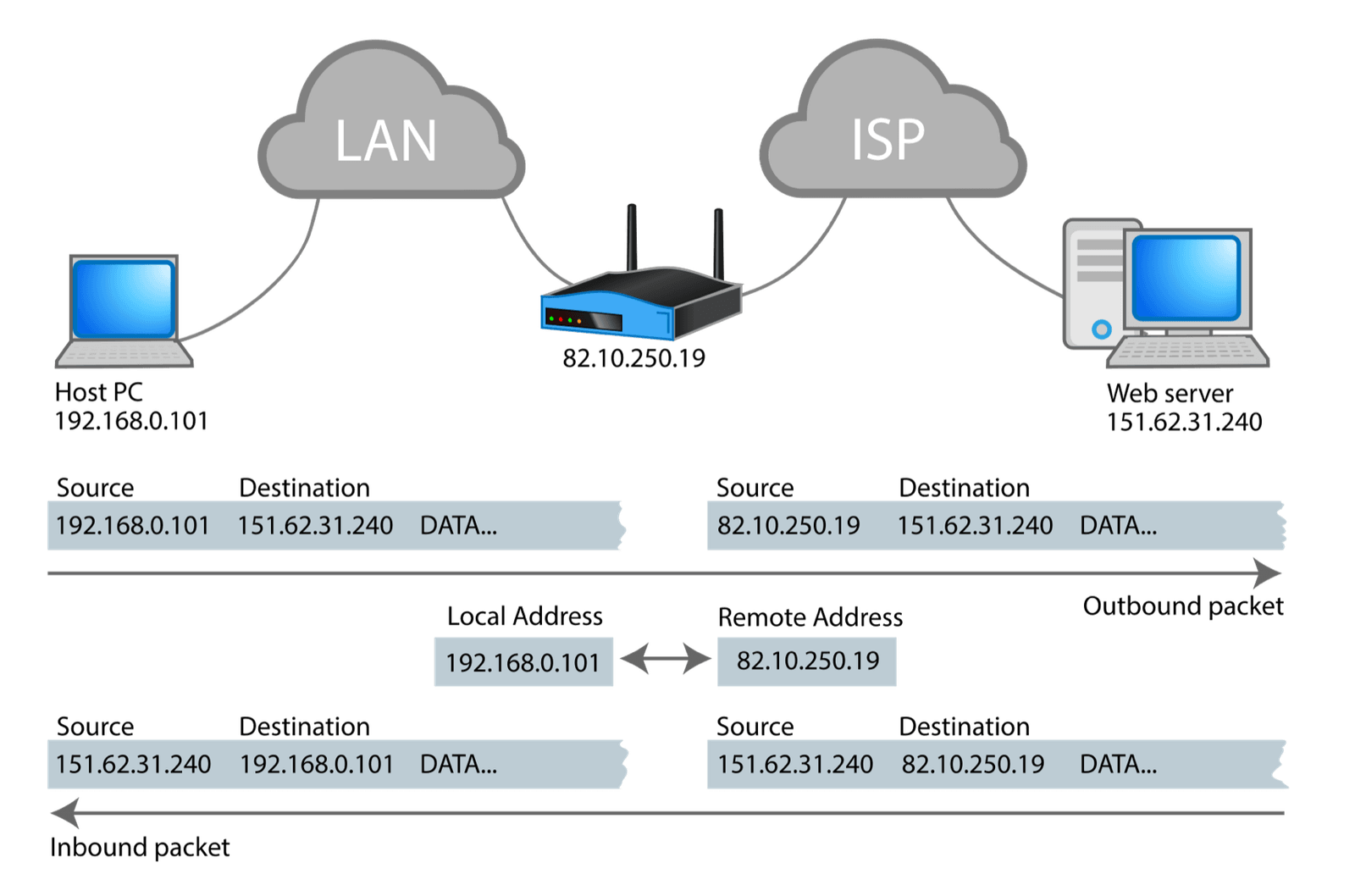
| NAT gateway | Lets servers in a private subnet, ones that shouldn't be reachable from outside, start connections out. NAT (network address translation) swaps the packet's private source address for the gateway's own public one, and remembers the connection so the reply can be swapped back |
Our database belongs in a private subnet: nobody on the internet should be able to start a connection to it, though it may still need to reach out, to download updates for example, which is what a NAT gateway is for.
3.2Security groups and NACLs
Routing says where a packet can go. The next question is whether it's allowed to. To answer it we need a name for the thing a rule is attached to. Every virtual machine has a virtual network card, called an ENI (elastic network interface), with its own hardware address and its own private IP addresses. Our web server's ENI holds 10.0.1.12, and the database's holds 10.0.2.47. A rule needs to name which program on the database is being reached, and that's what a port does. A port is a number from 0 to 65535 that, together with the address, picks out one program on a machine. Our database is Postgres, which listens on port 5432, so web connects to 10.0.2.47 port 5432.
A security group, often shortened to SG, is the rule list attached to an ENI. Each rule says "allow this kind of traffic", such as "allow connections to port 5432 from the web servers", and anything not allowed is dropped. The Nitro card checks the sending instance's security group before a packet leaves the host and the receiving instance's group before it's delivered.
What matters most is that a security group remembers connections. If web is allowed to open a connection to db, the reply travels back without needing a rule of its own, because the card has seen the first packet and knows the reply belongs to it. A rule set that remembers connections like this is called stateful.
There's a second, older filter at the edge of each subnet, the NACL (network access control list). It's a numbered list of allow and deny rules, checked in order until one matches, with a final rule that denies anything no earlier rule allowed. The NACL a VPC starts with allows all traffic in both directions, so it does nothing until someone edits it or adds a new one. A NACL is also stateless: every packet is judged alone, with no memory of the one before. We'll set the two side by side, because the difference between them causes more outages than any other part of a VPC:
| Security group | NACL | |
|---|---|---|
| State | Stateful: tracks connections | Stateless: every packet judged alone |
| Where | The Nitro card of each instance | The subnet boundary |
| Rules | A set of allow rules | An ordered rule list |
| Return traffic | Allowed automatically | Needs its own rule |
Section 6 shows what the last row does to an unsuspecting engineer.
3.3Which pieces are real
Here's every piece we've met, with where it lives. The control plane is the part of the cloud that takes your clicks and API calls and decides what should be true. Notice how many rows say "nowhere physical".
| Thing | What it is | Where it lives |
|---|---|---|
| VPC | A CIDR range, and the boundary between your network and everyone else's, recorded in the control plane | Nowhere physical |
| Subnet | A CIDR slice pinned to one availability zone | Nowhere physical |
| Route table | Rows consulted on the sending host | Pushed to every host with an ENI in the subnet |
| ENI | A virtual network card: hardware address, IPs, security group bindings | State on the Nitro card of the host running the instance |
| Security group | A stateful rule set, evaluated per packet | Enforced in hardware on the Nitro card |
| NACL | A stateless ordered rule list | Evaluated at the subnet boundary |
| Internet gateway | A NAT and routing target that scales out across many machines | A fleet |
A VPC is mostly a set of facts the control plane distributes to hosts, and enforcement happens at the edge, on the machine your instance is running on. We have all the pieces now, and we can follow a single packet through them.
04One packet from zone A to zone B
4.1From socket write to delivery
Our web server is in zone A, and the database is in zone B. The web server's program calls connect() on 10.0.2.47, port 5432. TCP is the protocol that gives programs reliable connections, and a TCP connection starts with the sender transmitting a small first packet called a SYN, and the receiver answering with a SYN-ACK, so a successful connection is first of all that pair of packets crossing. Here's the trip of the SYN, one step at a time, and notice that the physical network is involved at exactly one step.
10.0.2.47 and its ENA driver, the software that talks to the virtual network card, hands the packet to the Nitro card.Two places in this trip enforce isolation: the wrap on the way out and the unwrap on the way in, because those are where the network label is added and checked. Everything between them is ordinary networking on a network that knows nothing about you. (A NACL on either subnet would be checked as well. We left it out of the scene because the NACL a VPC starts with allows everything; section 6 shows what happens when someone changes that.)
4.2The mapping service
That lookup in the third frame needs a place to get its answers from. The central directory the card asks is called the mapping service, and AWS has described it publicly in its re:Invent networking talks. The card asks the mapping service which physical host currently holds that private IP. It gets back a substrate address, and the card wraps the packet with it. A card also keeps recent answers in a cache, so most packets never wait for the service.
?Why is the first packet to a new destination sometimes slower?
Because a cache entry has to come from somewhere, and when a card has no entry for a destination it has to ask. That extra lookup is a likely source of first-connection latency (extra waiting before the first data flows) that never reproduces under load, though there's no published figure for it.
?How can an instance move to another host and keep its IP?
Because the private IP belongs to the ENI and not to the hardware. When an instance is stopped and started on a different physical host, or an ENI is attached to a different instance, the control plane updates the mapping entries and the address follows. Nothing about the address was ever tied to a particular machine.
Our packet arrived, and from web's point of view the VPC behaved like a flat network it owns. The next section looks at what you were promised, since it's less than a real network offers in some places and more in others.
05What the table promises, and what it doesn't
The provider sells a VPC as isolation, and section 4 showed how that isolation is built. There's no cable between web and db and no switch, only a lookup table spread across thousands of network cards. Each packet is wrapped, shipped across a shared physical network, and unwrapped by hardware on the far side. Once you keep that picture in mind, you can work out for yourself most of what a VPC promises and what it leaves out.
5.1What it guarantees
| Guarantee | What it means |
|---|---|
| L3 isolation (isolation at the IP layer) | Packets don't leak between VPCs without explicit peering, a transit gateway (a hub that joins many VPCs), or an endpoint (a private door to a cloud service) |
| Stable private addressing | An ENI's private IP is yours for the life of the interface |
| Stateful filtering by default | Security groups track connections, so return traffic is allowed without a matching rule |
Each follows from the design. Packets can't leak because the table has no entry linking two networks unless you create one, and addresses are stable because they're entries and not wires.
5.2What it does not
| Not provided | Consequence |
|---|---|
| Broadcast, and multicast in an ordinary VPC | ARP, the protocol a machine uses to ask "who owns this address?" by shouting at the whole subnet, is emulated by the card answering from its table. Anything built on broadcast discovery, like old clustering software and some licence servers, won't work. (Transit Gateway offers multicast as an optional feature) |
| Guaranteed bandwidth between two instances | You get an allowance tied to instance size. It's a ceiling you can't go above, and nothing sets that bandwidth aside for you |
| Overlapping CIDRs | Two VPCs with overlapping ranges can't peer, ever |
?Why can't overlapping VPCs peer?
Because the table can't tell their addresses apart. If both VPCs contain
10.0.2.9, a lookup for that address has two answers, and the card has no way
to choose. This is the section 1 overlap test in its real form. If two overlapping VPCs have to talk anyway, you can't peer them. The options are renumbering one, putting a private NAT layer between them, or using PrivateLink, which exposes one specific service from one VPC to the other without joining the networks.
Since a VPC is a table, most things that go wrong with it are an entry that says "drop", or a ceiling that's quietly reached. Neither one sends anything back to the sender.
06Failures with no error message
When a packet is dropped inside a VPC, nobody replies. The instance sees a connection that never completes or a request that never returns, and every tool it has says only "timeout". Five of these failures are common enough to learn by name.
6.1A reply that gets dropped: the NACL
From section 3, a security group remembers connections and a NACL doesn't. Here's the same request from web to db through each. The NACL sits on db's subnet and is configured the way many people do it: one rule allowing inbound port 5432, and then the final deny-everything rule. A connection has a port at each end. When web connects, its kernel picks a random high port for its own end of the connection, called an ephemeral port, and Linux usually picks from 32768 to 60999. The reply from db is addressed to that port, and it has to leave db's subnet to get there.
It almost works: the SYN arrives, db answers, and the answer vanishes. The client retransmits the SYN and eventually gives up, which looks exactly like an application hang.
6.2The blackhole route
Consider a private subnet whose route table sends 0.0.0.0/0 to a NAT gateway, so its servers can reach the internet. A teammate deletes the gateway during a cleanup. On an ordinary network, a router that can't deliver a packet usually sends back a short error notice saying "destination unreachable", using ICMP, the protocol routers use for messages like that. The sender's kernel sees the notice and fails the connection at once. Think about what you'd expect here before reading on.
You delete a NAT gateway, but a route in a private subnet still points at it. What do instances in that subnet see when they connect out?
Here's what happens to the route table, and to a packet from a server in that subnet:
Look back at the toy in section 2. A blackhole route and a missing table entry fail the same way, silently. Find the blackholes with one query:
aws ec2 describe-route-tables \
  --query 'RouteTables[].Routes[?State==`blackhole`].[DestinationCidrBlock,GatewayId]' \
  --output text
--query filters the API's answer down to routes whose state is blackhole and prints each one's destination and the gateway it still points at. Empty output means no blackholes. Run it after any teardown; it takes a second and rules out one whole class of silent failure.
6.3NAT gateway port exhaustion
A NAT gateway that hasn't been deleted has a problem of its own. It rewrites each outgoing packet's source address to its own public one. But a connection is identified by four values: source address, source port, destination address and destination port. Once every connection leaves with the gateway's single address, two connections to the same destination can only be told apart by their source port, so each one needs a port of its own for as long as it stays open. Port numbers only go up to 65535, so for any one destination they run out.
AWS documents the ceiling as roughly 55,000 simultaneous connections from one NAT gateway to a single destination address and port. Past that, new connections fail, and the gateway counts each failure in a metric called ErrorPortAllocation, which it reports to CloudWatch, AWS's monitoring service.
?Why do unrelated services fail at the same time?
Because the limit is per destination, on a gateway everyone shares. Everything works, then a batch job fans out (opens a great many connections at once) to one third-party API, and other services start failing to connect. Nothing in your application changed. You ran out of tuples, the combinations of four values that identify connections.
Mitigations, in order of how much they help:
| Fix | Why it helps |
|---|---|
| Don't route it through NAT | A VPC endpoint for S3, DynamoDB and the rest keeps that traffic off the gateway entirely, and off your bill |
| More NAT gateways | Each gateway has its own public address, so each gets its own set of ports. One per AZ is the default advice, and it also saves servers a trip to a gateway in another zone |
| Fewer connections | Connection pooling and keep-alive |
6.4Allowances you didn't know you had
Every instance size comes with network ceilings: a limit on bytes per second, a limit on packets per second, and a limit on how many connections the card can track at once. Crossing one shows up as packet loss with no error anywhere in your application. The ENA driver counts each time a ceiling is hit, and almost nobody looks. ethtool -S prints a network driver's statistics, and grep keeps the lines that matter:
ethtool -S eth0 | grep -E 'allowance_exceeded'You get five counters back. The output below shows the shape, with <n> standing for a count that will differ on every machine:
bw_in_allowance_exceeded: 0
bw_out_allowance_exceeded: <n>
pps_allowance_exceeded: 0
conntrack_allowance_exceeded: <n>
linklocal_allowance_exceeded: 0
bw is bandwidth, pps is packets per second, and linklocal covers the traffic to the provider's own services such as DNS. They're counters, so any non-zero value is cumulative since boot and tells you
nothing about when. Sample them on an interval, or you can't tell a burst
last Tuesday from a problem happening now.
A non-zero conntrack_allowance_exceeded means the Nitro card's connection
tracking table is full. That's the table that lets security groups remember connections, and it fills from a scan, a huge fan-out, or half-open
connections (handshakes that started and never finished) piling up.
6.5MTU, and the 9001 you probably aren't getting
The final silent failure depends on packet size. The MTU (maximum transmission unit) is the largest packet a link will carry. Inside a VPC the MTU is 9001 bytes, so web and db can exchange packets of about 9 KB. Traffic leaving through an internet gateway is limited to 1500 bytes, and paths through some other gateway types are smaller still. The smallest MTU along the whole route between two machines is called the path MTU, and it's the size that matters.
?Why do small requests work while large ones hang?
A sender can mark a packet DF ("don't fragment"), which forbids a router from chopping it into smaller pieces. When such a packet is too large for the next link, the router drops it and sends back an ICMP "fragmentation needed" message, so the sender learns to use smaller packets. Plenty of security groups and on-prem firewalls drop that ICMP, so the sender never hears and keeps sending packets that are too big. This is called a PMTU black hole (PMTU for path MTU): small requests fit and work, and large ones hang forever.
# Find the real path MTU, without trusting anyone's documentation
tracepath 10.0.2.47
ping -M do -s 8973 10.0.2.47      # 8973 + 28 bytes of header = 9001
tracepath reports the path MTU hop by hop. ping -M do sets the DF flag, and -s 8973 sets the payload size; the 28 extra bytes are the IP and ICMP headers, which brings the packet to exactly 9001. If it fails and a smaller size works, something on the path has a smaller MTU.
None of these failures show up on a bill, but the next problem does.
07What cloud networking costs
Our packet from section 4 left one data centre and entered another, and the provider charges for that crossing. The rates are small, but the volumes aren't.
7.1The line items that surprise people
Two asymmetries do most of the damage. Cross-AZ is billed in both directions: a gigabyte pays $0.01 as it leaves one zone and another $0.01 as it enters the other, so a chatty service pair split across zones costs twice what a napkin estimate suggests. And NAT charges for processing on top of the transfer charge, so the same gigabyte can be billed twice on one hop.
7.2$4,200 a month for one chatty pair
Our web and db are in different zones on purpose: if a power failure takes out zone A, the database in zone B survives, and the same goes for running copies of a service in several zones. That safety is what turns into a bill. Take two services exchanging 40 KB per request, each running copies in three AZs, with requests spread evenly over the copies. Two of the three copies a caller might pick are in another zone, so roughly two-thirds of calls cross a zone boundary.
| Requests per second | steady state | 3,000 |
| Bytes per request | 20 KB req + 20 KB resp | 40 KB |
| Fraction crossing an AZ | 2 of 3 targets are remote | 0.67 |
| Cross-AZ bytes per month | 3000 × 40 KB × 0.67 × 2.6M s | ≈ 209 TB |
| Billed both directions | 209 TB × $0.01 × 2 | $4,180 |
| monthly, for one service pair, in transfer alone | ≈ $4,200 | |
The 2.6M is the number of seconds in a month. Nothing is misconfigured in that scenario; it's the documented rate applied to a normal architecture.
The fix is to send each request to a copy of the service in the caller's own zone whenever one is healthy, which is called zone-aware routing. With zone-aware routing in place, that number falls to roughly zero, and the cross-zone path is kept for when a zone fails. It only works where consistency allows: a database with a single primary copy, like our db, lives in one zone, so writes from the other zones still have to cross.
We've now met every way this chapter's request can fail or cost money. What's left is the practical side: when web can't reach db, in what order do you check things?
08Debugging and monitoring a VPC
8.1Answering 'why can't A reach B'
Every failure in section 6 shows up as the same symptom, a request that times out, so you need an order for narrowing it down. The fastest order runs from the cheapest check to the most expensive, which means the step most people start with comes fourth:
- Reachability Analyzer. An AWS tool that reads your route tables, SGs,
NACLs and gateways, works out on paper whether
webcan reachdb, and names the piece that blocks it. It sends no packets. (section 3) - Blackhole routes. The query in section 6.2.
- NACLs, both directions. Stateless means the return path needs its own rule, and the ephemeral range is the usual gap. (section 6.1)
- Flow logs, filtered to REJECT. Flow logs record each accepted or rejected connection per ENI, so these tell you that something was dropped, and by which ENI.
- Only then, tcpdump on the instance. It records the packets the instance's interface sees.
?Why not start with flow logs?
They're where people start, and they're the slowest useful step. They show rejects but not why: a REJECT line doesn't say whether the SG or the NACL did it.
Debugging starts after something breaks. Several of the failures in section 6 build up quietly beforehand, so a few numbers are worth watching all the time.
8.2What to watch continuously
Most rows come from sections 6 and 7. One is new: a NAT gateway forgets a connection that has sent nothing for 350 seconds, and counts each one it drops in IdleTimeoutCount. Neither end is told when it happens; the server behind the gateway only finds out when it next sends on that connection and gets a reset back. Cost Explorer is AWS's billing breakdown tool.
| Signal | Where | What it means |
|---|---|---|
| conntrack_allowance_exceeded | ethtool -S on the instance | Nitro connection table full: fan-out or half-open pileup |
| bw_out_allowance_exceeded | ethtool -S | You've hit the instance-size ceiling, not a network fault |
| ErrorPortAllocation | CloudWatch, NAT gateway | Port exhaustion to one destination |
| IdleTimeoutCount | CloudWatch, NAT gateway | Connections idle past 350 s, dropped by the gateway |
| Cross-AZ transfer bytes | Cost Explorer, grouped by AZ | The bill in section 7.2, before it arrives |
8.3Rules that hold up
- Choose ranges as though you'll merge with another company. Pick a
/16that isn't10.0.0.0/16, and keep a list of the ranges you've used. - Size subnets with the five reserved addresses and any pods in mind. A
/28holds 11. - Query for
blackholeroutes after every teardown. - Give every NACL an outbound rule for the ephemeral port range, or leave NACLs at their defaults and rely on security groups.
- Use VPC endpoints for cloud services and one NAT gateway per zone, and pool connections to anything you call a lot.
- Ship the
ethtool -Scounters yourself. They aren't in CloudWatch by default. - Route to same-zone targets where consistency allows.
8.4What you give up
| You get | You pay | When the bill arrives |
|---|---|---|
| Isolation with no hardware | Encapsulation overhead and a mapping lookup | As unexplained first-packet latency |
| Stable IPs that follow the ENI | Your IP was never bound to a machine | Never: this one is pure upside |
| Stateful SGs enforced in hardware | NACLs behave completely differently | The first time someone adds a NACL |
| Multi-AZ availability | Cross-AZ transfer billed both directions | Monthly, at about $4k per chatty service pair |
| Managed NAT | $0.045/hr + $0.045/GB, and a port ceiling | During a fan-out to one third-party API |
8.5Symptom, cause, fix
| Symptom | Likely cause | Fix |
|---|---|---|
| Outbound connections time out after a teardown | Blackhole route | Query for blackhole routes; repoint or delete them |
| Several services fail to connect at once, nothing deployed | NAT port exhaustion to one destination | VPC endpoint, more NAT gateways, connection pooling |
| Timeouts, dashboards look fine | conntrack_allowance_exceeded or another allowance | Sample ethtool -S; bigger instance or fewer connections |
| Connection opens, request sent, client waits forever | NACL missing an outbound ephemeral-port rule | Add the rule for the return path |
| Small requests work, large uploads hang | PMTU black hole | tracepath, ping -M do; allow ICMP fragmentation-needed |
| Two VPCs can't peer | Overlapping CIDRs | Renumber, a private NAT layer, or PrivateLink |
| Transfer bill far above estimate | Cross-AZ traffic billed both ways | Zone-aware routing |
8.6Where you meet this in the wild
The networking deep-dive talk where AWS describes the mapping service, encapsulation and the Nitro offload path. If you only consume one source on VPC internals, make it this one.
Not a single famous outage, just the most common structural mistake in cloud networking: every team defaults to the same CIDR, and years later two of them need to peer. The fix is renumbering a production VPC, which is roughly as pleasant as it sounds.
09Summary
- A VPC range is a CIDR block cut into subnets, and a
/16holds 65,536 addresses and splits into 256/24subnets. - Every subnet loses five addresses. A
/24holds 251 instances, a/28holds 11. - Overlapping CIDRs can never peer. The table can't tell the addresses apart, so choose ranges on day one.
- A VPC is a lookup table spread across network cards. The card on each host maps your private IPs to physical hosts and wraps every packet.
- There is no router. The
.1address is a convention; routing happens on the sending host. - Security groups are stateful; NACLs aren't. A NACL needs an outbound rule for the ephemeral range, or responses vanish.
- Deleted targets leave blackhole routes. Packets are dropped with no error; query for them after every teardown.
- NAT gateways run out of ports per destination. About 55,000 connections to one IP and port, shared by everything behind the gateway.
- Allowance counters live in
ethtool -S, not CloudWatch. Sample them, or the drops stay invisible. - The VPC MTU is 9001, but paths out are smaller. Blocked ICMP turns that into a PMTU black hole.
- Cross-AZ traffic is billed in both directions. One chatty service pair can cost about $4,200 a month; zone-aware routing removes most of it.
10Build this
Build the overlay yourself, on one Linux machine. You need two network namespaces (separate, private copies of the machine's network stack, the same thing containers use) and a VXLAN tunnel between them, which wraps packets in outer packets the way the cards do. Add a tiny userspace "mapping service" that tells the tunnel which outer address each inner IP lives behind. It extends the twenty-line toy from section 2.
- Create two namespaces (netns) and give each a veth, a virtual cable with one end inside the namespace, carrying an inner address in
10.99.0.0/24. - Join them with VXLAN over loopback, so the wrapping is real.
- VXLAN keeps its own lookup table, the FDB (forwarding database), saying which outer address to send each inner destination to. Write 30 lines that fill the FDB from a Python dictionary, and ping across.
- Then delete an entry and watch the ping stop with no ICMP error at all.
Look at that last step. A blackhole route and a missing mapping entry fail identically, silently, and once you've caused it yourself the AWS behaviour stops feeling mysterious.
11Interview questions
beginnerHow many usable addresses are in a /28 subnet on AWS?›
Eleven. Sixteen addresses minus five reserved: the network address, the implied
router at .1, the DNS resolver at .2, one reserved for future use at .3,
and the broadcast address at the end, reserved even though broadcast doesn't
function in a VPC.
intermediateSecurity groups versus NACLs: when does the difference bite?›
Statefulness. A security group tracks connections, so allowing inbound 443 automatically permits the response. A NACL is stateless and evaluates each packet independently, so the same setup needs an explicit outbound rule covering the ephemeral port range or every response is dropped.
What makes it nasty is the symptom: a silently dropped response is indistinguishable from an application hang. A connection establishes, the request is delivered, and the client just waits.
intermediateA deleted NAT gateway left traffic failing with no errors. What happened?›
That route survived the gateway and moved to blackhole state. Matching packets
are discarded with no ICMP unreachable, so instances see a timeout and nothing
else. Query route tables for routes in blackhole state after any teardown.
deepTwo instances in the same VPC, different AZs. Describe the packet path.›
A guest writes to a socket; the ENA driver hands the frame to the Nitro card.
Security group rules are evaluated there, in hardware, before anything leaves
the host. That card resolves the destination private IP to a physical host
address through the mapping service, encapsulates the packet, and sends it over
the AWS substrate: a real network, with real routers, that has never heard of
your 10.0.0.0/16. On the far side, a card decapsulates, applies the
destination security group, and delivers to the target ENI.
Two things follow. There's no router device to become a bottleneck, because routing decisions happen on the sending host. And your private IP isn't bound to hardware, so it can follow an ENI to a new instance or host.
deepOutbound connections start failing across several services at once. Nothing was deployed. Where do you look first?›
NAT gateway port exhaustion. Check ErrorPortAllocation on the NAT gateway in
CloudWatch. Blast radius is the giveaway: NAT is shared infrastructure, so
one service fanning out to a single third-party endpoint consumes the source
port space that every other service in the subnet depends on.
Then check conntrack_allowance_exceeded in ethtool -S on the busiest
instances, because a connection-tracking overflow presents almost identically
and isn't in CloudWatch at all. A VPC endpoint is usually the durable fix,
taking that traffic off the gateway and off the bill together.
12Go deeper
Why can't you ping the VPC router at x.x.x.1?›
Because it isn't a device. Routing is applied on the sending host's Nitro
card; the .1 address is a reserved convention with nothing listening.
A security group allows inbound 443 and has no outbound rules. Do responses get out?›
Yes. Security groups are stateful, so the tracked connection's return traffic is allowed. A NACL in the same position would drop them.
Small HTTP requests work, large uploads hang forever. First guess?›
A PMTU black hole. Path MTU drops below 9001, the sender gets an ICMP
fragmentation-needed that something along the way is dropping, and packets
with DF set vanish. Test with ping -M do -s 8973.
Two VPCs, both 10.0.0.0/16, need to talk. What are your options?›
Not peering: overlapping CIDRs can't peer. You're left with renumbering one, a private NAT layer, or a PrivateLink endpoint that exposes specific services instead of joining the networks.
The ceilings that become incidents: routes per table, rules per SG, ENIs and IPs per instance type. Worth reading once, in full, before designing.
The *_allowance_exceeded family, documented in the AWS ENA driver repo.
The fastest way to distinguish "the network is broken" from "you hit a
documented ceiling".
Static analysis of your own topology. Under-used because it's buried in the console, and it answers the most common question faster than anything else.
ip link add type vxlan and two namespaces. The cheapest way to build the
mental model from section 10 on hardware you already own.
13Related chapters
The hosts and the Nitro card this chapter's overlay runs on. Chapter 47.
What happens to the packet once it reaches your instance's kernel, and how Linux's own conntrack table fills up. Chapter 10.
Network namespaces and veth pairs, the pieces the Build-this overlay is made of. Chapter 11.