Your service writes its log to a file called app.log. Disks fail and servers get thrown away, so you want a copy somewhere that outlives all of that. With a few lines of code you hand the file to Amazon S3, the object storage service of Amazon Web Services, under the name logs/2026/09/30/app.log. A week later, from a different machine, you ask S3 for that name and get the same bytes back.
It's natural to picture S3 as a huge network drive with folders in it, and that picture breaks quickly. You can't add a line to the end of the stored file, you can't rename it, and you can't change one byte in the middle. The folder called logs doesn't exist either. Underneath, the storage is ordinary hard drives, which fail at around 1.36% a year, and yet S3 promises to keep your file with a loss rate so low that section 2 has to work out how it's possible.
Something has to turn one cheap request into that promise. A front-end service takes your request, a storage fleet holds the bytes, and an index called the keymap remembers where everything is. This chapter follows app.log through all of it, asking one question the whole way: when we hand S3 a file, what happens to it, and why can we trust it to be there, unchanged, years later? We start by using the API and noticing what it leaves out, then build up the machinery that makes those omissions make sense.
01Using S3 from code
1.1Objects, keys and buckets
Let's start with what we hand over. S3 stores objects: a blob of bytes together with a little information about it, such as its size and when it was stored. Each object has a name that we choose, called its key, and ours is logs/2026/09/30/app.log. Objects live in a bucket, a named container that you create once and then fill. Each bucket belongs to one AWS region, a geographic area with its own copy of the service, such as us-east-1 in Northern Virginia, and everything this chapter describes happens inside that region. S3's own documentation describes the whole arrangement as "a basic data map between 'bucket + key + version' and the object itself" (What is Amazon S3?). We'll meet the version part in section 7.3.
There are four basic requests, all sent over HTTP. PUT stores an object, GET fetches all of it or just a range of its bytes, DELETE removes it, and LIST returns keys in alphabetical order. That's the whole vocabulary, so let's try it before asking why it looks like this.
1.2Trying it on your own machine
You don't need an AWS account to see how the API behaves. moto is an open-source program that imitates S3 on your own computer, and boto3 is AWS's Python library (its SDK, meaning a library for calling the service) for talking to S3. Install both with pip install boto3 "moto[server]" and start the imitation S3 with moto_server -p 5055. The script below stores app.log, stores it again with a second line, then adds three more keys and lists the ones under a prefix. A prefix is a string that keys must start with, and Delimiter="/" asks S3 to group the matching keys by the next slash after the prefix.
import boto3

s3 = boto3.client("s3", endpoint_url="http://127.0.0.1:5055", region_name="us-east-1",
                  aws_access_key_id="test", aws_secret_access_key="test")
s3.create_bucket(Bucket="demo")

s3.put_object(Bucket="demo", Key="logs/2026/09/30/app.log", Body=b"line 1\n")
r1 = s3.get_object(Bucket="demo", Key="logs/2026/09/30/app.log")
print("stored   :", r1["Body"].read(), " ETag", r1["ETag"])

s3.put_object(Bucket="demo", Key="logs/2026/09/30/app.log", Body=b"line 1\nline 2\n")   # no append: replace
r2 = s3.get_object(Bucket="demo", Key="logs/2026/09/30/app.log")
print("replaced :", r2["Body"].read(), " ETag", r2["ETag"])

for k in ("logs/2026/09/29/app.log", "logs/2026/09/30/db.log", "images/cat.png"):
    s3.put_object(Bucket="demo", Key=k, Body=b"x")
resp = s3.list_objects_v2(Bucket="demo", Prefix="logs/2026/09/", Delimiter="/")
print("\nlist prefix logs/2026/09/ with delimiter '/':")
print("  'folders':", [p["Prefix"] for p in resp.get("CommonPrefixes", [])])
print(" every key:", [o["Key"] for o in s3.list_objects_v2(Bucket="demo")["Contents"]])stored : b'line 1\n' ETag "5c2ce561e1e263695dbd267271b86fb8"
replaced : b'line 1\nline 2\n' ETag "c7253b64411b3aa485924efce6494bb5"
list prefix logs/2026/09/ with delimiter '/':
'folders': ['logs/2026/09/29/', 'logs/2026/09/30/']
every key: ['images/cat.png', 'logs/2026/09/29/app.log', 'logs/2026/09/30/app.log', 'logs/2026/09/30/db.log']Look at the first two lines. The second put_object had to send the whole file again, line 1 plus line 2, and S3 replaced the old object with it. There was no way to say "append". The ETag, S3's fingerprint of an object's contents, changed too, because the bytes changed. For a plain upload like this one the ETag is the MD5 hash of the bytes (a hash function squeezes any amount of data into a short fixed-size fingerprint). That stops being true for big uploads and for some kinds of encryption, which section 6.2 comes back to.
The listing shows the second surprise. We asked for keys under logs/2026/09/ and got back two "folders", logs/2026/09/29/ and logs/2026/09/30/. S3 built them on the spot from the stretch of each key between the prefix and the next /, and they come back under the name CommonPrefixes. Nothing called logs/2026/09/29/ exists as a thing of its own. The last line lists every key in the bucket, and the "folders" are only shared beginnings of those keys. Since there's no append, a log that keeps growing has to become many small objects, one per hour or per day as our keys already suggest, or be uploaded in pieces as section 6 shows.
1.3What S3 leaves out
A filesystem would let us do much more. The table compares S3's ordinary "general purpose" buckets, the kind we've been using, with POSIX, the standard file interface that Linux and macOS give every program (open, pwrite, rename and friends, the same calls chapter 08 follows through the kernel).
| Operation | POSIX filesystem | S3 general purpose bucket |
|---|---|---|
| Write part of a file | pwrite() at any offset | No. You replace the whole object |
| Append | O_APPEND | No |
| Rename | rename(), instant and all at once | No. Copy then delete: the time grows with the size, and readers can see it half done |
| Directories | Real directories | None. / is just a character in the key |
| List a directory | readdir() | LIST with a prefix and a delimiter, 1,000 keys per page |
| Locking | flock(), fcntl() | None. Conditional writes (section 5.4) |
| Scale | One machine or cluster | More than 500 trillion objects, over 200 million requests a second |
Because the folders don't exist, "renaming a folder" has no single operation behind it. S3 has to copy every object under the prefix to a new key and then delete the old ones.
?Why give up rename and partial writes?
Because every one of them would force the drives that hold an object to coordinate. Suppose S3 let you overwrite bytes 100 to 200 of an object whose pieces live on many drives. All those drives would have to apply the change in the same order, even when two clients write at the same moment, and a crash halfway through would leave pieces of two different versions that don't fit together. If an object can only be replaced whole, every version is complete and never changes after it's written, so it can be stored on many drives without any of them asking permission from the others. Section 2 shows what that buys.
There's one exception, and it shows the price. A region is built from several availability zones, each one or more data centres with their own power and networking, far enough apart that a fire or power failure in one is unlikely to touch the others. Ordinary S3 spreads every object over at least three of them. S3 Express One Zone, a faster variety of S3, keeps each object in a single availability zone, giving up that spread, and it's the only place S3 has added an atomic RenameObject, one that happens all at once so no reader ever sees it half done, in June 2025, only for its directory buckets, the kind of bucket that class uses. General purpose buckets still don't have one.

These omissions all follow from one decision: an object is written whole and never changed. To see why that decision is worth so much, we have to look at what S3 is up against underneath, which is hardware that breaks.
02Keeping app.log alive
2.1Drives fail
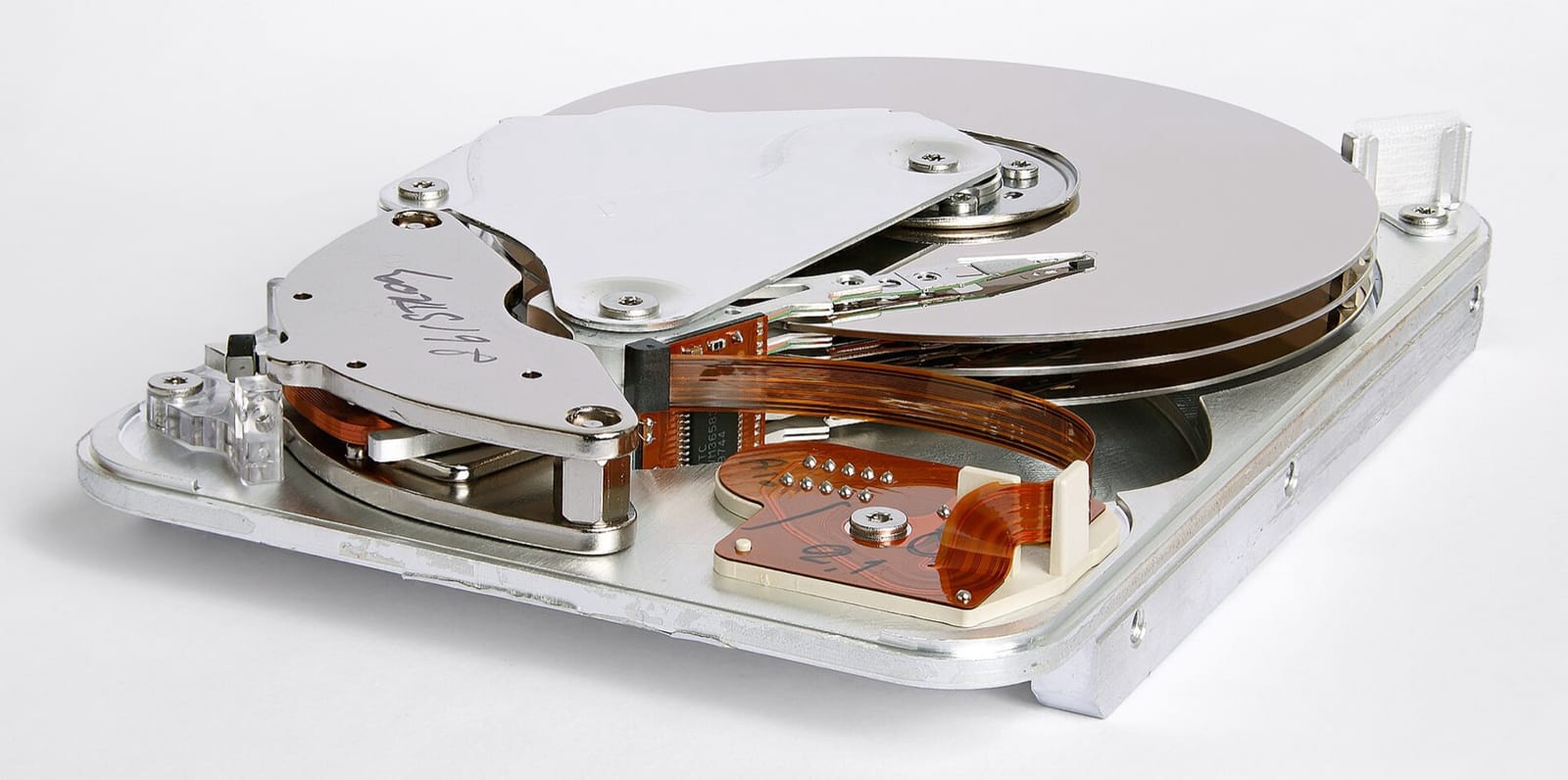
S3 keeps bytes on hard drives, spinning magnetic disks read by a moving arm, and hard drives die. Backblaze, a storage company that publishes failure data for its own fleet, reported an annual failure rate of 1.36% across all its drives in its 2025 drive stats. If one drive held the only copy of app.log, the chance of losing it in a year would be about one in seventy-four. A fleet of a million drives at that rate sees about 13,600 failures a year, roughly 37 every day, so failure is an ordinary event that the design has to treat as routine.
Against that, S3 Standard is "designed for" 99.999999999% durability, written as eleven nines, across at least three availability zones (storage classes). Durability is the chance that a stored object is still intact after a year, so eleven nines means a loss chance of about one in a hundred billion per object per year. Spreading over availability zones, the separately powered data centres from section 1.3, is meant to let an object outlive the loss of a whole building, and not only of a drive.
The gap between 1.36% and one in a hundred billion is closed by redundancy, which means keeping extra information so that losses can be survived, and by repair, which means replacing what was lost before more is. Let's build the redundancy first.
2.2Copies
The obvious way to survive a failed drive is to keep three complete copies of app.log on three different drives. This is replication. Any two drives can die and the file survives, and repairing a lost copy means reading one of the others. The cost is that every byte takes three bytes of disk. S3 holds more than 500 trillion objects (twenty years of S3), and at that scale three times the disk is an enormous bill. Can we survive failures with less than that?
2.3Parity: surviving a loss with less space
Here's a trick on a tiny scale. Cut app.log into two halves, A and B, and compute a third piece, P, by combining the two halves with XOR, an operation on bits that gives 1 where the two bits differ and 0 where they match. XOR has a handy property: combining any two of the three pieces gives you the third. A XOR P gives back B, B XOR P gives back A, and A XOR B gives P. Store A, B and P on three different drives. If any one drive dies, XOR the other two and the lost piece is back. We've survived one failure for 1.5 times the space, where two full copies would cost twice.
Each of these pieces is called a shard. Surviving more than one failure needs more than XOR. Erasure coding is the general idea: split an object into k data shards and compute m extra parity shards from them, so that any k of the k+m shards are enough to rebuild the object. A standard construction is the Reed-Solomon code. Andy Warfield, an engineer on S3, describes S3's version this way: "we use an algorithm, such as Reed-Solomon, and split our object into a set of k 'identity' shards. Then we generate an additional set of m parity shards. As long as k of the (k+m) total shards remain available, we can read the object" (Building and operating a pretty big storage system called S3, 2023). The identity shards are plain pieces of the object, and the parity shards are computed from them.
S3's internals are proprietary. What this chapter says about them comes from AWS's own papers, documentation and engineering posts, each linked where it's used, and the code here models the mechanisms without measuring S3. AWS doesn't publish S3's k and m, so we'll use k = 10 and m = 4, the code Facebook's f4 storage system used. That makes 14 shards, any 10 of which are enough, and we'll write the scheme as RS(10,4). Here's app.log going through it, losing four drives, and being repaired:
app.log reaches S3's front end as one object. First it gets cut into ten equal pieces.The table puts this scheme next to the others. LRC is Azure's Local Reconstruction Code, which section 2.4 explains, and "Rebuild one lost shard by reading" is the repair cost we'll come back to there.
| Scheme | Survives | Space | Rebuild one lost shard by reading |
|---|---|---|---|
| 3 replicas | Any 2 failures | 3.00× | 1 shard |
| RS(10,4) (Facebook f4, OSDI 2014) | Any 4 | 1.40× | 10 shards |
| RS(17,3) (Backblaze Vaults, blog) | Any 3 | 1.18× | 17 shards |
| LRC(12,2,2) (Azure, ATC 2012) | Any 3, and many 4-failure patterns | 1.33× | 6 shards |
?How can 14 shards survive any 4 losses?
Think of the ten data shards as ten unknown numbers, and of each stored shard as one equation that says "this shard equals a particular weighted sum of the unknowns". Any ten independent equations are enough to pin down ten unknowns. The XOR trick from the start of this section is the simplest such sum, with every weight equal to 1. Reed-Solomon does the arithmetic in a finite field, a small set of numbers (here 0 to 255, so each one fits in a byte) in which you can add, multiply and divide and never leave the set, and it picks the weights so that any ten of the fourteen equations are independent. So from any ten shards you can solve for the original ten data shards. The script below checks that property directly with a small Reed-Solomon implementation over GF(2⁸), the finite field of 256 numbers. It builds the fourteen shards of a 1 MiB random object, loses four chosen at random, rebuilds the object from ten survivors, and then tries every one of the 1,001 ways of losing four shards out of fourteen. It needs only Python's standard library.
import itertools, os, random, time

# GF(2^8): addition is XOR; multiplication uses log/exp tables (polynomial 0x11d)
EXP, LOG = [0] * 512, [0] * 256
x = 1
for i in range(255):
    EXP[i], LOG[x] = x, i
    x <<= 1
    if x & 0x100:
        x ^= 0x11D
for i in range(255, 512):
    EXP[i] = EXP[i - 255]

def mul(a, b): return 0 if a == 0 or b == 0 else EXP[LOG[a] + LOG[b]]
def inv(a): return EXP[255 - LOG[a]]
MULT = [bytes(mul(c, v) for v in range(256)) for c in range(256)]   # MULT[c][v] = c * v

def xor(a, b): return (int.from_bytes(a, "little") ^ int.from_bytes(b, "little")).to_bytes(len(a), "little")

def apply(rows, shards):
    """each output shard = a weighted sum (in GF(2^8)) of the input shards"""
    out = []
    for row in rows:
        acc = bytes(len(shards[0]))
        for c, s in zip(row, shards):
            if c: acc = xor(acc, s.translate(MULT[c]))
        out.append(acc)
    return out

def invert(M):
    n = len(M)
    A = [row[:] + [1 if i == j else 0 for j in range(n)] for i, row in enumerate(M)]
    for col in range(n):
        piv = next(r for r in range(col, n) if A[r][col])
        A[col], A[piv] = A[piv], A[col]
        p = inv(A[col][col])
        A[col] = [mul(p, v) for v in A[col]]
        for r in range(n):
            if r != col and A[r][col]:
                f = A[r][col]
                A[r] = [v ^ mul(f, w) for v, w in zip(A[r], A[col])]
    return [row[n:] for row in A]

k, m = 10, 4
obj = random.Random(7).randbytes(1 << 20)                 # a 1 MiB object
size = -(-len(obj) // k)
padded = obj.ljust(size * k, b"\0")
data = [padded[i * size:(i + 1) * size] for i in range(k)]            # ten shards
E = [[1 if i == j else 0 for j in range(k)] for i in range(k)]        # data rows
E += [[inv((k + i) ^ j) for j in range(k)] for i in range(m)]         # Cauchy parity rows

t = time.perf_counter()
shards = data + apply(E[k:], data)                                    # 14 shards
enc = time.perf_counter() - t
print(f"RS({k},{m}): {k + m} shards of {size:,} B, stored {(k + m) * size / len(obj):.2f}x, encode {enc * 1000:.0f} ms")

lost = sorted(random.Random(3).sample(range(k + m), m))               # four drives die
alive = [i for i in range(k + m) if i not in lost][:k]
t = time.perf_counter()
rebuilt = apply(invert([E[i] for i in alive]), [shards[i] for i in alive])
dec = time.perf_counter() - t
ok = b"".join(rebuilt)[:len(obj)] == obj
print(f"lost shards {lost}, read 10 survivors {alive}, decode {dec * 1000:.0f} ms, object intact: {ok}")

bad = 0
for lost in itertools.combinations(range(k + m), m):                  # every way to lose four
    try: invert([E[i] for i in range(k + m) if i not in lost][:k])
    except StopIteration: bad += 1
print(f"{len(list(itertools.combinations(range(k + m), m)))} loss patterns of {m} shards checked, unrecoverable: {bad}")RS(10,4): 14 shards of 104,858 B, stored 1.40x, encode 96 ms
lost shards [2, 3, 8, 9], read 10 survivors [0, 1, 4, 5, 6, 7, 10, 11, 12, 13], decode 94 ms, object intact: True
1001 loss patterns of 4 shards checked, unrecoverable: 0The object takes 1.4 times its size in storage, and every possible combination of four lost shards could be rebuilt. The first ten shards are the data itself, which Warfield calls the "identity" shards, so a healthy read needs no decoding at all. The timings vary from run to run and come from pure Python; production coders use SIMD libraries (libraries that use the CPU's vector instructions) such as Intel's ISA-L and run far faster.
This also explains the missing partial writes of section 1.3. Changing one byte in the middle of an erasure-coded object means changing the data shard that holds it and all four parity shards, on five different drives, in step with each other, and a crash halfway would leave shards from two versions that can't be combined. An object that's written once and never modified needs its parity computed only once.
2.4The price is paid at repair time
Erasure coding makes storage cheap and repair expensive. Rebuilding one lost shard of RS(10,4) means reading ten others from ten drives, so one dead 26 TB drive turns into hundreds of terabytes of repair reads spread across the fleet. The more shards a repair has to read, the more likely it is to hit a drive that's busy or slow, and the whole repair waits for the slowest one.
That's the argument behind Azure's choice of a code that survives fewer failures. Its paper says that with RS(12,4), reconstruction "would need to read from a set of 12 fragments", which "greatly increases the chance of hitting a hot storage node". Local Reconstruction Codes split the twelve data shards into two groups of six and give each group a parity shard of its own, on top of two parity shards computed over all twelve. A single failure is then rebuilt from the six shards of its own group, and the whole object takes 16 shards for 12 of data, 1.33× overhead.
A second thing helps. In Warfield's words, "individual objects may be encoded across tens of drives, we intentionally put different objects onto different sets of drives." The shards lost with one dead drive therefore belong to many objects whose other shards are scattered across thousands of drives, which means the repair work is shared by all of them instead of hammering a few.
An object is stored as RS(10,4). One drive dies. How many shards must be read to rebuild the shard it held?
2.5Where eleven nines comes from
Durability depends on three things: how many failures a scheme tolerates, how fast it repairs, and whether failures are independent. A toy model makes the first two concrete. It assumes independent failures at Backblaze's 1.36% annual rate, and counts an object as lost if, after one shard fails, m more of its shards fail before the repair finishes. The script prints each scheme's yearly loss probability with a repair window of one day and of one week, and counts the nines.
from math import comb, log10

AFR = 0.0136                                  # Backblaze 2025, all drives
def annual_loss(n, m, T_hours):
    p = AFR * T_hours / 8760                  # a given drive fails within one repair window
    tail = sum(comb(n-1, j) * p**j * (1-p)**(n-1-j) for j in range(m, n))
    return n * AFR * tail                     # first failures per year × P(m more in the window)

for name, n, m in (("3 replicas", 3, 2), ("RS(10,4)", 14, 4), ("RS(17,3)", 20, 3)):   # n shards, survives m losses
    for T in (24, 168):
        loss = annual_loss(n, m, T)
print(f"{name:<11} overhead {(n / (n - m)):.2f}x repair {T:>3} h P(loss)/yr {loss:.1e} {int(-log10(loss))} nines")3 replicas overhead 3.00x repair 24 h P(loss)/yr 5.7e-11 10 nines
3 replicas overhead 3.00x repair 168 h P(loss)/yr 2.8e-09 8 nines
RS(10,4) overhead 1.40x repair 24 h P(loss)/yr 2.6e-16 15 nines
RS(10,4) overhead 1.40x repair 168 h P(loss)/yr 6.3e-13 12 nines
RS(17,3) overhead 1.18x repair 24 h P(loss)/yr 1.4e-11 10 nines
RS(17,3) overhead 1.18x repair 168 h P(loss)/yr 4.7e-09 8 ninesTwo things fall out. RS(10,4) beats triple replication on durability and uses less than half the space: at a one-day repair its loss probability is 2.6e-16 against 5.7e-11. And repair time matters as much as the code. Stretching repair from a day to a week makes loss about 50 times more likely for triple replication, about 340 times for RS(17,3) and about 2,400 times for RS(10,4), because a longer window gives more of the other shards time to fail too.
?Then why isn't the answer fifteen nines?
Because the model's biggest assumption is wrong on purpose. Real failures are correlated: a bad batch of drives, a firmware bug, a rack losing power, a building flooding, an operator deleting the wrong thing. That's why S3 spreads shards across availability zones, and it constrains the code. Put our fourteen RS(10,4) shards in three zones and one zone must hold at least five of them, so losing that zone would lose more than four shards at once; a code that survives a whole zone needs more parity per zone than our example has, and AWS doesn't say which one it uses. Correlated failures are also why Warfield's post spends as much time on durability reviews and threat models as on codes. It's best to treat "eleven nines" as a design target for hardware loss, and not as a promise about everything that can destroy data.
So app.log is now fourteen shards on fourteen drives, safe against any four of them breaking. There's a catch we've been ignoring. Fourteen shards are no use unless S3 can find them again when you ask for logs/2026/09/30/app.log, and that's the next job.
03One PUT and one GET, from start to finish
3.1The pieces
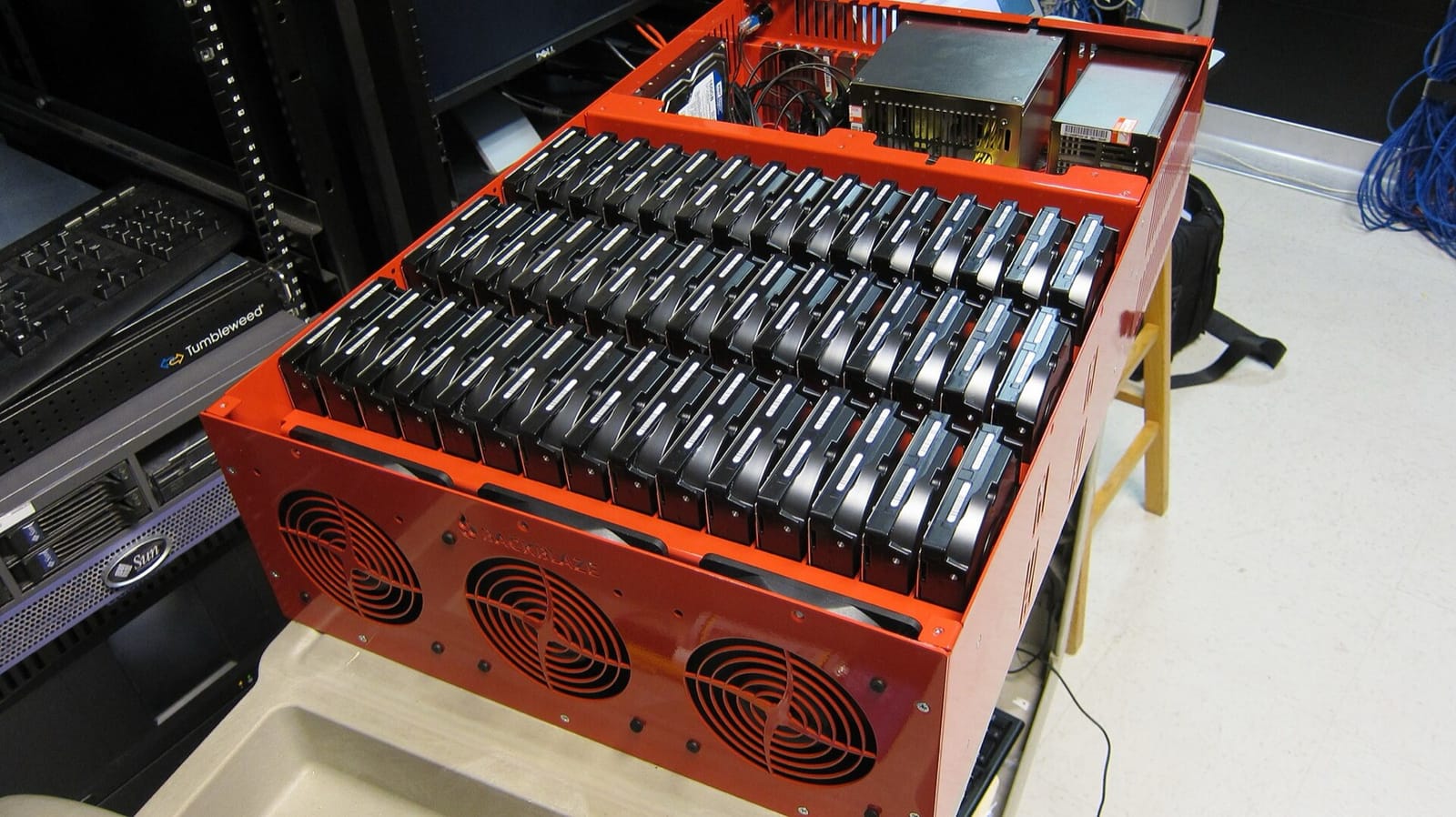
Warfield describes S3 at the highest level as "a frontend fleet with a REST API, a namespace service, a storage fleet that's full of hard disks, and a fleet that does background operations". The front end is the set of servers that answer your HTTPS request. The storage fleet is the drives and the machines attached to them, which we've just seen holding shards. The background fleet does chores such as repair and cleanup. The namespace service is the one we've been missing. It's the index that maps a bucket and key to the shards that hold the bytes, and this chapter calls it the keymap. AWS's own papers call it the index or the metadata subsystem.
3.2Following one PUT
With those pieces in hand, we can follow app.log on its way in. AWS doesn't publish the exact sequence, but its documented guarantees force the order you'll see here.
PUT for logs/2026/09/30/app.log. The SDK computes a checksum of the bytes (which algorithm depends on the SDK version) and sends it with them over HTTPS.?Why must the data be durable before the index changes?
Because of what AWS promises. A GET racing a PUT returns "either the old data or the new data, but never partial or corrupt data", and a successful PUT means "your data is safely stored". Both only hold if the key switches to the new version in one step, after all of its bytes are safe. If the keymap changed first, a reader could be sent to shards that don't exist yet. A crash before the switch leaves unreferenced shards, which a background process can reclaim, and that's the kind of job the background-operations fleet exists for.
3.3The GET
A GET runs the other way. The front end looks the key up in the keymap, learns which drives hold the shards, and reads them. Since the first ten shards are the object's own bytes, a healthy read has nothing to decode, and when a drive is dead or slow, any other ten shards will do, as the scene in section 2.3 showed.
3.4One drive's view: ShardStore
Now zoom in on a single drive. Every storage node runs a key-value store whose keys are shard IDs and whose values are shards. S3 rewrote it from scratch in Rust, calls it ShardStore, and published how they checked it (Bornholt et al., SOSP 2021). Three things stand out:
- It's a log-structured merge tree, a structure that collects changes in memory and writes them out in large sorted batches. Here it holds shard locations, with the shard data stored outside the tree to reduce write amplification, the extra bytes a drive has to write beyond the bytes you meant to store. This is the same idea as WiscKey, a research key-value store.
- Data lives in extents, "contiguous regions of physical storage on a disk; a typical disk has tens of thousands of extents", written sequentially and reclaimed by garbage collection, which frees the space held by shards nothing refers to any more.
- The implementation was "over 40,000 lines of Rust code". The team also wrote small, simple programs describing what each part should do, called reference models, and automatically tested the real code against them. The paper reports the approach "prevented 16 issues from reaching production, including subtle crash consistency and concurrency problems": bugs that leave the disk in a state that makes no sense after a power cut mid-write, the danger chapter 08 follows, and bugs that appear only when two requests run at once.
?Why append-only extents on a hard drive?
Because random I/O is the scarce resource. A hard drive reads and writes at a scattered location by physically moving its arm there and waiting for the platter to turn, and Warfield puts a number on what that allows: doing random reads and writes "as fast as you possibly can, you can expect about 120 operations per second", roughly the same as in 2006, while capacity has grown many times over. Sequential writes into an extent avoid the moving arm and turn many small writes into few large ones.
3.5Heat: the problem hiding under capacity
That 120-operations number drives the whole design. Drives keep getting bigger and no faster, so the I/O available per stored byte keeps falling. Warfield's projection is that with 200 TB drives, "we will be allowed to do 1 I/O per second per 2TB of data on disk."
S3 calls the resulting problem heat: how many requests land on one disk at once. Its answer is to spread widely. "Individual objects may be encoded across tens of drives," and different objects go to different sets of drives, so any one customer's burst is served by a huge number of disks. His example is a single bucket whose burst "can be served by over a million individual disks".
Every PUT and every GET passed through the keymap, so it's worth a closer look. It holds an entry for every object in the region, hundreds of trillions of them, and each request consults it.
04The keymap at scale
4.1A sorted index, split by key range
No single machine can hold hundreds of trillions of entries, so the keymap is split into partitions, slices of the index that each live on their own machines. The next question is how to decide which key goes in which slice. S3 lists keys in lexicographic order, meaning dictionary order on the key's UTF-8 bytes, and LIST takes a prefix and a start-after key. That's the interface of a sorted index split by key range, and it's what AWS's guidance implies: request limits apply "per partitioned Amazon S3 prefix".
?Why sorted, and not hashed?
Because LIST is a range query. With a hashed index, listing logs/2026/09/ would mean asking every partition. With a sorted one it's a scan of one or a few adjacent partitions, starting at the prefix. The cost is that lexicographically adjacent keys land together, which makes hot spots possible.
4.2Request limits per prefix
If neighbouring keys share a partition, one busy prefix can overload it, so there have to be limits. AWS documents the numbers: "at least 3,500 PUT/COPY/POST/DELETE or 5,500 GET/HEAD requests per second per partitioned Amazon S3 prefix. There are no limits to the number of prefixes in a bucket."
Partitions split as load grows, and "the scaling ... happens gradually and is not instantaneous". While it's happening, you "may see some 503 (Slow Down) errors".
A new service writes 20,000 small objects a second, every key starting with uploads/2026-09-27/. Nothing was written under that prefix before. What happens in the first few minutes?
You may remember advice to randomise key prefixes. In July 2018 AWS raised the limits to today's numbers and said this "removes any previous guidance to randomize object prefixes". That applies to steady state: you don't need random hashes in key names for S3 to scale. It doesn't remove the per-prefix limit, or the ramp-up while a partition splits, so a predictable spread over a few prefixes is still how you get more than 3,500 writes a second on day one.
4.3What LIST costs
ListObjectsV2 returns at most 1,000 keys per call. Listing a prefix of 100 million objects takes 100,000 sequential round trips, and each one is billed as a request. When the question is "which objects arrived yesterday?", LIST is rarely the best tool:
| Approach | Cost to find "all objects from yesterday" | When to use |
|---|---|---|
LIST the prefix | One request per 1,000 keys, sequential per prefix | Small prefixes, or parallel listing of many prefixes |
| S3 Inventory | A daily or weekly manifest file of every object | Audits, lifecycle planning, bulk jobs |
| S3 Metadata tables | Query object metadata with SQL | Discovery over very large buckets |
| Event notifications | Record keys as they're written | Pipelines that need every new object |
A job that lists a whole bucket every five minutes to find new files gets slower and costlier every day as the bucket grows. Record what you write, in an event queue or a table, and list only to reconcile.
All of this has assumed one client at a time. The next question comes up as soon as two clients exist: a PUT has just returned, and a different machine asks for the key a moment later. Which version does it get?
05What a reader sees right after a write
For its first fourteen years, S3's answer was "usually the new one, but not always". Since 1 December 2020 the answer has been simple: it's the new version, at no extra cost and with no change to the API. A store that behaves this way is strongly consistent, which means every read that starts after a successful write sees that write.
5.1The eventual years
Under the old model S3 was eventually consistent for overwrites, deletes and listings, meaning readers might briefly see old data but would all agree after a short while. A new object was usually readable straight after PUT, but an overwrite could briefly return the old data, a delete could briefly still return the object, and a LIST could miss a key you'd just written.
For analytics that was a real problem. A Spark job (Spark is a data-processing engine) writes 1,000 output files, the next stage lists the directory and sees 997, and computes a wrong answer with no error. The workarounds were whole systems. S3Guard, from the Hadoop data-processing project, and EMRFS's consistent view, from AWS's own analytics clusters, both kept a second copy of the listing in DynamoDB, AWS's key-value database, and checked every LIST against it.
?Where did the inconsistency come from?
From a cache, which is a fast copy of data kept near the readers so that most lookups don't have to go to the slower original. Werner Vogels's Diving Deep on S3 Consistency explains that the keymap sat behind a highly available caching layer, and "on rare occasions, writes might flow through one part of cache infrastructure while reads end up querying another." A reader could hit a cache node that still held the old version.
5.2The witness
Removing the cache would have cost performance. Instead, S3 made the cache able to tell when it's stale. The scene follows an overwrite of app.log and a read that lands on a cache node holding the old version.
app.log. The cache exists so that most lookups don't have to ask storage.Vogels also describes giving every change to an object a place in a per-object sequence, so the witness can know the latest position for each key. And he describes how they checked the design: integration testing, "deductive proofs of our proposed cache coherence algorithm", and model checking, including on "actual runnable code". Checking it, he writes, was "more work, in fact, than the actual implementation itself."
5.3What the guarantee covers
Strong consistency settles what a read returns. The table shows what it covers and what it leaves open. All quotes are from the consistency model docs.
| Guaranteed | Not guaranteed |
|---|---|
After a successful PUT or DELETE, any later GET, HEAD or LIST reflects it | Ordering between two concurrent writers: "the request with the latest timestamp wins" |
A GET racing a PUT returns old or new data, "never partial or corrupt data" | Any atomic update across two keys |
| Reads of tags, access-control lists (ACLs, the per-object permission lists) and object metadata are strongly consistent | Bucket configuration: a deleted bucket may still be listed, and after turning on versioning (keeping old versions, section 7.3) AWS recommends waiting 15 minutes before writing |
The first row of the right-hand column is the one that catches people. Try reasoning it out.
Two services each read state.json (version 1), change it, and PUT it back a moment apart. S3 is strongly consistent. What does the object contain afterwards?
5.4Conditional writes
In 2024 S3 added two request headers that make it something you can coordinate on. If-None-Match: * (August 2024) writes only if the key doesn't exist yet. If-Match: <etag> (November 2024) writes only if the object is still the version you read (conditional writes). The idea is called compare-and-swap: change the value only if it still equals what you last saw. Here are two writers racing on state.json:
"e1".AWS's docs spell out the edge cases. If several conditional writes race, "the first write operation to finish succeeds" and the rest get 412. A concurrent delete can produce 409 Conflict. And conditional writes "do not consider any in-progress multipart uploads", so a multipart upload that started first can still fail at CompleteMultipartUpload, a call we'll meet in the next section.
What does this let you build? A write-once commit log. Delta Lake, a table format for analytics, records every change to a table as a numbered file in its transaction log, and commit 42 must be written by exactly one writer, as _delta_log/00000000000000000042.json. On S3 that used to take a separate DynamoDB-backed log store to arbitrate. With If-None-Match: * on that key, S3 itself picks the winner.
So far app.log has been a few bytes. Real log archives grow to gigabytes, and sending one of those in a single request is where the next problem starts.
06Big objects: multipart uploads
6.1Uploading in parts
Suppose app.log has grown to 20 MiB. A single PUT can carry up to 5 GB, and well before that limit it becomes awkward. A connection that drops at 90% forces us to start again from byte zero, and one connection moves bytes only as fast as one connection can. So S3 lets us upload an object in parts, which can travel in parallel, be retried one at a time, and be stitched together at the end. Here's app.log going up as four parts of 5 MiB:
app.log is 20 MiB, so we'll send it as four parts of 5 MiB. Readers asking for the key still get the earlier version.The limits, from the multipart limits page:
| Item | Limit |
|---|---|
| Maximum object size | 48.8 TiB, which is 10,000 parts of 5 GiB each. AWS's twenty-year post rounds it to "50 TB" and says the maximum has grown from 5 GB at launch |
| Parts per upload | 10,000 |
| Part size | 5 MiB to 5 GiB; the last part can be smaller |
| When to use it | AWS suggests considering it from 100 MB |
AWS doesn't say why the minimum part is 5 MiB. It's probably about per-part overhead: each part is stored, checksummed and tracked on its own until the upload completes, and tiny parts would multiply that bookkeeping. Whatever the reason, the limits mean 10,000 × part size sets your maximum object size: with 5 MiB parts you top out near 48.8 GiB. Pick the part size from the largest object you'll upload, and not from the smallest.
6.2The ETag that isn't an MD5
Back in section 1.2 we said the ETag of a plain upload is the MD5 of the object. That holds for a single PUT stored unencrypted or with SSE-S3, the encryption S3 applies by default with keys it manages itself. Objects encrypted with keys from AWS's key service (SSE-KMS) or with keys the customer supplies (SSE-C) get an ETag that isn't the MD5 of the data. And for a multipart upload it isn't either. The integrity docs describe the calculation: MD5 each part, "concatenate the bytes for the MD5 digests together and then calculate the MD5 digest of these concatenated values", then add "a dash with the total number of parts". Since the part boundaries are part of the recipe, the same bytes uploaded with different part sizes should produce different ETags. The script below checks that on 20 MiB of bytes by computing the ETag as a single PUT and as multipart uploads with 5, 8 and 16 MiB parts.
import hashlib, random

MiB = 1 << 20
obj = random.Random(1).randbytes(20 * MiB)         # 20 MiB of bytes

def multipart_etag(data, part_size):
    parts = [data[i:i+part_size] for i in range(0, len(data), part_size)]
    digests = b''.join(hashlib.md5(p).digest() for p in parts)
    return f'"{hashlib.md5(digests).hexdigest()}-{len(parts)}"'

print("single PUT        ", f'"{hashlib.md5(obj).hexdigest()}"')
for ps in (5, 8, 16):
print(f"multipart {ps:>2} MiB ", multipart_etag(obj, ps * MiB))single PUT "1d2b576ca73525cf7bd96f059c1108b4"
multipart 5 MiB "706c32c7a258757a71946b19b0a2dd38-4"
multipart 8 MiB "2cd9cf8a134aaaf20630724453b53d8e-3"
multipart 16 MiB "8429eed32760bbb2d41a4d2fbdaed3bc-2"The bytes are identical every time, yet each upload gets a different ETag, because the ETag records how the object was uploaded as well as what it contains. The AWS CLI and each SDK pick their own default part size, so the same file uploaded by two tools can end up with two ETags. The number after the dash is the part count: 20 MiB in 5 MiB parts makes 4, in 8 MiB parts makes 3 (8, 8 and 4), and in 16 MiB parts makes 2.
6.3The parts you forgot
An upload that's started and never completed or aborted leaves its parts stored and billed, and they don't show up in a normal LIST of the bucket. A client that crashes mid-upload in a retry loop can leave terabytes behind.
You fix it with a lifecycle rule, a bucket setting that tells S3 to act on objects automatically after a number of days: move them to another class, delete them, or, as here, clean up stale uploads. AWS's docs recommend an AbortIncompleteMultipartUpload action that cleans up any upload older than a few days.
{
  "Rules": [{
    "ID": "abort-stale-mpu",
    "Status": "Enabled",
    "Filter": {},
    "AbortIncompleteMultipartUpload": { "DaysAfterInitiation": 7 }
  }]
}
Storing app.log correctly is one question, and what it costs to keep it for years is another, and lifecycle rules turn out to matter for that one too.
07Storage classes and the bill
7.1The classes side by side
The log from September will probably be read once, by an auditor, if ever. Paying for S3 Standard, the default class that app.log got when we uploaded it, would be wasteful, so S3 sells the same storage at lower prices to objects you tell it you'll rarely read. Every object has a storage class, and classes trade the price per gigabyte against three other things: what it costs to read the object back, how quickly it can be read, and how long you must keep it. The cheaper classes add two rules to the bill. A minimum duration means an object deleted early is charged as if it had stayed, and a minimum billable size means a small object is charged as if it were bigger.
Prices are us-east-1, per GB-month (the price of keeping one gigabyte for one month) for the first 50 TB, from the AWS Price List API (published 2026-09-26). All of these classes are designed for eleven nines of durability, though the one-zone classes keep that figure only as long as their one zone survives.
| Class | $/GB-month | Zones | Minimum duration | Minimum billable size | Access |
|---|---|---|---|---|---|
| Express One Zone | 0.11 | 1 | None | None | Single-digit ms |
| Standard | 0.023 | ≥ 3 | None | None | ms |
| Intelligent-Tiering | 0.023 → 0.004 | ≥ 3 | None | Objects under 128 KB aren't tiered | ms (archive tiers opt-in) |
| Standard-IA | 0.0125 | ≥ 3 | 30 days | 128 KB | ms, plus $0.01/GB retrieved |
| One Zone-IA | 0.01 | 1 | 30 days | 128 KB | ms, plus $0.01/GB retrieved |
| Glacier Instant Retrieval | 0.004 | ≥ 3 | 90 days | 128 KB | ms, plus $0.03/GB retrieved |
| Glacier Flexible Retrieval | 0.0036 | ≥ 3 | 90 days | 40 KB overhead per object | Minutes to hours, after a restore |
| Glacier Deep Archive | 0.00099 | ≥ 3 | 180 days | 40 KB overhead per object | Hours, after a restore |
The names say who each class is for. IA stands for Infrequent Access: the storage is cheaper and every gigabyte read back costs extra. The three Glacier classes are archives, and the last two can't be read at all until you ask S3 to restore a copy. Intelligent-Tiering watches how often each object is read and moves it between cheaper tiers by itself, for a small monitoring fee per object.
Requests cost too: on Standard, $0.005 per 1,000 PUT, COPY, POST or LIST requests and $0.0004 per 1,000 GETs.
?How can Deep Archive be 23× cheaper than Standard?
Because it gives up the thing that's expensive: random I/O on demand. Data in the archive classes is "not available for real-time access", so you RestoreObject first and wait hours. AWS doesn't say what hardware backs it, but a class that never has to answer a read immediately doesn't need to reserve any of section 3.5's scarce I/O for it, and can schedule its reads whenever the fleet has spare capacity.
7.2How a cheaper class makes the bill bigger
Minimum sizes and minimum durations catch people who move small or short-lived objects to a colder class. Take ten million 16 KB thumbnails, 160 GB in all, copied from Standard to Standard-IA by a cleanup job:
| Standard | 10M × 16 KB = 160 GB × $0.023 | $3.68 / month |
| Standard-IA, billed at 128 KB each | 10M × 128 KB = 1,280 GB × $0.0125 | $16.00 / month |
| Requests to move them, once | 10M × $0.01 per 1,000 (IA PUT rate) | $100 |
| The "cheaper" class, for these objects | ≈ 4× the monthly bill | |
The same trap has two more forms: Glacier's 40 KB of per-object metadata ("32 KB ... charged at the S3 Glacier Flexible Retrieval rate" and "8 KB ... at the S3 Standard rate"), and minimum durations, where an object deleted early is charged for the full 30, 90 or 180 days anyway.
A lifecycle rule (section 6.3) can also move objects to a colder class after a number of days, and AWS's defaults guard against the most common version of this trap. Even before September 2024, a rule didn't move objects under 128 KB into the IA classes or Glacier Instant Retrieval, and since September 2024 a new or edited rule skips objects under 128 KB for every class (lifecycle transitions). You still meet the trap when a rule sets its own size filter to override that default, when a rule written before September 2024 sends small objects to Glacier, or when your own code uploads or copies them straight into a colder class, as the job above did.
7.3Versioning and the delete that isn't
One more setting changes what a delete means. With versioning on, S3 keeps every version of a key instead of replacing it, and DELETE without a version ID doesn't delete anything. It adds a delete marker as the newest version, so GET returns 404 while every old version stays stored and billed.
| You did | What's stored | What you pay for |
|---|---|---|
PUT the same key 100 times | 100 versions | All 100 |
DELETE the key | 100 versions + a delete marker | All 100 |
DELETE with versionId | One fewer version | The rest |
Lifecycle NoncurrentVersionExpiration: 30 days | Current version, plus 30 days of history | What you meant to pay for |
Versioning is the best protection against the buggy job from section 2.5. Just pair it with a noncurrent-version expiration rule, or the bucket grows forever.
We now have the whole story of app.log, from the PUT to the bill. The last question is how to watch all of it on a real bucket.
08Operating a bucket
8.1What to check on Monday
Each question the chapter raised has a command that answers it on a real bucket.
# Are there incomplete multipart uploads I'm paying for? (section 6.3)
aws s3api list-multipart-uploads --bucket my-bucket \
  --query 'Uploads[].[Key,Initiated]' --output text

# Which lifecycle rules are in force? (sections 6.3 and 7.2)
aws s3api get-bucket-lifecycle-configuration --bucket my-bucket

# Is versioning on, and is anything expiring old versions? (section 7.3)
aws s3api get-bucket-versioning --bucket my-bucket

# What checksum does S3 store, one that doesn't depend on part size? (section 6.2)
aws s3api head-object --bucket my-bucket --key big.bin --checksum-mode ENABLED
In CloudWatch, AWS's metrics service, request metrics (opt-in per bucket) give you 5xxErrors, FirstByteLatency and request counts per prefix filter. A rising 503 rate on one prefix means the partition behind it is still splitting, or your keys all share one hot range (section 4.2).
8.2Rules that hold up
- Design keys so you never rename. There's no rename, only copy and delete, so write to a new prefix and switch a pointer object instead.
- Spread a new heavy write load over several prefixes from the start, and let the SDK back off and retry on
503. - Record what you write, and list only to reconcile. Use an event queue, a table, S3 Inventory or S3 Metadata tables to find objects.
- Use
If-MatchandIf-None-Matchwhenever two writers can touch one key. Strong consistency doesn't make them take turns. - Compare stored checksums, not ETags, and don't dedupe on an ETag.
- Add
AbortIncompleteMultipartUploadandNoncurrentVersionExpirationrules to every bucket that takes uploads or has versioning on. - Put a cache in front of S3 when you need a few milliseconds, or use Express One Zone.
8.3What you trade for what
| You get | You pay | When the bill arrives |
|---|---|---|
| Whole-object writes, so shards never change after they're stored | No append, no rename, no partial writes | When your design wants a growing file or a renamed folder |
| Eleven nines against hardware loss at 1.4× the space | Nothing protects you from your own deletes and overwrites | When a job overwrites a million objects, perfectly durably |
| Throughput from spreading an object over many drives | 100 to 200 ms for a small object | When a request path needs a few milliseconds |
| Strong consistency on reads | No ordering between concurrent writers | As lost updates on a shared state.json |
| Parallel, retryable uploads | An ETag that depends on part size, and hidden parts that cost money | In mismatched hashes and a storage bill higher than LIST suggests |
| Cheaper cold classes | Minimum sizes, per-object overhead and minimum durations | As a bill that went up after small objects moved to a colder class |
8.4Symptom, cause, fix
| Symptom | Likely cause | Fix |
|---|---|---|
503 Slow Down on a new workload | All writes on one prefix before its partition has split | Spread keys over several prefixes; let the SDK back off and retry |
Storage bill higher than LIST suggests | Incomplete multipart uploads, or noncurrent versions | AbortIncompleteMultipartUpload, NoncurrentVersionExpiration |
| Bill went up after moving objects to IA or Glacier | 128 KB minimum size, 40 KB overhead, early-deletion charges | Bundle small objects, or use Intelligent-Tiering |
| ETags don't match local MD5s | Object was uploaded in parts | Compare CRC64NVME or SHA-256 checksums instead |
| Two writers lose each other's updates | Last writer wins on concurrent PUT | If-Match with the ETag you read, retry on 412 |
| A job takes hours just to find its input | Listing huge prefixes page by page | Inventory, S3 Metadata tables, or event notifications |
| p99 GET latency (the time 99% of requests beat) in the hundreds of milliseconds | S3 Standard's normal latency for small objects | Cache in front, or Express One Zone |
09Summary
- S3 is a key-value store of whole objects. There's no rename, no append and no partial write, and folders are only key prefixes (section 1).
- Drives fail all the time, so durability is built from redundancy and repair. Eleven nines is a design target for hardware loss, against a drive failure rate near 1.36% a year (section 2).
- Erasure coding buys durability for less space. RS(10,4) survives any four losses at 1.4×, against three replicas' two losses at 3×, and objects that never change keep the parity simple (section 2.3).
- Repair speed matters as much as the code. In the model, a week of repair instead of a day made losses 50 to 2,400 times more likely, and correlated failures matter more than either (section 2.5).
- Data is written before the index. A
PUTcommits when the keymap records the new shards, so readers see old or new, never half (section 3.2). - Hard drives set the design. About 120 random I/Os a second per drive, flat since 2006, is why S3 spreads every object and every customer widely and writes sequentially (section 3.4).
- The keymap is sorted and range-partitioned.
LISTis a range scan, and limits of 3,500 writes and 5,500 reads a second apply per partitioned prefix (section 4). - S3 has been strongly consistent since December 2020. A witness acts as a read barrier for the keymap's cache (section 5.2).
- Strong consistency doesn't serialise writers. Use
If-MatchandIf-None-Matchfor compare-and-swap and write-once keys (section 5.4). - A multipart upload commits with one keymap update, and its ETag depends on the part size. Compare stored checksums, and abort incomplete uploads with a lifecycle rule (section 6).
- Cold storage classes punish small, short-lived objects. Minimum sizes, per-object overhead and minimum durations can make "cheaper" cost more (section 7).
10Build this
A tiny object store with the same shape.
- Make three processes, each a "storage node" that writes shards as append-only files. A front end splits each
PUTinto RS(4,2) shards (reuse the Python from section 2.3), writes them to different nodes, and only then records the key in a SQLite keymap. - Kill a node and show that
GETstill works from the other shards. Write a repair job that rebuilds the missing shards onto a new node, and count the bytes it reads. - Add
If-MatchonPUTby storing an ETag per key and checking it in the same SQLite transaction as the keymap update. Run two writers doing read-modify-write on one key and show that no update is lost. - Implement multipart upload: parts as separate shard sets, completed by one keymap update. Crash the client mid-upload and write the garbage collector that finds orphaned parts.
11Interview questions
beginnerWhy doesn't S3 have a rename operation?›
Objects are whole blobs that never change after they're stored, located through a keymap entry and erasure-coded across many drives. A general purpose bucket's "rename" is a copy of every byte to a new key and a delete of the old one: O(size), billed per request, and not atomic. S3 Express One Zone added an atomic RenameObject for directory buckets in 2025, but general purpose buckets still don't have one, so design key layouts that never need renaming.
beginnerWhat's a multipart upload and when should you use one?›
A way to upload one object as up to 10,000 parts of 5 MiB to 5 GiB each, in parallel and in any order, retrying failed parts alone. CompleteMultipartUpload stitches them together atomically by writing one keymap entry. AWS suggests considering it from 100 MB, and it's required above 5 GB. Add a lifecycle rule to abort incomplete uploads, because their parts are billed but invisible.
intermediateWhat does it mean that S3 is strongly consistent, and what doesn't it cover?›
Since December 2020, after a successful PUT or DELETE is acknowledged, every later GET, HEAD and LIST reflects it. It doesn't cover concurrent writers (the latest write wins), updates across keys (never atomic), or bucket configuration (eventually consistent). For a safe read-modify-write, use If-Match with the ETag you read and retry on 412 Precondition Failed.
intermediateWhy would you see 503 Slow Down from S3, and what do you do?›
Each partitioned prefix supports at least 3,500 writes and 5,500 reads a second, and partitions split as load grows, gradually. A burst on a new or narrow key range gets 503s until the split. The SDK retries with backoff, and the design fix is to spread keys across several prefixes so the load starts out across several partitions.
intermediateReplication or erasure coding: what's the trade?›
Replication (3 copies) costs 3× and survives two failures, and a repair reads one copy. Reed-Solomon RS(k,m) survives any m failures at (k+m)/k overhead, 1.4× for RS(10,4), but a repair reads k shards from k drives, so repair bandwidth and stragglers become the cost. Local Reconstruction Codes, as in Azure, add local parities so a single failure is rebuilt from a small group.
deepHow did S3 go from eventually to strongly consistent without making reads slower?›
The inconsistency came from a metadata cache where writes and reads could hit different cache nodes. S3 kept the cache but added per-object ordering in its replication logic and a witness that's notified of every object change. On a read, the cache checks the witness as a read barrier, and if its entry is stale, it invalidates it and reloads from persistent storage. The design was checked with proofs and model checking, which Vogels says took more work than the code.
deepEleven nines means you'll never lose data, right?›
It's a design target for losing objects to hardware failure, and it assumes S3's repair keeps up and failures are mostly independent. Your biggest risks aren't covered: a bug overwriting objects, an accidental delete, a compromised credential, a lifecycle rule expiring the wrong prefix. Those are all durable mistakes. Versioning, Object Lock, and replication to a separate account are the defences for them.
deepHow would you build a single-writer commit log on S3?›
Name each commit by a monotonically increasing number, and write it with If-None-Match: *. If two writers race for commit 42, S3 lets the first to finish win and returns 412 to the other, which re-reads the log and tries 43. Before August 2024 that took an external arbiter, such as the DynamoDB log store Delta Lake used on S3. Watch the edge cases: multipart completions aren't checked against in-progress uploads, and a concurrent delete can return 409.
12Go deeper
A 20 MiB file uploaded with 5 MiB parts has an ETag ending in what?›
"-4". The ETag is the MD5 of the four part MD5s, plus a dash and the part count, so it changes if you change the part size.
RS(10,4) loses one shard. How many shards does the repair read?›
Ten: any k of the surviving shards. That's the repair cost erasure coding trades for 1.4× storage.
You DELETE a key in a versioned bucket. Does your bill go down?›
No. You've added a delete marker; every old version is still stored and billed until a lifecycle rule or a versioned delete removes it.
Why might moving objects to Standard-IA raise your bill?›
Objects under 128 KB are billed as 128 KB, each transition is a request, and anything deleted within 30 days is charged for 30 days.
Hard disk drives and why random access is slow, then RAID, which uses the same parity trick as section 2.3 inside one machine. Free online at ostep.org.
The FAST '23 keynote as an essay: hard drive physics, heat, erasure coding, ShardStore and how the organisation runs it. All Things Distributed.
How the witness and the read barrier made the cache coherent, and how it was checked. All Things Distributed.
The per-disk key-value store, its LSM tree and extents, and the lightweight formal methods used to check it. Amazon Science.
Local Reconstruction Codes and why repair reads matter more than the last decimal of overhead. USENIX.
RS(10,4) within a datacenter plus XOR across them, taking the effective replication factor to 2.1. USENIX.
Every status code and race for If-None-Match and If-Match, including the
multipart cases. Docs.
13Related chapters
The drive-level physics under ShardStore: seek times, sequential writes and why random I/O is scarce. Chapter 09.
The POSIX semantics S3 deliberately leaves out, and what rename and fsync promise. Chapter 08.
Compare-and-swap, idempotency and commit points, the patterns conditional writes make possible on S3. Chapter 31.
Gateway endpoints that keep S3 traffic off your NAT gateway and your bill. Chapter 33.