Your service runs on an EC2 instance, a virtual server rented from Amazon Web Services (AWS). Once an hour it runs one line of code that asks S3, AWS's file storage service, for a log file. S3 keeps files, which it calls objects, inside named containers called buckets, and the file your service wants is the object app/app.log in a bucket called logs. The call succeeds. Look through the code and the configuration, though, and there isn't a password or an access key anywhere in them.
S3 is a web service, so what it receives is an ordinary HTTPS request from the internet, and millions of other machines could send the same one. How does S3 know this request came from your instance? And why does the identical call, run from an engineer's laptop, come back with AccessDenied? Before S3 reads a byte of app.log, AWS puts the request through a stack of rules, and the answer the stack starts with is no.
The part of AWS that holds those rules is IAM, Identity and Access Management. This chapter follows the one call from your instance through it, asking one question the whole way: how does AWS decide whether this call is allowed, and how does that decision go wrong? We'll begin by asking a small policy engine for three decisions, then learn the language the rules are written in and the order AWS applies them. After that we'll move the bucket into another account, see where the instance's credentials come from and how a real breach stole a set of them, and finish with the quiet way a trusted program can be turned against the people it serves.
01What AWS sees when your app calls
1.1Proving who sent the call
Every call to an AWS API, whether it comes from the console, the command line or your code, is an HTTPS request. Before S3 touches app.log it has to answer two questions: who sent this, and are they allowed to do it? The first is authentication.
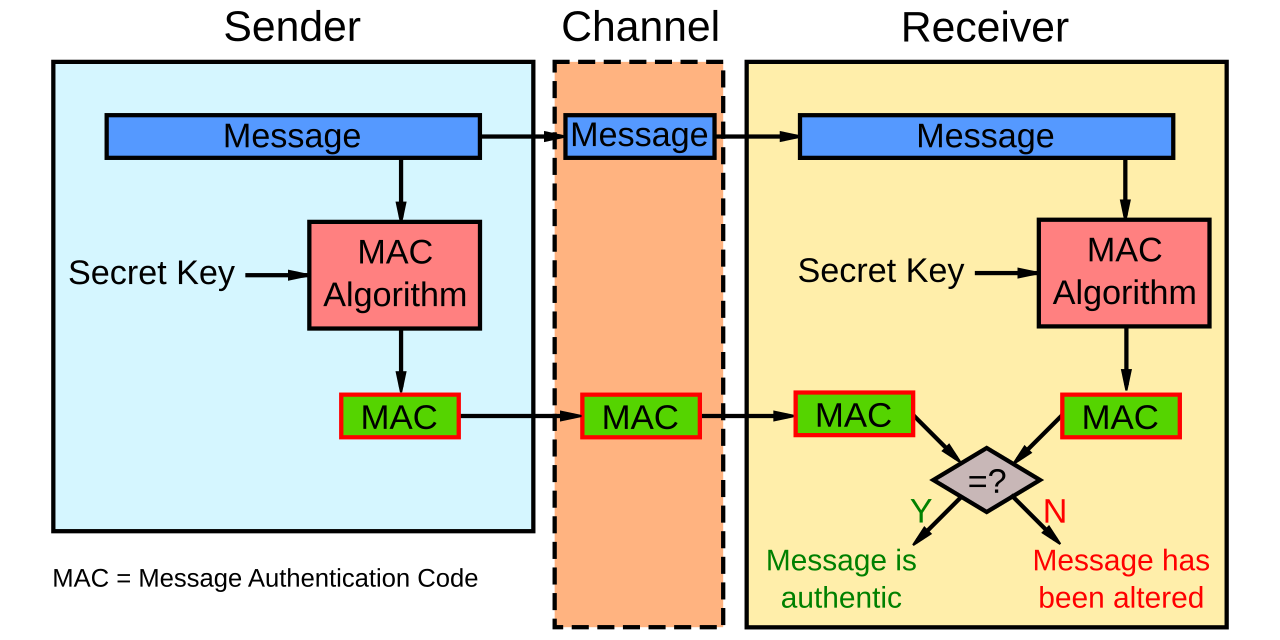
A program that talks to AWS holds an access key, which comes in two halves: an access key ID, which is like a username, and a secret access key, which is like a password and must never be shown to anyone. AWS's SDKs, the libraries your code calls, use the pair to sign each request with Signature Version 4, or SigV4 for short. The SDK computes a signature over the request's method, path, headers and body, using the secret half. (The kind of keyed fingerprint it computes is called an HMAC: only someone who holds the key can produce the right one.) AWS keeps its own copy of the key, recomputes the signature on its side, and compares.
?Why sign instead of sending a password?
Because the secret never crosses the network. What's signed covers the request and a timestamp, so a captured request can't be altered, and AWS rejects it once the timestamp is too old. Only the access key ID travels in the clear; the secret stays with you.
1.2The four facts AWS judges
The second question is authorization, and it's what the rest of this chapter is about. AWS gathers everything it knows about the call into a request context and checks it against every policy that applies. To describe that context we need two more words. Everything you rent from AWS lives in an account, which has a twelve-digit ID such as 111122223333 and owns its own resources, users and rules. And AWS gives every resource, user and role a long unique name called an ARN (Amazon Resource Name). An ARN reads arn:aws:<service>:<region>:<account>:<name>, with fields left empty when they don't apply. Bucket names are global, so our log file's ARN has empty region and account fields: arn:aws:s3:::logs/app/app.log. The context has four parts, and here they are for our call:
| Part of the context | Our call | Where it comes from |
|---|---|---|
| Principal | arn:aws:sts::111122223333:assumed-role/app/i-0abc | The credentials that signed the request |
| Action | s3:GetObject | The API operation being called |
| Resource | arn:aws:s3:::logs/app/app.log | The thing the operation touches |
| Conditions | aws:SourceIp (the caller's IP address), aws:PrincipalOrgID (which organization, a company's group of accounts, the caller's account belongs to), aws:MultiFactorAuthPresent (whether a person signed in with a second factor, such as a phone code) | The request, the caller's session and the resource's tags (name-and-value labels you attach to resources) |
Each named fact in the last row is a condition key, and rules can test condition keys as well as the first three parts. The principal in that table doesn't look like a person's name, and there's a reason.
1.3Who counts as a principal
A principal is whatever signed the request. Our app's principal, assumed-role/app/i-0abc, names no human because the instance stores no password or access key. It holds a role, an identity that owns no credentials of its own. Something has to assume the role, and AWS then hands that something temporary keys, called a role session. Section 7 shows how the handover works and section 8 shows how it gets attacked. For now, here are all the kinds of principal there are, each with its own ARN shape (IAM identifiers):
| Principal | ARN | Credentials |
|---|---|---|
| Root user | arn:aws:iam::123456789012:root | Password, and access keys if someone made them |
| IAM user | arn:aws:iam::123456789012:user/John | Long-lived keys, IDs starting AKIA |
| IAM role | arn:aws:iam::123456789012:role/S3Access | None of its own. It has to be assumed |
| Role session | arn:aws:sts::123456789012:assumed-role/Accounting-Role/Mary | Temporary keys, IDs starting ASIA, plus a session token |
| Service principal | cloudtrail.amazonaws.com | Held by AWS, used when a service acts for you |
?Why does the role session have a different ARN from the role?
Because a role is a template and nobody acts as a template. They assume it and get a session, and the session's ARN carries a session name that the assumer chooses (ours is the instance ID, i-0abc). Two engineers assuming the same role show up in CloudTrail, AWS's log of every API call, as two different principals.
That session name matters later. Section 5.3 shows that a policy granting the role ARN and a policy granting the session ARN are evaluated differently.
So S3 now knows who is calling, what they want and which object it touches. What it needs next is a set of rules to compare those four facts against. To see what a rule engine does with them, we can ask a small one.
02Two rules every policy engine follows
2.1A toy engine and three requests
An office building has a door policy. Nobody gets through a door unless a rule says they may. Staff badges are written into some rules ("engineering may enter the lab"), and there's one more kind of rule, a flat ban ("nobody enters the server room without an escort"). If a ban applies, it wins over every permission, however many permissions you hold.
Cloud permissions work like that. Every request is checked against rules, the starting answer is no, and an explicit deny beats any allow. You can watch that logic run without an AWS account. AWS's own evaluator isn't public, but AWS also open-sourced a policy language called Cedar, which follows the same two rules. A Cedar rule is one line: a permit says who may do what to which thing, and a forbid is a ban. Our toy has one of each, and we'll ask Cedar about three requests: the app role reads app.log, the app role reads a file called db-password.txt that's labelled secret, and an intern role reads app.log.
You need Python and cedarpy (pip install cedarpy), a binding for Cedar. The script describes the roles and files as entities, gives each file a classification, hands Cedar the two rules, and defines ask(who, what), which builds one request and prints the decision.
import cedarpy

policies = """
permit(principal == Role::"app", action == Action::"read", resource);
forbid(principal, action, resource) when { resource.classification == "secret" };
"""
entities = [
    {"uid": {"type": "Role", "id": "app"}, "attrs": {}, "parents": []},
    {"uid": {"type": "Role", "id": "intern"}, "attrs": {}, "parents": []},
    {"uid": {"type": "Object", "id": "app.log"}, "attrs": {"classification": "public"}, "parents": []},
    {"uid": {"type": "Object", "id": "db-password.txt"}, "attrs": {"classification": "secret"}, "parents": []},
]

def ask(who, what):
    req = {"principal": f'Role::"{who}"', "action": 'Action::"read"', "resource": f'Object::"{what}"', "context": {}}
    r = cedarpy.is_authorized(req, policies, entities)
    print(f"{who:<7} read {what:<15} -> {str(r.decision).split('.')[-1]}")

ask("app",    "app.log")           # matched by the permit
ask("app",    "db-password.txt")   # permit matches, but a forbid matches too
ask("intern", "app.log") # nothing matchesapp read app.log -> Allow
app read db-password.txt -> Deny
intern read app.log -> DenyRead the three lines against the two rules. The app role can read app.log because the permit matches it and no forbid does. It can't read db-password.txt: the same permit matches, but the forbid matches too, and forbid wins. The intern role is denied for app.log even though nothing forbids it, because no rule mentions intern at all.
2.2The two rules to remember
Two things from those three lines carry through the whole chapter. First, silence means no: a request that no rule allows is denied. Second, an explicit deny beats any number of allows. AWS IAM follows the same two rules, and most of the surprising AccessDenied errors, and most of the over-broad permissions, come from forgetting one of them.
The first rule already explains the engineer's laptop from the opening. The call from the laptop is signed with the engineer's own keys, so its principal is the engineer, and if no rule mentions the engineer, the laptop is in the position of intern: nothing allows the call, so the answer is no.
A Cedar rule fits on one line. IAM's rules are longer JSON documents, and there are several kinds of them, so we'll start with what goes inside one.
03Writing a rule: the policy document
IAM permissions are written as policies, which are documents in JSON (nested lists and name-and-value pairs written as text). Every kind of policy uses the same grammar, so it's worth learning once, properly.
3.1A statement
A policy is a list of statements. Each statement says: for these actions, on these resources, for these principals, under these conditions, the effect is Allow or Deny. Here is one that lets our app read its logs:
{
  "Version": "2012-10-17",
  "Statement": [
    {
      "Sid": "ReadAppLogs",
      "Effect": "Allow",
      "Action": ["s3:GetObject", "s3:ListBucket"],
      "Resource": ["arn:aws:s3:::logs", "arn:aws:s3:::logs/app/*"],
      "Condition": {
        "StringEquals": { "aws:PrincipalOrgID": "o-exampleorgid" },
        "Bool": { "aws:SecureTransport": "true" }
      }
    }
  ]
}
s3:GetObject reads one object, and s3:ListBucket lists what a bucket holds. They need different resources, because listing acts on the bucket itself (arn:aws:s3:::logs) while reading acts on the objects inside it (logs/app/*, which covers our app/app.log). The two conditions say the caller's account must belong to our organization (section 4 explains organizations) and the request must use HTTPS.
Notice that the statement never says who it applies to. That's because a policy is attached to something, and this one will be attached to the app's role, so it applies to whoever is acting as that role. A policy attached to an identity like this is an identity policy. A policy can also be attached to the thing being accessed, such as the logs bucket, and then it's a resource policy. A resource policy has no owner to apply to, so each of its statements needs a Principal element naming who it covers. Section 4 lists all the places a policy can be attached. Here are the elements a statement can have:
| Element | What it matches | Notes |
|---|---|---|
Effect | Allow or Deny | There's no third option |
Action | service:Operation, wildcards allowed | s3:Get* matches every S3 action whose name starts with Get, including ones added next year |
Resource | ARNs, wildcards allowed | Bucket-level and object-level actions need different ARNs |
Principal | Who the statement applies to | Only in resource policies. Identity policies apply to whoever they're attached to |
Condition | Operators over condition keys | Optional. Omit it and the statement always applies |
Version isn't a date you pick. 2012-10-17 is the current policy language
version, and you need it for policy variables, placeholders like ${aws:username}
that AWS fills in from the request, to work.
3.2How conditions combine
Conditions have their own small logic, documented under condition evaluation:
Inside a Condition block | Logic |
|---|---|
| Two different operators, or two different keys | AND: all must match |
| Several values listed for one key | OR: any one may match |
| Key missing from the request | An ordinary operator such as StringEquals fails to match. A negated one such as StringNotEquals matches, and so does any ...IfExists operator |
?Why does a missing key matter so much?
Because keys are only present when they make sense. aws:SourceIp isn't in
the context when the request comes through a VPC endpoint (a private path from your VPC, the private network your instances run in, to an AWS service), and
aws:MultiFactorAuthPresent is only there for temporary credentials, never for
long-lived access keys
(global condition keys). A Deny that tests such a key with an ordinary operator will quietly not fire when the key is absent. One that uses a negated operator will fire. That's the behaviour you want from "deny unless this key has the right value", because requests with no key at all get caught too.
Key names are also case-insensitive. The
troubleshooting guide
warns that a condition on foo matches Foo and FOO, so a request carrying
two tags whose names differ only by case can be denied unexpectedly.
3.3Three sharp edges
A few elements look harmless and aren't.
NotActionwithAllow. It matches everything except the listed actions. AWS's own example,"NotAction": "iam:*"on"Resource": "*", allows every action in every other service. AWS's warning is that it "could result in granting users more permissions than you intended."- Incomplete ARNs. In an identity policy, AWS fills missing ARN fields with
wildcards.
arn:aws:sqsbecomesarn:aws:sqs:*:*:*: every queue, in every region, in every account. - Friendly names get reused. If a policy refers to
user/Johnby name, in aResourceelement or a condition, and John leaves, the next user created as John inherits that access. Every user also has a unique ID (AIDA...) that is never reused, and resource policies can pin that ID instead.
That is everything a single statement can say. A statement does nothing until it's part of a policy attached to something, and AWS offers seven places to attach one.
04Where a policy is attached
4.1Seven places a policy can live
The grammar is the same everywhere. What changes is who attaches the policy and what it's able to do. Some vocabulary first, because several of these places exist for companies with many accounts. The account from section 1.2 is the basic container: it owns resources, and it's the hardest boundary IAM has. A company usually runs many accounts, and AWS Organizations groups them into a tree whose branches are organizational units (OUs). A policy can be attached to a single account or to a whole OU, and then applies to every account beneath it.
| Policy type | Attached to | Grants? | What it's for |
|---|---|---|---|
| Identity-based (identity policy) | A user, group or role | Yes | What this principal may do |
| Resource-based (resource policy) | A bucket, key, queue, or a role (where it's called its trust policy and says who may assume the role) | Yes | Who may touch this resource, including other accounts |
| Permissions boundary | A user or role | No, only limits | The most an identity may ever do, whatever its policies say |
| Session policy | One role session, passed when the role is assumed | No, only limits | Narrowing a role for one task |
| SCP (service control policy) | An account or OU in AWS Organizations | No, only limits | The most any principal in those accounts may do |
| RCP (resource control policy) | An account or OU in AWS Organizations | No, only limits | The most anyone, from anywhere, may do to resources in those accounts |
| VPC endpoint policy | A VPC endpoint | No, only limits | What may pass through this private path |
4.2Two policies grant, five only limit
Only two of the seven can grant access. The rest can only take it away. So for our call to succeed, something from the first two rows has to allow it, and every limiter that applies must leave it alone.
?Why have so many limiters?
Because they're owned by different people. Whoever writes a role's identity policy isn't the security team writing the SCP, and neither is the team that owns the bucket. Each limiter lets one owner cap everyone else without editing their policies.
One call can now meet up to seven policies, written by different people. In what order does AWS look at them, and how do their answers combine?
05How the answer is worked out
The order of evaluation is what decides the answer. It's specified in AWS's enforcement logic, and it's short enough to memorise.
5.1Two rules that override everything
Everything rests on the two rules from section 2:
- Default deny. Every request starts denied. AWS's only listed exception is the account's root user.
- Explicit deny wins. One matching
Denystatement, in any policy of any type, ends the evaluation with Deny. No number of Allows can outvote it.
AWS names the two outcomes differently. An implicit deny means nothing allowed the request. An explicit deny means something forbade it. The distinction shows up in error messages, and it tells you which kind of fix you need: add an Allow somewhere, or find and remove a Deny.
5.2One request through the stack
Here is the order for a request within one account. The scene below follows our app's s3:GetObject call through four checks, then repeats it after one change to the role.
logs/app/app.log. The policies that apply are laid out in the order AWS consults them. Nothing has been checked yet.Three details sit behind those captions. In step 2, if the resource's account has RCPs, one of them must allow the action. When RCPs are turned on, a policy called RCPFullAWSAccess is attached everywhere and can't be detached, so this step only bites if you've added narrower ones. If the caller's account has SCPs, every level from the root of the organization down to the account must allow the action, and a missing Allow at any level is an implicit Deny.
In step 3, a resource policy that names the caller's IAM user or session ARN directly is enough on its own, and the answer is Allow. Otherwise some identity-based policy must allow the action, or a resource policy must name the caller's role. If neither does, it's an implicit Deny. Step 4 applies the permissions boundary and the session policy, if present, and the request must pass both.
5.3Union for grants, intersection for caps
Behind those steps is a simple pattern. Grants add together, and caps overlap:
| Combination | Result | From the docs |
|---|---|---|
| Identity policy + resource policy, same account | Union: either can grant | "If an action is allowed by an identity-based policy, a resource-based policy, or both, then AWS allows the action." |
| Identity policy + permissions boundary | Intersection: both must allow | "the resulting permissions are the intersection of the two categories" |
| Identity policy + SCP + RCP | Intersection | "an action must be allowed by all three policy types" |
| Role policy + session policy | Intersection | A session policy can't "grant more permissions than those allowed by the identity-based policy of the role" |
?So can a bucket policy bypass a permissions boundary?
Sometimes, and this is the subtle part. It depends on which ARN the bucket policy names.
| Resource policy names... | Limited by an implicit deny in the boundary or session policy? |
|---|---|
| An IAM user ARN | No |
A role session ARN (assumed-role/app/i-0abc) | No: "Permissions granted directly to a session are not limited" |
The role ARN (role/app) | Yes |
Anyone (Principal: "*"), with a condition on aws:PrincipalArn, the key holding the caller's ARN | No, unless an identity policy has an explicit deny |
An explicit deny still beats all of them. These exceptions only concern implicit denies.
5.4A model you can run
AWS's own evaluator isn't public, so everything above comes from AWS's documentation. The documented order fits in about thirty lines of Python, which makes it possible to check your own reading of it. It is a model of the published steps and contains none of AWS's code. Wildcards are matched with fnmatch, Python's matcher for shell-style patterns such as logs/*, and conditions are left out. Each statement is a small dictionary, and a resource-policy statement also records how it names the caller (user, session or role), because section 5.3 showed that this decides the answer. The six cases are all s3:GetObject on our log file, by a role session:
from fnmatch import fnmatch

def matches(stmts, req, effect):
    """True if some statement with this effect covers the request's action and resource."""
    return any(s["effect"] == effect
               and fnmatch(req["action"], s["action"])
               and fnmatch(req["resource"], s["resource"])
               for s in stmts)

def decide(req, pol):
    allp = [s for k in ("rcp", "scp", "resource", "identity", "boundary", "session")
            for s in pol.get(k, [])]
    if matches(allp, req, "Deny"):                       return "Deny (explicit)"
    for k in ("rcp", "scp"):
        if k in pol and not matches(pol[k], req, "Allow"): return f"Deny (no {k} allows)"
    # a resource policy naming the user or the SESSION ARN is enough on its own
    named = [s for s in pol.get("resource", []) if s["names"] in ("user", "session")]
    if matches(named, req, "Allow"):
        return "Allow (resource policy)"
    rbp = matches(pol.get("resource", []), req, "Allow")  # named the role ARN
    if not rbp and not matches(pol.get("identity", []), req, "Allow"):
        return "Deny (no identity-based policy allows)"
    if "boundary" in pol and not matches(pol["boundary"], req, "Allow"):
        return "Deny (no permissions boundary allows)"
    if "session" in pol and not matches(pol["session"], req, "Allow"):
        return "Deny (no session policy allows)"
    return "Allow"

def stmt(effect, action, resource="*", names=None):
    return {"effect": effect, "action": action, "resource": resource, "names": names}

REQ = {"action": "s3:GetObject", "resource": "arn:aws:s3:::logs/app/app.log"}
LOGS = "arn:aws:s3:::logs/*"
identity = [stmt("Allow", "s3:GetObject", LOGS)]
boundary_sqs = [stmt("Allow", "sqs:*")]

cases = [
    ("1 identity allows",                    {"identity": identity}),
    ("2 + SCP denies s3:*",                  {"identity": identity, "scp": [stmt("Allow", "*"), stmt("Deny", "s3:*")]}),
    ("3 bucket policy names role, no id",    {"resource": [stmt("Allow", "s3:GetObject", LOGS, "role")]}),
    ("4 ...plus a boundary without s3",      {"resource": [stmt("Allow", "s3:GetObject", LOGS, "role")], "boundary": boundary_sqs}),
    ("5 bucket policy names SESSION, same",  {"resource": [stmt("Allow", "s3:GetObject", LOGS, "session")], "boundary": boundary_sqs}),
    ("6 identity allows, session policy",    {"identity": identity, "session": [stmt("Allow", "s3:ListBucket")]}),
]
for label, pol in cases:
print(f"{label:<38} -> {decide(REQ, pol)}")1 identity allows -> Allow
2 + SCP denies s3:* -> Deny (explicit)
3 bucket policy names role, no id -> Allow
4 ...plus a boundary without s3 -> Deny (no permissions boundary allows)
5 bucket policy names SESSION, same -> Allow (resource policy)
6 identity allows, session policy -> Deny (no session policy allows)Cases 4 and 5 are the ones to study. They have the same bucket policy and the same boundary, which lacks S3, and they differ only in the ARN the bucket policy names. Naming the role gets a Deny, because the role's boundary caps it. Naming the session gets an Allow, because permissions granted directly to a session aren't limited by the boundary. That's the table in section 5.3, executed. Case 2 shows the other rule: the SCP has an Allow for everything and a Deny for S3, and the Deny wins.
A role has one identity policy: Allow s3:GetObject on arn:aws:s3:::logs/*. Someone calls AssumeRole with a session policy that allows only s3:ListBucket. Can the session read logs/app/app.log?
5.5The same rule in an open-source engine
Cedar is the engine whose source we can read: AWS's open-source policy language, used by Amazon Verified Permissions (AWS's managed authorization service for your own applications) and
described in an OOPSLA 2024 paper (OOPSLA is a programming-languages conference). It has
permit and forbid instead of Allow and Deny, and it lands on the same two
rules:
impl From<PartialResponse> for Response {
    fn from(p: PartialResponse) -> Self {
        let decision = if !p.satisfied_permits.is_empty() && p.satisfied_forbids.is_empty() {
            Decision::Allow
        } else {
            Decision::Deny
        };
        /* ... collect the determining policy IDs and any errors ... */
    }
}
Allow needs at least one satisfied permit and zero satisfied forbids.
Everything else, including "no policy matched at all", is Deny. That's default
deny and deny-wins in six lines.
?What does evaluation cost as policies pile up?
Look at the loop that fills those lists, in
authorizer.rs.
It's for p in pset.policies(): every policy in the set is evaluated. Timing it
through the cedarpy bindings with N permits, each naming a different team, plus one forbid,
2,000 decisions per run and five runs each, gives:
| Policies in the set | Engine time per decision (median) | Per policy |
|---|---|---|
| 11 | 6 µs | 0.55 µs |
| 101 | 48 µs | 0.48 µs |
| 1,001 | 527 µs | 0.53 µs |
| 10,001 | 7.3 ms | 0.73 µs |
Those figures come from the engine's own authz_duration_micros metric, so they
leave out parsing, and the absolute values change from machine to machine. The
shape doesn't: cost is linear in policy count, roughly half a microsecond each.
That's probably why the authorizer's doc comment
talks about deciding "with respect to the given Slice": callers are expected
to pass only the policies that could apply to this request, not the whole
store. To feel the difference, suppose a service makes 1,000 decisions a second:
| Decisions per second | assumed load | 1,000 |
| Whole store, 1,001 policies | 1,000 × 527 µs | 0.53 s/s |
| Whole store, 10,001 policies | 1,000 × 7.3 ms | 7.3 s/s |
| Only the 11 that could apply | 1,000 × 6 µs | 6 ms/s |
| engine time spent per second of traffic | 7.3 s → 6 ms | |
Seven seconds of work every second needs more than seven CPU cores just to answer yes or no, so the filtering step earns its keep.
Everything so far has put the app and the bucket in one account. What if the log bucket belongs to a different one?
06Crossing an account boundary
Suppose the logs bucket lives in account B, and our app runs in account A. An account is the hardest boundary IAM has: nothing in one account can touch another unless both sides say so.
6.1Two evaluations, both must allow
For a cross-account request, AWS runs the evaluation twice, per the cross-account logic: once in the caller's account (the trusted account) and once in the resource's account (the trusting account). "The request is allowed only if both evaluations return a decision of Allow."
Usually you cross by assuming a role in the other account, which means asking STS, AWS's Security Token Service, for temporary credentials. Section 7 covers STS in full. Step through our app's journey:
sts:AssumeRole on that role ARN, and A's SCPs must allow it too.?Why not just put account A in the bucket policy?
You can. A bucket policy naming A's role works without any role in B, as long as A's identity policy also allows the S3 call. What changes is where control lives. With a role in B, account B owns and audits exactly what A can do. With a bucket policy, it's split across two accounts' policies, and both must agree.
6.2Which organization policies apply where
Across accounts we also have to ask which organization-level cap applies, the caller's or the resource's. SCPs follow the principal. RCPs follow the resource. In our example, account A's SCPs limit what our app may do, and account B's RCPs limit what anyone may do to the logs bucket. That's the whole
reason RCPs were added: an SCP can't touch a caller from outside your
organization.
| Policy | Applies to | Doesn't apply to |
|---|---|---|
| SCP | Principals in member accounts, including their root users | The management account (the one that created the organization); service-linked roles (roles an AWS service creates in your account and manages itself); principals from other organizations |
| RCP | Resources in member accounts, whoever the caller is | The management account; calls by service-linked roles; AWS managed KMS keys (encryption keys AWS creates for its own services, see section 6.3) |
Organizations' docs give the example directly, with the letters the other way round from ours: a bucket in account A that grants access to account B outside the org. A's SCP "doesn't apply to those outside users". A's RCP "applies to the S3 bucket in Account A even when accessed by users from Account B."
6.3Two resources that insist on being named
For most resources in the same account, an Allow in either the identity policy or the resource policy is enough. Two exceptions, called out in the evaluation docs:
| Resource | Rule |
|---|---|
| IAM role trust policies | Must explicitly allow the principal. An identity policy allowing sts:AssumeRole isn't enough by itself |
| KMS key policies | Must explicitly allow access. If the key policy doesn't delegate to IAM, no identity policy can grant use of the key |
KMS, the Key Management Service, holds the encryption keys that protect data in S3 and elsewhere. That KMS rule is probably why "I'm an admin and I still can't decrypt" is such a common ticket. A key's policy is the root of trust for the key, and your identity policy comes second.
In the sequence above, STS handed back credentials in a single step. What exactly does it return, and how long do the credentials last?
07Temporary credentials from STS
Roles don't have keys. When our app assumed a role, STS minted short-lived ones on demand, and nearly every modern AWS credential comes from it: a Lambda function's (Lambda is AWS's run-a-function service), a Kubernetes pod's, a person's single sign-on session.
7.1What AssumeRole returns
AssumeRole
returns three strings and a deadline:
| Field | Looks like | Notes |
|---|---|---|
AccessKeyId | ASIAIOSFODNN7EXAMPLE | ASIA marks a temporary key |
SecretAccessKey | 40 characters | Used to sign, never sent |
SessionToken | A long opaque blob | Sent with every request. AWS says to make "no assumptions about the maximum size" |
Expiration | A timestamp | After this, every request fails |
How long that lasts:
| Setting | Value |
|---|---|
DurationSeconds range | 900 s (15 minutes) to the role's maximum |
| Role maximum session duration | 1 to 12 hours |
| Default | 3,600 s |
| Role chaining (assuming a role from a role session) | 1 hour, hard cap. Asking for more "fails" |
?Why does role chaining cap at an hour?
Because otherwise a session could renew itself forever. A role session that assumes another role, which assumes the first back, would never need the original credentials again. A one-hour cap means the chain has to return to a real identity regularly.
7.2Narrowing a session
AssumeRole takes optional parameters that shape the session. A session policy narrows what the session may do. It can be written inline as JSON, or given as the ARNs of managed policies, standalone policies stored in IAM that many roles can share. Session tags are name-and-value labels attached to the session so that other policies can match on them, for example a bucket policy that only lets in sessions tagged team=logs:
| Parameter | Limit | Use |
|---|---|---|
Policy + PolicyArns (session policies) | Up to 10 managed ARNs; 2,048 characters of plaintext across all of them | Intersect the role down for one job |
Tags (session tags) | Up to 50 | Access decided by labels instead of names, via keys like aws:PrincipalTag/team |
TransitiveTagKeys | Up to 50 | Tags that survive role chaining |
SourceIdentity | 2 to 64 characters, can't start with aws: | Who's behind a chain, in CloudTrail |
ExternalId | 2 to 1,224 characters | Anti-confused-deputy check (section 10) |
Session policies and tags ride inside the session token. Push too many in and
STS rejects the call with PackedPolicyTooLarge, even when each individual
limit is met. Watch SessionTokenUtilization in the response.
7.3Pods: IRSA and EKS Pod Identity
A pod, one running group of containers in Kubernetes, needs AWS credentials that belong to it, not to the node (the machine it runs on). EKS, AWS's managed Kubernetes, has two mechanisms, and both end in a role session.
Both start from the pod's Kubernetes identity, its service account. Kubernetes can write a signed token into the pod's filesystem that says "this is service account log-reader in namespace prod". The token is a JWT, a small JSON document with a signature anyone can check. In the first mechanism, IRSA, the cluster's token issuer is registered with IAM as an OIDC provider (OIDC is the standard login protocol these tokens come from), so STS will accept the token as proof of identity and hand back a role session. In the second, EKS Pod Identity, an agent on the node trades the token for credentials on the pod's behalf. The kubelet, Kubernetes's agent on each node, refreshes the token before its TTL (time to live) runs out:
| IRSA (IAM Roles for Service Accounts) | EKS Pod Identity | |
|---|---|---|
| What the pod gets | A service-account token (a JWT) written into its filesystem | A projected token for audience pods.eks.amazonaws.com |
| Who calls STS | The SDK in your container, via AssumeRoleWithWebIdentity | The node's Pod Identity Agent, via AssumeRoleForPodIdentity |
| How the SDK finds it | AWS_ROLE_ARN, AWS_WEB_IDENTITY_TOKEN_FILE | AWS_CONTAINER_CREDENTIALS_FULL_URI = http://169.254.170.23/v1/credentials |
| Trust policy names | The cluster's OIDC provider, with a :sub condition on system:serviceaccount:<ns>:<sa> | The pods.eks.amazonaws.com service |
| Token rotation | Kubelet rotates at 80% of TTL or after 24 hours | Token expires after 24 hours (86,400 s) |
Sources: EKS's best practices guide and how Pod Identity works.
?Why does the IRSA trust policy need that sub condition?
Because without it, the trust policy trusts the whole cluster's OIDC issuer.
Any service account in any namespace could present its token and assume the
role. The token's sub (subject) field names the service account it was issued
to, so a condition on :sub pins the role to one namespace and one service
account.
7.4The credential chain decides which identity you are
An SDK that needs credentials has several places to look, and it takes the first that works. This list is the credential provider chain, and the exact order differs a little between SDKs: environment variables and config files, web identity (the IRSA token file), container credentials (the Pod Identity address above, and its equivalent on AWS's other container services), and finally the EC2 instance metadata service.
The last stop in that chain, the instance metadata service, is how our own app's instance gets its role. It's also the stop that attackers care about most.
08Instance metadata: credentials over HTTP
8.1How an instance gets its credentials
This is where the opening's puzzle gets its answer: our app has no keys in its code because the instance hands them over on request. You attach a role to an instance through an instance profile, the wrapper EC2 uses to hand a role to an instance. EC2 assumes the role for you, and code on the instance, such as our app's SDK, fetches the session from
http://169.254.169.254/latest/meta-data/iam/security-credentials/<role-name>. The server at that address is the Instance Metadata Service (IMDS). That address is a special one that only code running on the instance can reach. The SDK fetches fresh keys from it before the old ones expire, so every key the app ever holds is a temporary one. The design is convenient, since no key ever needs to be stored on disk, and it's probably the most attacked piece of AWS IAM.
?Why is an HTTP endpoint for credentials dangerous?
Because plenty of software makes HTTP requests on someone else's behalf:
proxies, webhooks, URL previewers, PDF renderers, firewalls. If an attacker can
steer one of them at 169.254.169.254, the instance fetches its own
credentials and hands them over. That's server-side request forgery, SSRF.
In the original version of the service, IMDSv1, a plain GET was all it took.
To see it on our app, suppose it has a feature that fetches any URL a user types, to show a preview:
8.2Capital One, 2019
The bank Capital One lost data to exactly this kind of attack in 2019, and it's the best-documented case. There, the component an attacker steered was a web application firewall (WAF), a filter that inspects web traffic before it reaches an app. It ran on one of Capital One's EC2 instances with a role attached. The case's criminal complaint (filed July 29, 2019) and the later superseding indictment describe the attack in three commands. Both filings call the provider "the Cloud Computing Company" and redact the role's prefix. Two more names appear below. TOR is an anonymising network that hides where a request comes from. And after the breach, Senator Ron Wyden asked AWS how it happened, and AWS's chief information security officer (CISO) answered in writing.
?Which part was an IAM failure?
Arguably two of the three. Those credentials left the instance and still worked from TOR, because nothing bound them to where they were issued. And a firewall's role could list and read hundreds of buckets it had no business with. AWS's CISO described the permissions to Wyden as "likely broader than intended" (The Register).
8.3IMDSv2: four small defenses
AWS shipped IMDSv2 in November 2019
(Colm MacCárthaigh's post).
You PUT to get a session token first, then send it as a header:
TOKEN=$(curl -s -X PUT "http://169.254.169.254/latest/api/token" \
  -H "X-aws-ec2-metadata-token-ttl-seconds: 21600")
curl -s -H "X-aws-ec2-metadata-token: $TOKEN" \
  http://169.254.169.254/latest/meta-data/iam/security-credentials/
Compare that with the preview attack in section 8.1, where one plain GET was enough. Each detail of the new exchange blocks a different way of getting the request through:
| Defense | What it stops |
|---|---|
A PUT is required to get a token | Most WAFs and reverse proxies won't forward PUT; per the post, "the vast majority do not permit HTTP PUT requests" |
| A custom header carries the token | SSRF bugs that let an attacker choose the URL but not the headers |
PUT with X-Forwarded-For is refused | Open reverse proxies, which add that header to say which client the request came from |
| Response hop limit of 1 | Every IP packet carries a TTL, a count of how many routers it may still cross, and the token reply's TTL is 1. So it dies at the first hop instead of leaving the host through a misconfigured NAT, router or VPN |
Token lifetimes run from one second to six hours (21,600 s). Since mid-2024,
AWS has said newly released instance types use
IMDSv2 only,
but older types still accept v1 unless you set HttpTokens=required.
An EKS node has IMDSv2 required and a hop limit of 1. A pod with its own private network stack (the default, as opposed to sharing the node's) and without IRSA or Pod Identity asks the SDK for credentials. What happens?
8.4Binding credentials to the machine
IMDSv2 makes theft harder. Two newer controls make stolen credentials less useful:
| Control | What it does |
|---|---|
aws:EC2InstanceSourceVPC and aws:EC2InstanceSourcePrivateIPv4 | Condition keys present on every request signed with EC2 role credentials. Compare them with aws:SourceVpc and aws:VpcSourceIp in an SCP, and instance credentials work only from the instance they were issued to (AWS security blog) |
GuardDuty (AWS's threat-detection service) finding InstanceCredentialExfiltration | Flags instance credentials used from outside AWS (.OutsideAWS) or from another AWS account (.InsideAWS) |
Even with all of these, stolen keys carry every permission of the role. In the Capital One case the firewall's role could list and read hundreds of buckets, and the last control above does nothing about that. How do you decide what a role needs?
09Giving a role only what it needs
"Grant only what's needed" is easy to say. It's hard to do because nobody knows what's needed, and AWS has thousands of actions.
9.1Tools that find what's unused
In practice you start broad in a sandbox, observe what the code
calls, then cut. For our app that ends at a role that can read app/* in one bucket and nothing else. AWS gives you three sources of evidence. In the first, AWS separates management actions, which create and configure things (CreateBucket, PutBucketPolicy), from data-plane events, which read and write the data itself (GetObject on app.log):
| Tool | What it tells you | Caveats |
|---|---|---|
| Last accessed information (docs) | When each service, and for many services each management action, was last used by a principal | Tracks at least 400 days; recent activity takes up to four hours to appear; iam:PassRole isn't tracked; no data-plane events |
| Access Analyzer policy generation | A policy built from the CloudTrail actions a role called over a date range | Only as good as the window you give it; rare code paths will probably be missed |
| Access Analyzer unused access | Continuous findings for unused roles, keys, passwords, services and actions | Charged per role and user analyzed |
Access Analyzer has one more check, aimed the other way. Its external access findings list every resource, such as the logs bucket, that someone outside your account or organization (your zone of trust) could reach.
?How can it be sure it hasn't missed a request?
Because it doesn't test example requests. External access findings come from Zelkova, which translates policies into logical formulas (SMT formulas) and asks a solver, a program that decides whether a formula can be satisfied, whether any request at all from outside the zone of trust could be allowed. The FMCAD 2018 paper notes that it "solves a PSPACE-complete problem" (a class of problems that are hard in general) "and is invoked many millions of times daily."
9.2iam:PassRole, the quiet escalation
Many services act for you with a role you give them: an EC2 instance profile, a
Lambda execution role, a service role for CodeBuild (AWS's build service). Handing a role to a service
takes the iam:PassRole permission.
?Why is PassRole dangerous?
Because it lets you use a role's permissions without ever assuming it. The
PassRole docs
give the example: Alice can't touch S3, but if she can pass an S3-capable role
to a service, "the service could perform Amazon S3 actions on behalf of Alice."
A developer with lambda:CreateFunction and iam:PassRole on * can run
code as any role in the account that trusts Lambda.
It's also hard to audit. "PassRole is not an API call", so CloudTrail has no
PassRole events. You find it in the CreateFunction or RunInstances event
that received the role.
{
  "Effect": "Allow",
  "Action": "iam:PassRole",
  "Resource": "arn:aws:iam::111122223333:role/lambda-app-*",
  "Condition": { "StringEquals": { "iam:PassedToService": "lambda.amazonaws.com" } }
}
Scope the Resource to a naming pattern, and pin the service with
iam:PassedToService.
9.3Boundaries for delegated admin
Permissions boundaries exist for one situation above all: letting teams create their own roles without letting them create a role more powerful than themselves.
You allow iam:CreateRole only when the request attaches a
specific boundary (the iam:PermissionsBoundary condition key), and you deny
editing or removing that boundary. A team can then create any role it likes,
and every one of them is capped by the boundary, whatever its identity policy
says. It's the intersection rule from section 5.3, used on purpose.
Everything so far guards the credentials or shrinks what they can do. The last failure needs no stolen credentials at all, and no permission that's too broad.
10The confused deputy
In this failure every key stays where it belongs and every policy says what its author meant. Instead, a trusted program is tricked into using its own authority for someone who shouldn't have it. The problem is older than AWS.
10.1Hardy's compiler, 1988
Norm Hardy named the problem in a two-page paper, The Confused Deputy (Operating Systems Review 22(4), 1988), about a timesharing system at Tymshare, a company whose customers shared one large computer and paid for the time they used.

A compiler, (SYSX)FORT, had a "home files license" so it could write a
statistics file in its own directory, SYSX. Users could name a file to
receive debugging output. One user named (SYSX)BILL, the billing file. The
compiler opened it with its own license and wrote over it. "The billing
information was lost."
?Whose fault was it?
Nobody's code was wrong, and Hardy built his argument on that. "The compiler serves two masters and carries some authority from each," he wrote, and "it has no way to keep them apart." The user supplied a name; the compiler supplied the authority. His fix was capabilities, where the thing that names a file is also the thing that authorizes writing to it.
IAM, like Tymshare's system, is name-based: policies list ARNs. So the confused deputy is always possible, and AWS provides explicit checks to close it.
10.2Cross-account: the external ID
AWS's version involves a SaaS vendor, a company that sells software as a service, assuming roles in its customers'
accounts. Say you hired one, Example Corp, to analyse the logs in your logs bucket. Here's AWS's
own scenario,
shown with the problem and then the fix:
logs bucket, and your role trusts Example Corp's account. The vendor has other customers, and one of them is up to something.What matters is who picks the external ID: it's generated and controlled by the vendor, unique per customer. If customers chose their own, the other customer would choose yours.
10.3Cross-service: SourceArn and SourceAccount
AWS services are deputies too. A bucket policy that lets
cloudtrail.amazonaws.com write logs trusts CloudTrail, not the person who
configured the trail. AWS spells it out: that bucket "could receive
CloudTrail logs from ... an unauthorized actor in their AWS account, if they
know the name of the S3 bucket."
You fix it by testing the context the service passes along:
| Condition key | Pins the service to acting for |
|---|---|
aws:SourceArn | One specific resource, such as one trail or one SNS topic (a notification channel) |
aws:SourceAccount | One account |
aws:SourceOrgID | Your organization |
aws:SourceOrgPaths | One OU path in your organization |
{
  "Effect": "Allow",
  "Principal": { "Service": "cloudtrail.amazonaws.com" },
  "Action": "s3:PutObject",
  "Resource": "arn:aws:s3:::central-logs/AWSLogs/111122223333/*",
  "Condition": { "StringEquals": { "aws:SourceAccount": "111122223333" } }
}That covers the ways the boundary fails. What's left is finding the cause when it does.
11Debugging and operating
An AccessDenied feels opaque, but it usually carries enough to find the cause
in a few minutes, if you read it in the right order.
11.1Read the message
Most services now return this shape:
User: arn:aws:iam::123456789012:user/John is not authorized to perform: codecommit:ListRepositories
with an explicit deny in a service control policy: arn:aws:organizations::777788889999:policy/o-exampleorgid/service_control_policy/p-examplepolicyid123| Phrase | Meaning | Where to look |
|---|---|---|
with an explicit deny in a <type> policy | A Deny statement matched (section 5.1) | That policy type; the ARN if it's given |
because no <type> policy allows the <action> action | Nothing of that type allowed it | Add an Allow of that type |
| No context at all | This service doesn't use the new format | Work through the checklist below |
Two caveats from the docs: if several policy types deny, the message names only one, and some services don't use this format at all.
11.2A checklist, cheapest first
- Who am I?
aws sts get-caller-identity. A lot of AccessDenied tickets probably come down to the wrong principal: the node role instead of the pod's, an old profile, or an expired session (section 7.4). - Read the message for the policy type, as above.
- Is it an explicit deny? Search SCPs, RCPs, boundaries and the resource
policy for a
Denythat matches, including ones with conditions. - Is it cross-account? Then both sides need an Allow (section 6).
- Is it KMS? The key policy has to allow it, whatever IAM says.
- Encoded message? Some services, EC2 among them, return an encoded
authorization message.
aws sts decode-authorization-messageturns it into the policy context that denied it. - Test offline. The IAM policy simulator, or Access Analyzer's
check-access-not-granted, before you change production policy.
The commands, grouped by the question each answers:
# Which identity is this code really using? (sections 1.3 and 7.4)
aws sts get-caller-identity

# What did the encoded denial message say? (step 6 above)
aws sts decode-authorization-message --encoded-message "$ENCODED"

# Stop pods and proxies on this instance reaching its role (section 8.3)
aws ec2 modify-instance-metadata-options --instance-id i-0abc \
--http-tokens required --http-put-response-hop-limit 111.3Rules that hold up
- Run code as a role. Temporary keys expire on their own;
AKIAkeys don't (section 1.3). - List the actions the code calls. Build the list from CloudTrail or Access Analyzer instead of writing
s3:*(sections 3.3 and 9.1). - Put each limit where its owner can reach it. SCPs and RCPs for the organization, boundaries for delegated admins, and nothing important in the management account (sections 4 and 6.2).
- Require IMDSv2 with a hop limit of 1 where pods shouldn't reach the node's role, and pin instance credentials to their VPC (section 8).
- Give every deputy a way to say whose behalf it acts for. External IDs for vendors,
aws:SourceArnoraws:SourceAccountfor services (section 10). - Scope
iam:PassRoleby role-name pattern andiam:PassedToService(section 9.2). - Read the error before changing a policy. It names the policy type that said no.
11.4What you trade for what
| You get | You pay | When the bill arrives |
|---|---|---|
| Default deny | Every new permission has to be asked for | As an AccessDenied ticket for a call nobody listed |
| Seven kinds of limiter, each with its own owner | A denial can come from any of seven places, and the message names only one | When a role that "has admin" can't do one thing |
| Temporary credentials | Chaining caps at one hour, and sessions can overflow with PackedPolicyTooLarge | As a long job that dies mid-run |
| IMDSv2 with a hop limit of 1 | Pods and proxies lose access to the node's role | As an outage in workloads that quietly relied on it |
| An external ID on a vendor's role | The vendor has to send it | As a third-party integration denied after hardening |
11.5Symptom, cause, fix
| Symptom | Likely cause | Fix |
|---|---|---|
| Admin role gets AccessDenied on one action in every account | An SCP denies it | Read the SCPs on the OU path; the message usually names "service control policy" |
| Works in the dev account, denied in prod | Different SCPs, or a boundary only in prod | Compare get-caller-identity and the attached boundary |
| "no identity-based policy allows" for a pod | The pod is using the node role, not IRSA or Pod Identity | get-caller-identity in the pod; fix the credential chain order |
| Cross-account S3 read denied, bucket policy looks right | The caller's own account doesn't allow it | Add the Allow to the caller's identity policy too |
kms:Decrypt denied for an admin | Key policy doesn't allow the principal or delegate to IAM | Edit the key policy |
| Session denied things its role allows | A session policy was passed at AssumeRole | Check the tool or broker that assumed the role |
AssumeRole with DurationSeconds=7200 fails from a role session | Role chaining caps sessions at 1 hour | Ask for 3,600 or less, or assume from a non-session identity |
PackedPolicyTooLarge from STS | Session policies and tags overflow the token | Fewer tags, a managed session policy instead of inline JSON |
| Condition on a key "doesn't fire" | The key is absent from this request, and the operator isn't a negated or ...IfExists one | Use ...IfExists deliberately, or add a Null check |
| Third-party integration denied after hardening | Your new trust policy requires an external ID they don't send | Get the ID from the vendor; don't invent one |
12Summary
- Every call is judged on four facts: principal, action, resource and conditions, after SigV4 proves who signed it.
- Everything starts denied, and one explicit Deny ends it. The toy Cedar engine showed it in three lines: no Allow can outvote a matching Deny in any policy type.
- Only identity and resource policies grant. SCPs, RCPs, boundaries, session policies and VPC endpoint policies can only take permissions away.
- Grants combine as a union, caps as an intersection. Within an account, either an identity or a resource policy can allow; every cap must also allow.
- The ARN a resource policy names changes the answer. A grant to a role session ARN isn't limited by the boundary; a grant to the role ARN is.
- Cross-account requests are evaluated twice, once per account, and both must allow. SCPs follow the principal; RCPs follow the resource.
- STS credentials expire by design. 15 minutes to 12 hours, one hour when chaining, and
ASIAmarks them. - Instance credentials over HTTP are an SSRF target. The URL-preview feature and Capital One's firewall both handed over a role's keys. Require IMDSv2, keep the hop limit at 1 where pods shouldn't reach it, and pin credentials to their VPC.
- A stolen role is only as dangerous as its permissions. Cut the role down with last-accessed data and generated policies, and scope
iam:PassRole, which is an escalation path you won't see in CloudTrail. - A deputy that holds its own authority can be confused. External IDs and
aws:SourceArn/aws:SourceAccountmake each request say whose behalf it's acting on. - An AccessDenied names the policy type that refused. Read it before widening anything.
13Build this
A policy evaluator that explains itself.
- Extend the model in section 5.4 to parse real IAM JSON:
Action,NotAction,Resource,Principaland a handful of condition operators (StringEquals,StringLike,Bool,IpAddress, and theIfExistsvariants). - Make it return the reason along with the decision, in the same words AWS uses: "with an explicit deny in a service control policy", "because no session policy allows the ... action".
- Add a cross-account mode that evaluates twice and reports which side denied.
- Write the ten rows of the table in section 11.5 as test cases, then check your reading against AWS's IAM policy simulator in a free-tier account.
- For comparison, express the same policies in Cedar and run them through
cedarpy. Note which AWS behaviours (the session-ARN rule, for one) seem to have no direct Cedar equivalent.
14Interview questions
beginnerWhat's the difference between an implicit deny and an explicit deny?›
An implicit deny means no applicable policy allowed the request; it's the
default state of every request. An explicit deny means a Deny statement
matched. It matters for the fix: an implicit deny is solved by
adding an Allow in the right policy type, while an explicit deny can only be
solved by changing or removing the Deny, because it overrides every Allow.
beginnerWhy use IAM roles instead of IAM users with access keys?›
Roles have no long-lived credentials. Assuming one returns temporary keys
(ASIA...) with a session token that expire in 15 minutes to 12 hours, so a
leaked credential stops working on its own. User access keys (AKIA...) work
from anywhere until someone deletes them. Roles also give each session its own
ARN and name, which makes CloudTrail attribution clearer.
intermediateAn SCP allows s3:*. A role in that account has no identity policies. Can it read from S3?›
No. SCPs never grant permissions; they only set the maximum. It still needs an identity policy that allows the read, or a resource policy on the bucket that names it. With neither, the request is implicitly denied at the identity-policy step, and the error says "because no identity-based policy allows the s3:GetObject action".
intermediateWhat's the difference between an SCP and an RCP?›
An SCP caps what principals in your member accounts can do, wherever they call. An RCP caps what can be done to resources in your member accounts, by anyone, including principals from outside your organization. SCPs can't restrict an outside caller hitting your bucket; RCPs exist to fill that gap. Neither affects the management account or service-linked roles.
intermediateWalk through a cross-account role assumption. What has to allow what?›
In the caller's account, an identity policy must allow sts:AssumeRole on the
target role ARN, and the caller's SCPs must allow it. In the target account, the
role's trust policy must name the caller or its account. STS then returns
temporary credentials for a session in the target account, and every later
call with them is evaluated as a same-account request there: the role's
permissions policy, that account's SCPs and RCPs, and any resource policies.
deepDescribe the Capital One breach in IAM terms, and what would have stopped it.›
Per the court filings, a misconfigured web application firewall on EC2 let
outside requests reach the server, and a command obtained credentials for the
WAF's role, which AWS said involved SSRF. Those credentials were then used from
TOR to list more than 700 buckets and copy data. Three controls each break it:
IMDSv2 with a hop limit of 1 blocks the credential fetch through a proxying
component; a role scoped to what a WAF needs blocks the bucket reads; an SCP
comparing aws:EC2InstanceSourceVPC with aws:SourceVpc makes stolen instance
credentials useless off the instance.
deepWhat is the confused deputy problem, and how do the external ID and aws:SourceArn solve it?›
A deputy is a program acting with its own authority on behalf of a caller. It's
confused when the caller supplies a name (a file, an ARN) and the deputy
applies its own authority to it, as in Hardy's 1988 compiler that overwrote the
billing file. In AWS, a SaaS vendor assuming customer roles is the deputy; the
external ID, unique per customer and chosen by the vendor, makes each
AssumeRole state which customer it's for, so a request made for one customer
can't open another's role. For AWS services acting as deputies, aws:SourceArn
and aws:SourceAccount do the same job in resource policies.
deepA bucket policy grants s3:GetObject to a role ARN. The role has a permissions boundary that allows only SQS. Same account. Allowed?›
No. A resource policy that grants to a role ARN is limited by an implicit deny
in the permissions boundary or a session policy, because the actual requester is
the role session. If the bucket policy had named the specific session ARN
(arn:aws:sts::...:assumed-role/role/session), the documented logic says the
grant goes directly to the session and isn't limited by the boundary. An
explicit deny anywhere would still win in both cases.
15Go deeper
An access key ID starts with ASIA. What does that tell you?›
It's a temporary STS credential, so there's a session token with it and an expiration. Long-lived IAM user keys start with AKIA.
You assume a role from inside another role session and ask for DurationSeconds=14400. What happens?›
The call fails. Role chaining caps the session at one hour, whatever the role's maximum session duration is.
Which two resource types must explicitly allow a principal even in the same account?›
IAM role trust policies and KMS key policies. For most other resources, an identity policy alone is enough within one account.
Why does IMDSv2 refuse a token PUT that carries X-Forwarded-For?›
Reverse proxies add that header. Refusing it stops a misconfigured open proxy on the instance from fetching a token for an outside attacker.
The authoritative description of the order in section 5, including the same-account rules for users, roles and sessions, and the cross-account flowchart. Re-read it whenever a result surprises you.
Authentication and access control from first principles, including how an operating system decides who may touch what. The same ideas, one layer down from IAM. Free online at ostep.org.
Two pages, a compiler and a billing file. Still the clearest argument for why name-based access control needs extra context to be safe.
How AWS encodes its policy language into SMT to answer "can anyone outside my account ever do this?", the engine behind Access Analyzer.
AWS's open policy language: permit, forbid, entity hierarchies, a validator, and an evaluator checked with formal proofs. Source at cedar-policy/cedar.
Why each piece of IMDSv2 exists, attack by attack: open WAFs, reverse proxies, SSRF and layer-3 misrouting.
The complaint and superseding indictment: the primary record of the Capital One intrusion, including the three commands.
16Related chapters
The other half of the cloud boundary: which packets reach an instance at all, and why a VPC is a lookup table. Chapter 33.
The Nitro hosts that serve instance metadata and keep tenants apart below IAM. Chapter 47.
Namespaces and the extra network hop that makes a hop limit of 1 keep pods away from the node's metadata. Chapter 11.
Lambda, Fargate and pods: where each gets its role credentials from. Chapter 36.